Custom web application development company in India

We design and build web applications that run real work: customer portals, dashboards, booking systems, marketplaces and internal tools, secure in the browser on every device.

  • Free strategy call
  • Custom quotation, never a fixed package
classify-x.com
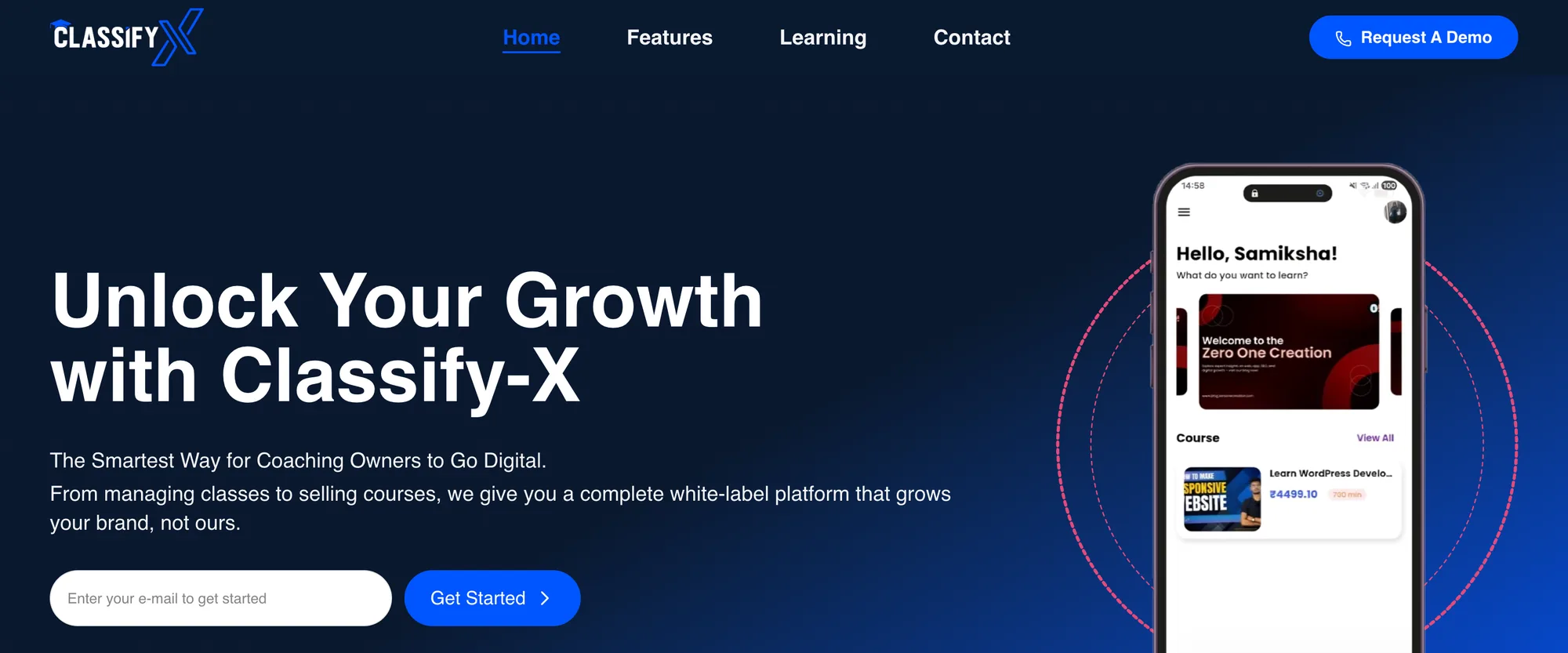
Classify-X web application home page
Classify-X, a web application we built and run.

Worked with

Problems we solve

Is your business held together by spreadsheets, emails and off-the-shelf tools?

Most businesses reach a point where generic tools stop fitting. Work slows down, data gets copied by hand, and customers wait for answers your team should be able to give instantly.

  1. 01

    Work trapped in spreadsheets

    Critical processes live in shared spreadsheets that break, conflict and can't control who sees what.

  2. 02

    Customers can't help themselves

    Clients call or email for status, documents and bookings because there is no portal to check.

  3. 03

    Tools that don't talk

    Data is copied between five different tools, and nobody trusts which version is right.

  4. 04

    Slow, ageing systems

    An old internal system is slow, hard to change and depends on one person who understands it.

Our solution

A web application shaped around how your business works

We design the application around your users and workflows, then build it on a modern, secure stack that's fast to use and easy to extend.

  • Workflow first

    We map who does what, the data involved and where time is lost, before designing a single screen.

  • Secure by design

    Authentication, role-based access, audit logs and encrypted connections are part of the first release.

  • Built to grow

    Clean architecture and APIs, so new features, users and integrations don't require a rewrite.

Web application development services

What we build

Custom web application development for businesses of every size. These are the kinds of web apps we design and build.

01

Customer and partner portals

Secure portals where customers, dealers or partners log in to see orders, documents, approvals, invoices and support, cutting down calls and emails to your team.

  • Secure login per account
  • Orders and status tracking
  • Documents and invoices
  • Approvals and feedback
  • Support requests
  • Notifications
02

Dashboards and internal tools

Admin panels, operations dashboards and internal tools that replace spreadsheets with structured data, workflows and live reports.

  • Admin panels
  • Operations dashboards
  • Workflow and approvals
  • Reports and exports
  • Role-based access
  • Audit logs
03

Booking and scheduling systems

Appointment, resource and service booking with calendars, availability rules, reminders and online payments.

  • Availability rules
  • Calendar sync
  • Reminders by email and messaging
  • Online payments
  • Rescheduling and cancellations
  • Staff schedules
04

Marketplaces and platforms

Multi-sided platforms that connect buyers, sellers or service providers, with listings, search, messaging, payments and reviews. Our work includes the Ek Inch construction platform.

  • Listings and search
  • Profiles and verification
  • Messaging
  • Payments and payouts
  • Reviews and ratings
  • Admin moderation
05

Progressive web apps (PWAs)

Web apps that install on phones, work offline where needed and send notifications, without the cost of separate native apps.

  • Installable on phones
  • Offline support
  • Push notifications
  • Fast on mobile networks
  • One codebase for all devices
  • Instant updates
06

Legacy application modernisation

Rebuild an ageing internal system on a modern stack, migrate its data and keep the business running throughout.

  • System audit
  • Data migration
  • Feature parity plan
  • Phased replacement
  • Performance improvements
  • Documentation
07

Maintenance and support

Ongoing updates, security patches, monitoring and new features for web applications we build or inherit.

  • Security updates
  • Monitoring and alerts
  • Bug fixes
  • Feature roadmap
  • Performance tuning
  • Dedicated developers

What you get

What a custom web app changes

A web application is worth building only if it saves time, reduces errors or serves customers better.

  • Less manual work

    Workflows and automation replace copying and chasing.

  • Self-service customers

    Portals answer status questions without calls.

  • One source of truth

    Data in one secure application, not five tools.

  • Live reports

    Dashboards instead of month-end spreadsheets.

  • Secure by role

    Access control and audit logs built in.

  • Software you own

    Code and data in your name, no per-user licences.

Why us

Why businesses choose Zero One Creation

  • We run our own web apps

    Classify-X, Social Sphere CRM and ZeroVault are web applications we built and run.

  • Platforms for clients

    Our work includes the Ek Inch construction platform and the Aim Campus exam portal.

  • Full stack, one team

    Design, front end, back end, integrations and cloud.

  • Clear written scope

    A proposal with scope and a customised quotation before work starts.

Have a process that's outgrown spreadsheets? Show us how it works today and we'll show you the app it needs.

A free strategy call, then a written proposal with a customised quotation.

Our approach

How we build web applications

Open each step to see what it covers.

  1. 01.Discovery

    Users, workflows, data and integrations mapped, with the problems worth solving first.

  2. 02.UX and prototype

    Key screens and flows designed and tested as a clickable prototype.

  3. 03.Architecture

    Data model, APIs, authentication, hosting and integrations agreed in writing.

  4. 04.Build in sprints

    Working features on a preview link at every check-in.

  5. 05.Test and launch

    Security, performance and accessibility checks, data migration and training.

  6. 06.Support and grow

    Monitoring, updates and new features based on how people use the app.

Common web app problems

Problems we fix in existing web applications

Already have a web app that isn't performing? These are common issues and how we fix them.

  • Slow pages and reports

    What you notice
    Lists and reports take seconds or minutes to load as data grows.
    How we fix it
    Query optimisation, indexing, pagination, caching and background jobs.
  • Security gaps

    What you notice
    Weak logins, shared accounts or data visible to the wrong people.
    How we fix it
    Proper authentication, role-based access, audit logs and security review.
  • Hard to change

    What you notice
    Every change breaks something else, and releases are risky.
    How we fix it
    Refactoring, automated tests and a safer release process.
  • Poor mobile experience

    What you notice
    The app is unusable on phones, where many users now work.
    How we fix it
    Responsive redesign of key flows, or a PWA.
  • Data copied between tools

    What you notice
    Staff re-enter the same data in the app, accounting and CRM.
    How we fix it
    Integrations through APIs and webhooks.
  • Only one person understands it

    What you notice
    The original developer left and nobody can maintain the system.
    How we fix it
    Code audit, documentation and a support plan.

Technology

Our web application tech stack

Modern, widely used technology, so your app is fast to build and easy to hire for later.

Front end
Next.jsReactTypeScriptTailwind CSS
Back end
Node.jsDjango RESTHonoREST and GraphQL
Data
PostgreSQLMongoDBS3 storageDrizzle ORM
Auth and security
Better AuthRole-based accessAudit logsTwo-factor login
Cloud
AWSVercelDockerGitHub Actions
Integrations
Payment gatewaysEmail and messagingCRMs and ERPsWebhooks

Build or buy

Custom web application or off-the-shelf software?

Off-the-shelf software suits many needs. Custom makes sense when your process is your advantage.

Custom web application or off-the-shelf software?
CriteriaCustom web applicationOff-the-shelf SaaSSpreadsheets and email
Fit with your processBuilt around itConfigurable within limitsFlexible but unstructured
Running costBuild plus hosting; no per-user feesSubscription per user or planLow cost, high time cost
IntegrationsExactly what you needDepends on the vendorManual
Data and controlYoursWith the vendorScattered
Best forDistinct workflows and customer-facing portalsStandard needs that fit the productVery small teams

If an off-the-shelf tool fits, we'll tell you. Read our guide on custom vs off-the-shelf software.

Industries

Web applications across industries

Common web applications we build for different industries.

  • Manufacturing

    Dealer portals, quotation tools and operations dashboards.

    See the work
  • Education

    Learning platforms, student portals and admissions systems.

    See the work
  • Construction and real estate

    Marketplaces, project portals and lead management. Our work includes Ek Inch.

    See the work
  • Agencies and services

    Client portals and approval workflows, like our product Social Sphere CRM.

    See the work
  • Startups

    Web app MVPs and SaaS products.

    See the work
  • Healthcare and clinics

    Booking, patient communication and records, with careful access control.

How we work together

Hire web application developers: three ways to work with us

Every engagement starts with a written proposal and a customised quotation.

  • Fixed-scope project

    Design, development and launch of an agreed scope, with previews at every check-in.

    Best for: New web applications

  • Dedicated developers

    Developers who join your team to build and extend your application.

    Best for: Teams with ongoing work

  • Support and growth

    Monthly maintenance, security updates and new features.

    Best for: Live applications

Our product

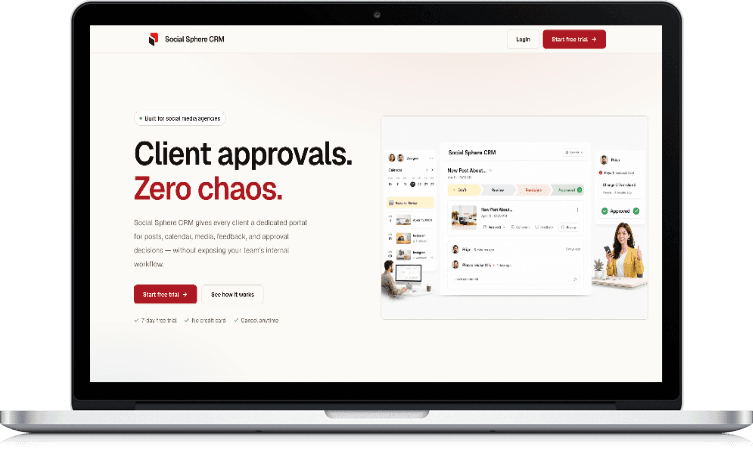
Social Sphere CRM: client approvals in one web app

Client portals
A dedicated portal for each client
Approvals
Approve, reject or request changes
Audit trail
Who approved what, and when
Media library
Organised client content
See our products
Social Sphere CRM web application on a laptop

Guide

Custom web application development: a practical guide

What is a web application?

A web application is software that runs in the browser: users log in and do work, such as booking, ordering, approving or reporting, rather than only reading information as on a website.

Because it runs in the browser, a web app works on any device without installation, and every user gets updates instantly.

Website, web app or mobile app?

A website informs and generates enquiries. A web application lets users do work with their own data. A mobile app suits frequent use on phones with device features such as offline use or push notifications.

Many businesses combine them: a website for marketing, a web app for customers and staff, and sometimes a mobile app on the same back end.

Planning features without over-building

Start with the workflow that costs the most time or causes the most errors, and build that well. List other features on a roadmap and add them based on real use.

Talking to the people who will use the app every day prevents building screens nobody needs.

Security essentials

Every business web app needs secure authentication, role-based access checked on the server, encrypted connections, audit logs for sensitive actions, regular backups and timely updates.

Applications handling personal or financial data also need clear data retention rules and a privacy policy that matches what the app does.

Choosing the technology

Choose mainstream, well-supported technology so the app is maintainable and easy to hire for. For most business web apps we use Next.js and React on the front end, Node.js or Django on the back end and PostgreSQL for data.

The right stack also depends on integrations, existing systems and your team's skills.

User roles and permissions

Most business web applications serve several kinds of users, such as administrators, staff, managers, customers or partners. Define what each role can see and do early, because permissions affect almost every screen.

Role-based access, audit logs for important actions and simple user management for administrators keep the application secure as more people use it.

Reports and dashboards

Dashboards should help people decide something, not just show numbers. Start by asking each role which decisions they make daily or weekly, and what information they need for them.

Exports to Excel or PDF are still important for many teams, so plan them alongside on-screen reports.

Migrating from spreadsheets

Many web applications replace spreadsheets that have grown too complex. Those spreadsheets are a valuable source of requirements: they show the data teams track and the calculations they rely on.

Clean the data before importing, decide what history to bring across, and run the old and new process side by side briefly so users trust the new system.

Support and improvements after launch

A web application is never finished. After launch, users suggest improvements, business processes change and dependencies need updates. Plan for monitoring, backups, security updates and a steady flow of improvements.

A clear process for requesting, prioritising and releasing changes keeps the application useful without disrupting daily work.

What affects the cost of a web application

Costs depend on the number of user roles and screens, workflows and automation, integrations, data migration, design depth, security and compliance needs, hosting and ongoing support.

We don't publish fixed prices or packages. After a scoping call, we send a written proposal with scope, deliverables and a customised quotation.

Before you talk to us

Frequently asked questions

What is custom web application development?

Designing and building browser-based software for your business, such as portals, dashboards, booking systems or internal tools, around your own workflows and data.

What's the difference between a website and a web application?

A website mainly presents information. A web application lets logged-in users do work with their data, such as ordering, booking, approving or reporting.

Will the web app work on phones?

Yes. We build responsive web apps for every screen size, and can make them installable as progressive web apps.

Can you integrate with our existing systems?

Yes. We integrate with CRMs, ERPs, accounting software, payment gateways and other tools through their APIs.

Can you take over an existing web app?

Yes. We audit the code, fix urgent problems, document the system and continue development or plan a rebuild.

How do you keep the application secure?

With secure authentication, role-based access, audit logs, encrypted connections, backups and regular updates.

Do we own the code?

Yes. The code, data and hosting accounts belong to your company.

How long does it take to build a web application?

It depends on scope, roles, integrations and data migration. We agree a timeline in the written proposal.

Can the application have different roles?

Yes. We design role-based access so each user sees and does only what they should.

Can you replace our spreadsheets?

Yes. We turn spreadsheet-based processes into web applications and migrate your data.

Do you provide support after launch?

Yes. We offer support for fixes, updates, monitoring and new features.

How much does web application development cost in India?

It depends on scope, roles, integrations, design and support. We do not publish fixed prices; share your requirements and we will send a customised quotation.

Contact us

Tell us what your web app needs to do. We'll show you how to build it.

Share a few details about your users and workflows. An engineer reviews every enquiry and gets back to you to set up a scoping call.

We use your details only to reply to this enquiry. See our privacy policy.