Gourav Dhiman
Most teams do not have an AI problem. They have a habit problem.
The tools are already on people's screens, and plenty of employees are using them. Yet only about one in ten workers strongly agreed that AI had fundamentally transformed their workplace, even as usage hit record highs in Gallup's early 2026 survey. People use AI to tidy an email or summarize a meeting, then go back to working the way they always have.
Closing that gap is a training and management job, and it is more specific than "run a workshop on prompting." This guide covers what to teach, in what order, how long it takes, how to set rules that people follow, and how to tell whether any of it is working. It is written for team leads, operations managers, and business owners who need their people to use AI well, not just occasionally.
Why Most AI Training Falls Short
The numbers show a consistent mismatch between how fast AI is spreading and how well people are being prepared for it.
PwC's 2026 Global Workforce Hopes and Fears Survey found that daily generative AI use rose from 14 percent to 22 percent, while access to the learning resources workers say they need fell from 59 percent to 51 percent. Jobs for the Future reported something similar from a different angle: 36% of more than 3,000 respondents said they have the training and resources they need to use AI in their jobs, down from 45% in 2024. BCG's 2025 survey landed in the same place, with only 36% of employees believing their training is enough, and 18% of regular AI users saying they had received no training at all.
So usage is growing while preparation is shrinking or stalling. Three patterns explain much of this.
Training is treated as a tools tour. A one-hour demo of a chatbot's features teaches people where the buttons are. It does not teach them how to fit AI into the tasks that fill their week.
Training is generic. A DataCamp survey of 500+ enterprise leaders found that 59% say their organization has an AI skills gap even though most already invest in some form of training. The same research argues the gap is not mainly about advanced engineering expertise but about broad, practical literacy across the workforce. A finance analyst and a customer support agent need different things, and a single course rarely serves both.
Nobody models the behavior. Employees watch what their manager does. If the manager never opens the tool, never shares a good result, and never admits when AI got something wrong, the team reads that as a signal about how seriously to take it.
Keep those three failure modes in mind. The rest of this article is built to avoid them.
Start With the Work, Not the Software
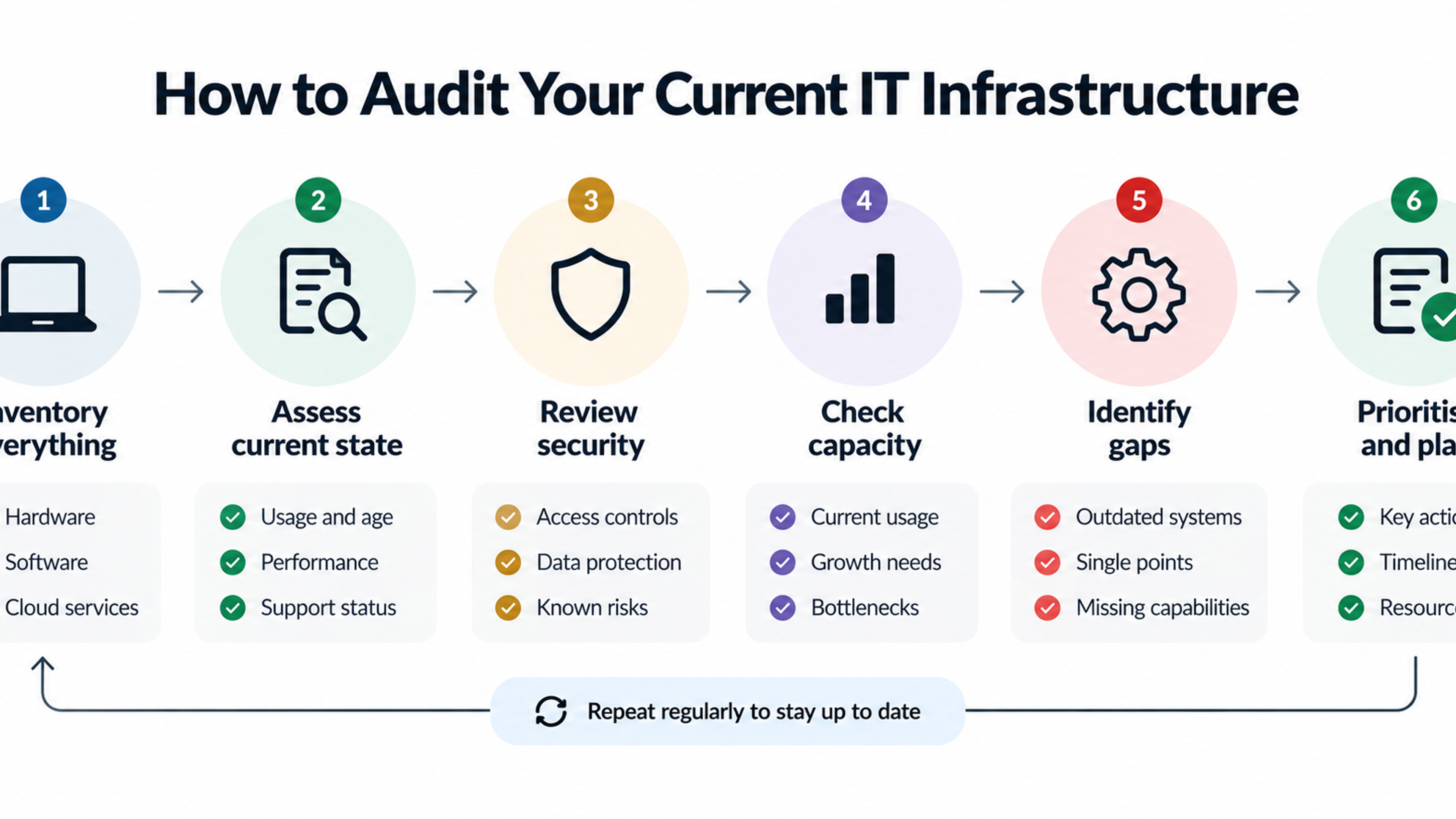
Before you pick a tool or schedule a session, spend an hour mapping what your team actually does. This step is skipped more often than any other, and it is the reason so many programs feel abstract.
Ask each person to list the recurring tasks that take up most of their week. You want specifics: drafting first-pass replies to customer questions, reconciling figures between two spreadsheets, writing job descriptions, preparing weekly status reports, tagging incoming requests, summarizing call notes. Then sort each task by two questions. How repetitive and text-heavy is it? And what is the cost of an error?
Tasks that are repetitive, text-heavy, and low-risk if slightly wrong are your starting point. First drafts, summaries, reformatting, brainstorming, and internal documentation fit here. Tasks where an error reaches a customer, a regulator, or a financial statement need more care, more review, and often a different approach to the training itself.
This exercise does two useful things. It gives you a short list of real use cases to build training around, so people practice on their own work instead of a toy example. It also surfaces the tasks people are quietly afraid to hand over, which tells you where trust has to be earned rather than assumed.
Gallup's data suggests the payoff is real for people who use the tools: among workers at organizations that have adopted AI, about two-thirds report a positive impact on their individual productivity and efficiency. The goal of the audit is to get your people into that group by pointing them at the right tasks first.
Set the Ground Rules Before You Teach the Skills
Many managers want to begin with enthusiasm and add rules later. That order tends to backfire, because people will not wait for permission.
KPMG's 2025 US study found that 50 percent of US workers use AI tools at work without knowing whether it is allowed, and 44 percent knowingly use it improperly. BCG found that 54% of respondents would use AI tools even if not authorized, with Gen Z and Millennials especially prone to bypass restrictions. In other words, the question is not whether your team uses AI. It is whether they use it in the open, with guidance, or in private, with company data pasted into whatever free tool is nearest.
A workable set of ground rules does not need to be long. One page is usually enough, and it should answer five questions in plain language.
Which tools are approved, and for what? Name them. "Use approved tools" means nothing if nobody knows the list.
What information can never be entered? Customer personal data, unreleased financials, credentials, and anything covered by a contract or regulation are the usual candidates. Give examples, because "sensitive data" is open to interpretation.
What must a human check before it leaves the building? Define the review standard for anything customer-facing, legal, financial, or published.
Do people need to disclose when AI helped? Some teams require it for client work. Others only for certain document types. Decide and say so.
Who do people ask when they are unsure? A named person or channel removes the guesswork and gives you a feedback loop on where the rules are unclear.
A simple three-tier system often works better than a long policy. Green covers tasks anyone can do freely, such as summarizing a public article. Amber covers tasks that need a second pair of eyes before the output is used. Red covers tasks or data that stay off AI tools entirely. People remember colors far better than clauses.
If your company works in a regulated sector, involve legal or compliance early and keep the rules as concrete as the law allows. This is also the point where it helps to be honest about what you do not know yet. A short line such as "this policy will be reviewed every quarter as the tools change" builds more trust than pretending the rules are final.
The Four Skills Your Team Actually Needs
Once the rules exist, teach skills, not features. Tools change every few months. The habits underneath them last. Four matter most.
Framing the task clearly
The quality of what comes out depends heavily on what goes in, and most people under-specify. A request like "write an email to a client about the delay" produces something bland and generic. A request that states who the client is, what happened, what the company can and cannot promise, the desired tone, and the length produces something close to usable.
Teach people to think of the tool like a capable new colleague who knows nothing about your business. What would you tell that person before handing over the task? The goal, the audience, the constraints, an example of a good result, and what to avoid. That is all good prompting really is, and it transfers across tools.
Supplying the right context
Closely related, but worth separating: people need to learn what background material to include and what to leave out. This is where the ground rules and the skills meet. Training should show how to supply useful context, such as a style guide, a template, or a sanitized sample, while keeping restricted data out. Teams that maintain a small shared library of approved context documents, like a brand voice guide or a standard report format, get more consistent results and spend less time rewriting the same instructions.
Checking the output
This is the skill most often skipped, and it is the one that protects you. AI tools can produce confident, fluent text that contains errors, invented details, or subtle misreadings of the source. Fluency is not accuracy.
Teach a short verification routine and make it a habit. Check any number, date, name, or citation against the source. Read the output with the original request beside it and ask what is missing. Look for claims that sound plausible but that you cannot trace to anything. Ask the tool to point to where in the supplied material it found a particular statement. For anything high stakes, treat the output as a draft written by someone who has never worked at your company.
Microsoft's 2026 Work Trend Index research adds an interesting detail here. Where managers visibly used AI themselves, employees reported a 30-point lift in trust in agentic AI, a 22-point lift in critical thinking about their own AI use, and a 17-point lift in the value they said they got from it. The same coverage notes that employees who saw managers question AI output thought harder about their own. Checking work out loud, in front of the team, is a form of training that costs nothing.
Knowing when not to use it
The fourth skill is judgment. Some work should stay human: delivering difficult feedback, handling an upset customer who needs to feel heard, making a call that depends on context the tool cannot see, anything where the process of thinking is the point. A team that can say "this is not a good fit for AI, and here is why" is more mature than one that uses it for everything.
Include this explicitly in training. People who feel pressure to use AI everywhere will either use it badly or resent it. People who are trusted to choose will usually choose well.
Design Training People Will Actually Finish and Use
With the skills defined, the next question is format. The research here is more consistent than most training advice.
BCG's 2025 findings are the most useful benchmark available. They found that 79% of respondents who received more than five hours of training were regular AI users, compared with 67% of those who received less than five hours, and that instruction, in-person sessions, and coaching are key components of effective training. BCG's AI ethics officer Steven Mills put it plainly in an interview: employees want about five hours of hands-on training, coaching, and mentoring, and only about a third are actually getting that.
Five hours is not a magic number, and the figures come from large survey samples rather than controlled experiments, so treat them as a sensible target rather than a guarantee. But it is a helpful correction to the common pattern of a single 45-minute webinar.
A structure that works well for most teams spreads those hours over several weeks.
Week one: foundations and rules. A short live session covering how the tools work in plain terms, what they are good and bad at, and the one-page ground rules. Keep it under 90 minutes and leave time for questions, since people often have worries they will not raise in writing.
Weeks two and three: hands-on practice on real tasks. Small groups work on use cases from the task audit. Each person brings a real piece of work, tries it with the tool, and shares what happened, including what failed. These sessions are where most of the learning occurs.
Week four onward: coaching and sharing. A short recurring slot, perhaps 20 minutes every two weeks, where people show a workflow that saved time and one that did not. A named champion in each team fields questions in between.
Make the training role-specific wherever you can. A support agent might practice drafting replies from a knowledge base and then editing for tone. An operations coordinator might work on summarizing vendor emails and flagging deadlines. A finance analyst might use the tool to explain a variance in plain language, then verify every figure against the ledger. The more the practice looks like Monday morning, the more likely it carries over.
Short, specific examples beat abstract lessons. An illustrative case: imagine a three-person recruiting team that spends hours each week turning rough interview notes into structured candidate summaries. A training session built around that exact task, with the team's real template and sanitized notes, produces something they can use that afternoon. A generic session on "writing better prompts" produces a nice feeling and little change.
The Manager's Role Is Bigger Than It Looks
If you take only one finding from the research, take this one. Gallup's State of the Global Workplace 2026 report indicates that employees are 8.7 times more likely to say AI has transformed their work when their direct manager actively champions AI adoption, compared with workers whose managers are indifferent or resistant. A figure like that shows the association rather than proving cause, but it is large enough to take seriously.
BCG's data shows the leadership gap from another angle: just 25% of frontline workers say their leaders provide enough guidance on AI. Managers often use these tools themselves, since their work is heavy on writing and synthesis, but they do not translate that into guidance for the people they lead.
What does effective management look like here? It is mostly small, repeated behaviors.
Use the tools visibly. Mention in a team meeting how you used AI to prepare the agenda, and where you had to correct it.
Share failures as readily as wins. A manager who says "this summary missed the most important point" is teaching verification by example.
Protect time for practice. People will not experiment if every hour is already accounted for. PwC's research on workers who are not far along the AI learning curve describes a group, 56 percent of respondents, who are less likely to be rewarded for using AI, learning new skills, or challenging existing ways of working, even though they do most of the day-to-day work. If experimenting carries no credit and some risk, most people will skip it.
Reward the behavior you want. Recognize someone who documents a useful workflow for the team, or who catches an error before it spreads.
Addressing Fear, Skepticism, and Fatigue
Training that ignores how people feel will meet quiet resistance. BCG's survey found that 41% of global respondents worry their roles could disappear within 10 years due to AI. Telling people not to worry rarely works. Being straightforward does.
Say what you know and what you do not. If your plan is to use AI to remove repetitive work and move people to other tasks, say so and explain what those tasks are. If you do not know how roles will change, say that too, and commit to involving the team as things develop. Vague reassurance sounds like a prelude to bad news.
Different people resist for different reasons, and it helps to tell them apart. Some are worried about their jobs. Some are skeptical because they tried a tool once, got a poor result, and wrote it off. Some are simply tired: Microsoft's 2025 Work Trend Index reported that 80% of the global workforce says they do not have the time or energy to do their current jobs properly, which means an extra learning demand can feel like a burden rather than help.
For the worried, clarity and involvement matter most. For the skeptics, a good first experience with a well-chosen task usually does more than argument. BCG's Mills described this effect: once people get a taste of value, such as editing bullet points for an email, they start thinking about how else they could use it, creating a virtuous cycle. For the tired, the honest answer is to start with the task they most dislike and make the first win very small.
Also watch for the opposite problem. Enthusiastic early adopters can over-trust the tools and stop checking. They need the verification habit as much as the skeptics need the confidence.
From Individual Tricks to Redesigned Work
Training a team to use a chat assistant is a first step. The larger gains tend to come when you change how the work flows, which is where AI solutions and business automation come in.
BCG's research on companies seeing the strongest returns points the same way: those capturing the greatest ROI are redesigning how work gets done, not just rolling out tools. The Gallup findings echo it: benefits are still concentrated at the individual task level rather than across entire organizations.
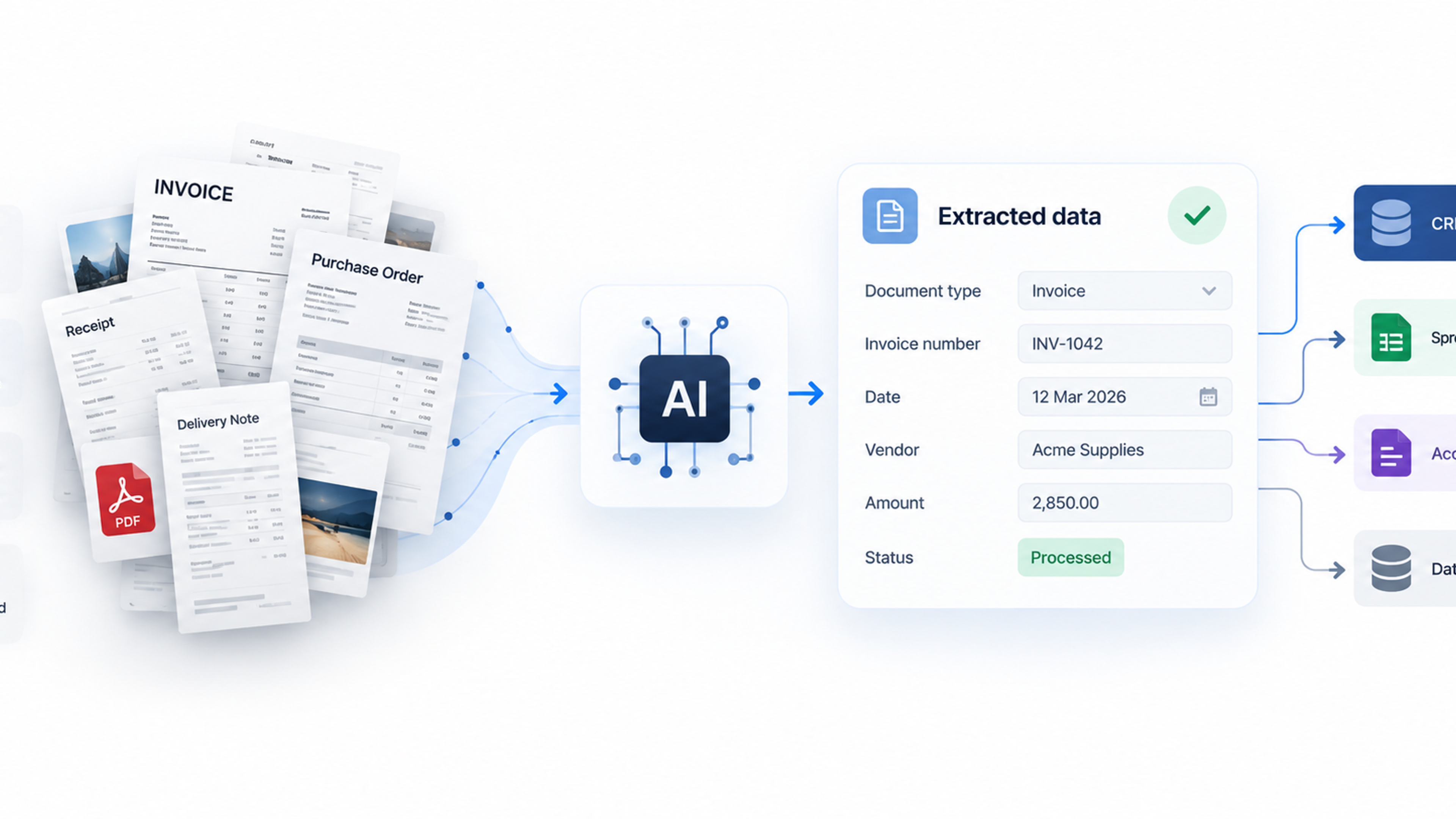
Consider the difference between two versions of the same job. In the first, each support agent individually decides whether to use AI to draft replies, with their own prompts and their own standards. In the second, the team agrees on a process: incoming tickets are automatically categorized, a draft is prepared from the approved knowledge base, an agent reviews and edits, and anything flagged as sensitive goes to a senior person. The second version is more consistent, easier to audit, and easier to improve, because the steps are visible.
Moving from the first to the second requires people who understand what AI is good at, where it fails, and where a human has to remain in the loop. That is exactly what the earlier training builds. It is also why training should come before major automation rather than after. Staff who have used the tools for several weeks can tell you which steps to automate and which will go wrong, and they will trust the result because they helped shape it.
When you do add automation, keep humans in charge of the decisions that matter. Define which steps the system can complete on its own, which require approval, and which stay manual. Log what the system did so errors can be traced. BCG's data suggests most organizations are still early here: its 2025 findings note that just 33% of workers understand how agents work, so any move toward more autonomous workflows needs its own round of explanation and practice.
[IMAGE PLACEHOLDER 04]
How to Tell Whether the Training Is Working
Measurement is where many training programs quietly fail. Completion rates are easy to collect and tell you almost nothing. A better approach looks at behavior and outcomes at three levels.
Participation and confidence. Are people using the approved tools regularly? Do they say they know when to use them and when not to? A short survey before the program and a few weeks after gives you a baseline and a trend. Early participation is often a more honest signal than a productivity dashboard, because it shows whether people feel safe trying things.
Quality and risk. Are errors getting caught? Track incidents where AI-assisted work contained a mistake, and where it was caught. A rising number of caught errors can be a good sign, since it shows people are checking. Uncaught errors reaching customers are the number to drive to zero.
Time and output. Choose two or three specific tasks from the original audit and measure how long they take now compared with before. Be careful with claims. BCG reported that 42% of regular frontline AI users report saving around eight hours a week, but self-reported time savings are only a starting point, and the same analysis notes that most organizations have no system for tracking where those hours go. Ask what people did with the time. If it disappears into more of the same work, the benefit is hard to see. If it goes to customer follow-up, quality checks, or process improvement, you can point to a real change.
Common Mistakes to Avoid
A few errors show up repeatedly in teams that struggle.
Buying licenses and calling it a rollout is the most common. Access is not capability, and the gap between the two is where money gets wasted.
Training everyone identically ignores that roles, risks, and starting points differ. Segment by what people actually do.
Making AI use mandatory without making it useful produces compliance theater. People will tick the box and change nothing.
Skipping the verification habit invites the kind of mistake that damages trust in the whole effort. One embarrassing error sent to a client can set the program back months.
Treating training as a one-time event is another trap. The tools and the best practices change quickly, so plan for a continuing rhythm of short refreshers and shared learning.
Ignoring the quiet majority is the last. PwC's segmentation suggests that the largest group of workers is neither the AI enthusiasts nor the specialists with scarce skills. They are the people doing the bulk of the work, and they are the ones most likely to be left behind unless training is designed for them.
A Practical 90-Day Plan
For a team starting from a low base, this sequence is realistic.
In the first two weeks, run the task audit, choose three to five starting use cases, write the one-page ground rules, and pick one or two approved tools. Get leadership to agree on the rules and to use the tools visibly.
In weeks three through six, deliver the foundation session and the hands-on practice sessions, using real tasks. Name a champion in each team. Collect early feedback on what is confusing or blocked.
In weeks seven through ten, start the coaching rhythm, build a small shared library of approved prompts and context documents, and begin tracking the three measurement areas.
In weeks eleven through thirteen, review results honestly. Keep the use cases that worked, drop those that did not, update the rules, and identify one or two workflows worth redesigning or automating with proper human checkpoints.
At the end of that period, you should know who is using the tools well, where the risks sit, and which parts of the work are ready for deeper automation. That is a far better position than a company-wide announcement and a license count.
Frequently Asked Questions
Basic competence for common tasks usually takes a few weeks of regular practice, not a single session. Survey data from BCG suggests five or more hours of training, ideally with in-person instruction and coaching, is associated with noticeably higher regular use. Building judgment about verification and risk takes longer and comes mainly from repeated use on real work.
At minimum: the approved tools, the categories of data that must never be entered, the review standard for customer-facing or high-stakes output, whether and how AI use is disclosed, and a named contact for questions. Keep it short enough that people will read it, and review it regularly.
Yes, briefly. Managers shape how the team behaves, and research from Gallup and Microsoft links visible manager use and support to stronger results. A short session focused on modeling good habits, setting expectations, and protecting practice time is worth the investment.
Combine three views: whether people use the tools and feel confident, whether quality and error rates hold up, and whether specific tasks take less time with the saved time redirected to useful work. Avoid relying only on completion rates or self-reported savings.
No. Core rules and verification habits apply to everyone, but practice should be tailored to roles. A support team, a finance team, and a marketing team face different risks and have different tasks worth improving.
Shadow AI means employees using AI tools that the company has not approved or does not know about. It matters because company data may be entered into services without proper protection, and because outputs are produced without shared standards. Surveys from KPMG and BCG show it is widespread, which is why clear rules and accessible approved tools matter.
Be direct about your plans and what you do not yet know, involve people in deciding how the tools are used, and show how the work may change rather than only that it will. Reassurance without specifics tends to increase suspicion.