Gourav Dhiman
Manual data entry looks harmless when the workload is small.
A few invoices arrive by email. Someone copies the supplier name, invoice number, date and amount into an accounting system. Another employee uploads a purchase order into a shared folder. A customer sends a scanned form that has to be retyped into a CRM.
None of those tasks seems large on its own.
The problem appears when a business handles hundreds or thousands of documents every month.
People begin copying the same information between PDFs, spreadsheets, accounting software, CRMs, databases and internal systems. Processing slows down. Mistakes become harder to detect. Staff spend time checking documents rather than using the information inside them.
AI-powered document processing is designed to reduce that repetitive work.
Modern document intelligence systems can read printed and handwritten text, detect tables and key-value pairs, classify documents, extract specific fields and send structured information into business workflows. Microsoft's current Document Intelligence service, for example, supports text, tables, document structure, key-value extraction and prebuilt models for documents such as invoices, receipts, bank statements and contracts. Microsoft Learn
Amazon Textract provides similar capabilities for forms, tables, invoices, receipts, identity documents and lending packages, with both real-time and asynchronous processing options. AWS Documentation
For business owners, however, the important question is not which AI model is technically impressive.
It is:
Which document workflows consume enough staff time, create enough errors or slow the business enough that automation is worth implementing?
That is where document processing becomes a practical business automation project rather than an AI experiment.
What is AI-powered document processing?
AI-powered document processing, often called intelligent document processing or IDP, converts information from documents into structured data that software can use.
A typical system takes documents such as:
invoices, receipts, contracts, application forms, purchase orders, delivery notes, statements, claims, scanned PDFs, images and email attachments.
It then identifies what the document contains and extracts useful information.
For an invoice, that might include:
supplier name, invoice number, invoice date, purchase order number, line items, tax amount and total.
For an application form, it might include:
customer name, address, identification number, selected options and supporting-document references.
For a contract, it may identify:
parties, dates, clauses, renewal periods and other relevant fields.
Once extracted, the data can be validated and sent into an accounting platform, CRM, ERP, spreadsheet, database or workflow.
The valuable part is not simply reading the document.
It is turning an unstructured or semi-structured file into usable business data.
The difference between OCR and document intelligence
Many businesses already use OCR and assume AI document processing is the same thing.
It is not.
OCR reads characters
Optical character recognition, or OCR, converts text inside an image or scanned document into machine-readable text.
If an invoice contains:
Invoice number: INV-1042
OCR can recognize those characters.
Traditional OCR is valuable, but raw text alone often does not tell a business system what the text means.
Document intelligence understands structure
Modern document-processing systems go further.
They can identify that:
"INV-1042" is an invoice number.
"$2,850.00" is the invoice total.
"12 March 2026" is the invoice date.
"Acme Supplies" is the vendor.
A table represents individual line items.
Microsoft describes its Document Intelligence technology as combining OCR with machine-learning-based document understanding to extract text, tables, structure and key-value pairs. It supports structured, semi-structured and unstructured documents, depending on the model used. Microsoft Learn
That distinction is important because business automation needs meaning, not just characters.
Where AI document processing creates the most value
The best use cases share several characteristics.
There is a meaningful volume of documents.
The same types of information must be extracted repeatedly.
The documents follow recognizable patterns.
The extracted data feeds another business process.
People currently spend significant time entering or checking the information manually.
Accounts payable is a common example.
A finance team may receive invoices in many different layouts, but the business usually needs the same core fields from all of them.
That makes the workflow a good candidate for document automation.
The same principle applies in other industries.
Finance and accounting
AI document processing can assist with:
invoice capture, expense receipts, bank statements, purchase orders, remittance documents and financial forms.
Microsoft includes prebuilt invoice, receipt, bank-statement and other financial models in its document intelligence platform. Microsoft Learn
Amazon Textract also provides dedicated invoice and receipt analysis capabilities. AWS Documentation
Insurance
Insurance workflows contain large numbers of:
claims forms, policy documents, damage reports, supporting evidence and customer correspondence.
AI can classify these documents and extract information that would otherwise require manual indexing.
Healthcare
Healthcare organizations process:
patient intake forms, claims, prior-authorization forms, referral documents and clinical records.
Amazon specifically identifies healthcare forms and insurance documentation as document-extraction use cases. Amazon Web Services, Inc.
These environments require additional privacy, security and compliance controls because the data can be highly sensitive.
Logistics and manufacturing
Common documents include:
delivery notes, bills of lading, purchase orders, inspection forms, packing lists and supplier invoices.
A document-processing system can help connect these records to inventory, procurement and ERP workflows.
Financial services
Loan applications can contain many pages of mixed documents, including:
application forms, identity records, bank statements, pay slips and supporting evidence.
Microsoft's custom classification examples include loan-application packages containing multiple document types. Microsoft Learn
Amazon Textract also provides lending-specific analysis and automatic page classification workflows. AWS Documentation
Legal and professional services
Contracts, forms, statements and case documents often contain important dates, parties and clauses.
AI can assist with classification and structured extraction, particularly when combined with human review.
The real business cost of manual data entry
Manual entry creates more cost than wages alone.
Consider an accounts team processing invoices.
The visible task may be:
open attachment, find supplier, copy invoice number, copy date, copy total, enter into accounting system.
But the full workflow can include:
checking purchase orders, resolving missing fields, correcting typos, detecting duplicate invoices, asking for approval, re-entering information into another system and reconciling errors later.
The cost therefore includes:
staff time, delays, rework, error correction and opportunity cost.
A five-minute task repeated 2,000 times per month represents more than 166 hours before any exception handling is included.
That does not mean automation eliminates all 166 hours.
A good document-processing system still requires:
monitoring, validation, exception handling and workflow design.
The realistic goal is to stop humans performing predictable transcription work so they can spend more time on decisions and exceptions.
AI changes the workflow, not only the typing
The most valuable document automation projects do not simply replace keystrokes.
They redesign the complete information flow.
A manual invoice process may look like this:
Email arrives → Employee downloads attachment → Opens invoice → Enters data → Checks PO → Sends approval email → Waits → Updates spreadsheet → Posts invoice
A better automated process might look like:
Invoice received → Document classified → Fields extracted → Values validated → Purchase order matched → Exception routed if necessary → Approval triggered → Data posted to accounting system
The employee becomes responsible primarily for exceptions.
That is a much larger productivity change than faster data entry.
A practical document-processing architecture
A reliable implementation usually contains several separate layers.
1.Document intake
Documents may arrive from:
email, uploads, scanners, cloud storage, supplier portals, mobile capture or existing systems.
Automating extraction while keeping document intake manual can still leave unnecessary work in the process.
Ideally, the intake itself is connected to the workflow.
2.Classification
Before extraction, the system may need to determine what kind of document it received.
For example:
invoice, receipt, purchase order, statement or contract.
This is particularly important when multiple documents arrive in a single PDF or inbox.
Microsoft supports custom classification models designed to detect and separate document types within input files. Microsoft Learn
3.OCR and layout analysis
The platform reads the text and identifies the structure of the page.
That may include:
paragraphs, tables, checkboxes, forms and document sections.
Microsoft's layout model, for example, is designed to extract text, tables and document structure. Microsoft Learn
4.Field extraction
The system maps content to business fields such as:
supplier, invoice number, amount or due date.
5.Validation
Extracted information should be checked against rules and other systems.
For example:
Does the purchase order exist?
Does the supplier exist?
Do invoice totals add correctly?
Is the invoice number already present?
6.Human review
Uncertain or unusual records should be sent to someone for review rather than automatically accepted.
7.Integration
Approved data is then sent to the relevant destination.
That may be:
ERP, CRM, accounting platform, claims system, database or workflow engine.
Confidence scores matter
AI extraction systems are probabilistic.
They do not understand every document with equal certainty.
A clean digital invoice from a known supplier may be easy to process.
A faded scan with handwriting and unusual formatting may be much harder.
A useful system therefore does not behave as though every extracted value is equally reliable.
Instead, it can use confidence scores.
For example:
A supplier name with high confidence can continue automatically.
A total amount with moderate confidence may trigger a check.
A field with very low confidence can require manual review.
This creates a human-in-the-loop workflow.
The objective is not "remove humans from document processing."
It is:
use humans where judgment is actually needed.
Human review should be designed around risk
Not every extracted field has the same consequence.
If a mailing address is slightly wrong, the impact may be limited.
If a bank account number is wrong, the consequences could be severe.
A mature workflow therefore considers both:
confidence and business risk.
A low-confidence, low-impact field may simply be flagged.
A low-confidence financial field should probably stop the workflow.
A high-confidence field may still require approval if it triggers a legally significant decision.
This is consistent with broader AI risk-management guidance.
NIST's AI Risk Management Framework emphasizes governance, measurement and management of AI risks rather than assuming model outputs are automatically trustworthy. NIST
Prebuilt models or custom models?
Businesses generally have three choices.
Prebuilt document models
These are trained for common document types such as:
invoices, receipts, identity documents or bank statements.
They can be the fastest way to begin.
Microsoft and Amazon both provide specialized pretrained capabilities for widely used document categories. Microsoft Learn
A prebuilt model is a strong starting point when your documents are conventional.
Custom extraction models
A custom model becomes useful when:
your documents have unusual layouts, you need industry-specific fields, or standard models do not extract the information you need.
Microsoft's platform supports custom extraction and custom classification models in addition to prebuilt models. Microsoft Learn
LLM-based document understanding
Large language models can help when documents are more complex and less structured.
For example:
extracting obligations from contracts, interpreting narrative reports, identifying concepts across multiple sections or analyzing content that cannot be described as a predictable form.
Microsoft now distinguishes between deterministic document extraction through Document Intelligence and LLM-powered Content Understanding for more complex, unstructured and multimodal content. Microsoft Learn
This distinction matters because not every document problem needs a generative model.
If the requirement is simply:
"Extract invoice number, date and total"
a specialized extraction model may be more predictable and easier to validate.
Why generative AI should not replace validation logic
LLMs are powerful, but they can produce incorrect outputs.
That matters when document data affects:
payments, contracts, claims, medical workflows or compliance.
A good architecture separates tasks.
AI can help interpret the document.
Business rules should verify important facts.
For example:
AI identifies an invoice total.
The accounting workflow independently checks whether line items plus tax equal the same total.
AI identifies a supplier.
The system verifies that supplier against the vendor database.
AI identifies a purchase order number.
The system confirms the PO exists and matches the supplier.
This combination is stronger than trusting the AI output alone.
What documents should you automate first?
A common mistake is trying to automate every document type at once.
Start with a narrow workflow.
The best first candidates usually have:
high volume, repetitive fields, reasonably consistent structure and clear downstream actions.
A monthly invoice process involving 5,000 documents is usually a better first project than a rare 50-page legal contract.
A useful prioritization method is to ask:
How many documents are processed?
How much employee time does each one require?
How standardized are the documents?
How costly are errors?
How easy is it to verify the extracted data?
How clear is the downstream process?
The strongest candidates have high manual effort but manageable extraction complexity.
How to calculate the potential time savings
Before buying software, calculate the current workload.
Suppose a business processes 3,000 invoices per month.
Manual processing averages four minutes per invoice.
That equals:
3,000 × 4 minutes = 12,000 minutes
or:
200 hours per month.
Now suppose automation handles 75% of the documents with minimal intervention while 25% still require significant human review.
That does not mean the business saves exactly 150 hours.
The remaining workflow still includes:
exception handling, validation, approvals and system administration.
But the calculation gives the team a baseline.
A more complete model should include:
current processing time, error-correction time, automation rate, exception-review time, software cost and implementation cost.
Then compare the result with the cost of the current process.
This makes the automation decision much more defensible.
Accuracy should be measured field by field
A single "accuracy percentage" can be misleading.
Suppose an invoice processor extracts:
supplier, invoice number, date, purchase order, tax and total.
If the supplier name is wrong, the system may still recover through vendor matching.
If the invoice total is wrong, the business may make an incorrect payment.
Those two errors are not equivalent.
A better evaluation tracks accuracy by field.
For example:
invoice number accuracy, supplier accuracy, date accuracy, total accuracy and line-item accuracy.
You can then define different approval rules for each field.
This is especially important when evaluating vendors.
A demo may look excellent on a few clean documents.
The real test is performance on your own document population.
Test with representative documents, not hand-picked examples
Document automation often fails because the pilot dataset is too clean.
Real businesses receive:
crooked scans, phone photographs, fax-like PDFs, unusual templates, handwriting, low-resolution files and multi-page documents.
Your test set should include those cases.
If 80% of your invoices come from the same five suppliers, include them.
If 20% come from hundreds of different suppliers, include that long tail too.
If documents arrive in several languages, test each relevant language.
If handwritten fields matter, test handwriting.
AWS Textract, for example, supports both typed and handwritten text, but capability alone does not guarantee that every handwriting style or scan quality will work equally well. AWS Documentation
Evaluation has to reflect your environment.
Exception handling is where good systems differ from demos
Every production workflow eventually encounters:
missing pages, unreadable scans, duplicate invoices, unexpected currency, unusual layouts, invalid purchase orders and incomplete forms.
The system needs a defined response.
For example:
If invoice number is missing → route to review.
If PO cannot be matched → route to procurement.
If supplier is unknown → create vendor-verification task.
If total differs from PO tolerance → stop payment workflow.
If document cannot be classified → send to general review queue.
This is what turns AI extraction into operational software.
Without exception handling, automation merely moves errors faster.
Integration often matters more than the AI model
A document processor that extracts fields into a dashboard can look impressive.
But if employees still need to copy those fields into another system, the core business problem remains.
The real value comes from integration.
For example:
Invoice received by email → AI extracts fields → ERP validates vendor → PO matched → manager approves → invoice posted automatically
The AI step is only one part of that workflow.
Businesses evaluating document automation should therefore ask:
Can it receive documents automatically?
Can it connect to our systems?
Can it trigger workflows?
Can it handle exceptions?
Can it preserve the source document?
Can every important action be audited?
Those questions often matter more than whether the vendor's model scored slightly higher on a generic benchmark.
Security and privacy cannot be added later
Business documents frequently contain confidential information.
Examples include:
customer data, employee records, financial information, identity documents, health information and contracts.
Before sending documents to an AI service, understand:
where the data is processed, how long it is retained, how it is encrypted, who can access it and whether the provider uses it for model training.
You should also define:
role-based access, audit logging and document-retention rules.
Sensitive workflows may require:
regional processing, private networking, contractual controls or self-hosted components.
The correct architecture depends on the business and jurisdiction.
This is another reason not to choose document-processing technology based purely on extraction quality.
Retrieval and document search are a second opportunity
Once documents are digitized and structurally understood, businesses can use them for more than field extraction.
Document intelligence can support search and retrieval systems.
Microsoft, for example, documents the use of its layout analysis capabilities for retrieval-augmented generation, where document structure is used to break content into better chunks before retrieval by a language model. Microsoft Learn
That enables use cases such as:
searching contracts, answering questions from technical manuals, finding clauses, summarizing policy documents or building internal knowledge assistants.
This is a separate use case from transactional extraction.
A company may therefore use the same document pipeline in two ways:
structured extraction for operational workflows and retrieval for knowledge access.
Build a human-review queue that employees actually like using
A poorly designed review interface can eliminate much of the benefit of automation.
Employees should not need to switch between five screens to validate one invoice.
A good review interface places:
the original document, extracted fields, confidence indicators and validation warnings
on the same screen.
It should allow fast correction.
Keyboard navigation can matter for high-volume operations.
The system should also learn from recurring error patterns, either through retraining, configuration changes or improved business rules.
Human review is not a failure of automation.
It is part of the system.
A practical implementation roadmap
Start smaller than you think.
Phase 1: Choose one document type
Select a high-volume, repetitive workflow with a clear owner.
Invoices are often a good example, but your best use case may be different.
Phase 2: Define the exact fields
Do not say:
"Extract the invoice."
Specify:
supplier name, supplier ID, invoice number, invoice date, PO number, currency, subtotal, tax and total.
Phase 3: Collect representative examples
Include good and bad documents.
Phase 4: Test extraction quality
Measure results by field.
Phase 5: Add validation rules
Connect extracted values to existing reference data and business rules.
Phase 6: Build the human-review path
Decide which conditions need review and who owns the task.
Phase 7: Integrate the downstream system
Send validated data to the system where the process continues.
Phase 8: Measure the result
Compare:
processing time, exception rate, error rate, cost per document and throughput.
What metrics should you track?
Once the system is live, monitor both technical and business performance.
Useful operational metrics include:
straight-through processing rate, exception rate, average processing time and queue age.
Useful quality metrics include:
field-level accuracy, validation failure rate and manual correction rate.
Useful commercial metrics include:
cost per document, staff hours saved, processing capacity and turnaround time.
For finance workflows, you may also care about:
time to approval, duplicate-detection rate and early-payment opportunities.
The purpose of measurement is not to prove that AI works.
It is to discover where the workflow still wastes time.
Common mistakes in AI document-processing projects
Automating a broken process
If the underlying approval workflow is unnecessarily complicated, AI will not fix that.
Simplify first.
Trying to automate every document
Start with one meaningful workflow.
Treating OCR accuracy as business success
Perfect text extraction does not matter if the data cannot enter the downstream system correctly.
Ignoring exceptions
Design the failure path before production.
Trusting every AI output
Use validation and risk-based human review.
Measuring only speed
Faster processing is not valuable if error rates rise.
Choosing technology before defining fields
The business must define what information actually matters.
Ignoring document retention and privacy
Data governance should be part of the design from the beginning.
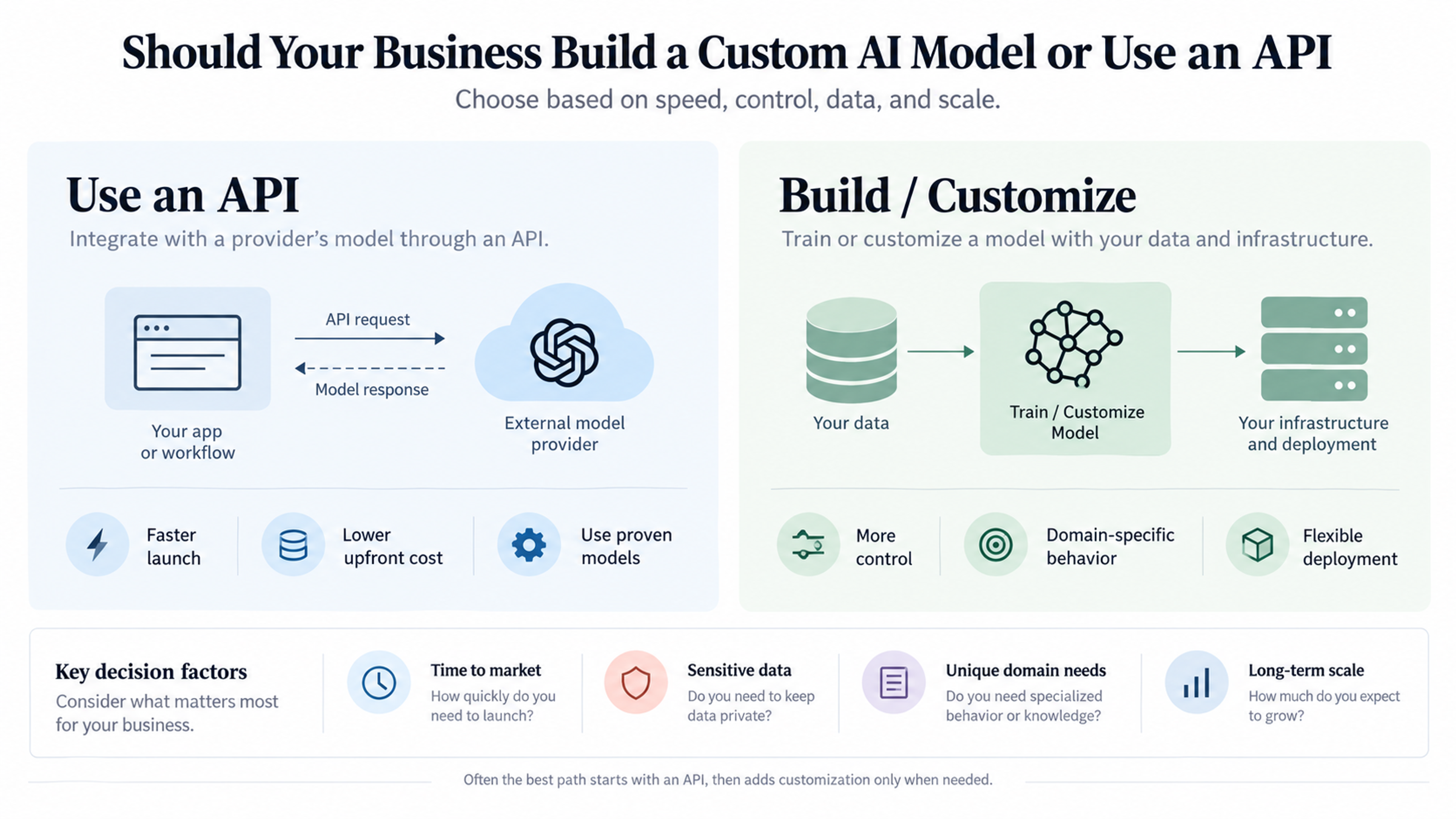
When custom document processing makes sense
A packaged solution may be enough if your needs are conventional.
Custom development becomes more useful when:
documents are highly specialized, your workflow has unusual validation rules, several internal systems must be coordinated, industry-specific models are required or the review experience needs to match a specialized operation.
Custom development does not necessarily mean training an AI model from scratch.
A practical architecture may combine:
a commercial document-intelligence API, business-specific validation rules, custom integrations and a tailored review interface.
That can provide much of the flexibility of a custom system without taking responsibility for every part of the machine-learning stacK.
The real opportunity is not reading documents faster
The largest benefit of AI-powered document processing is not that a machine can read an invoice faster than a person.
It is that a business can redesign what happens after the document arrives.
Instead of:
receive, open, read, copy, paste, check, forward and re-enter
the process becomes:
receive, understand, validate, route and act.
That shift can remove hours of repetitive work from finance, operations, customer service, logistics and administration.
The strongest implementations do not attempt to eliminate human judgment.
They separate routine transcription from genuine decision-making.
AI handles the repeatable extraction.
Business rules verify what can be verified.
People review exceptions and high-risk decisions.
Integrations carry the data into the systems where the work continues.
That is when document processing stops being an OCR tool and becomes business automation.
Frequently Asked Questions
AI-powered document processing uses technologies such as OCR, machine learning and document understanding to classify documents, extract information and convert it into structured data for business systems.
No. OCR primarily converts images of text into machine-readable text. Intelligent document processing adds capabilities such as document classification, layout understanding, key-value extraction, validation and workflow integration.
Common examples include invoices, receipts, purchase orders, contracts, statements, identity documents, forms, delivery notes and loan documents. Available capabilities depend on the platform and model.
Some current document-intelligence platforms support handwritten text recognition, but performance depends on factors such as handwriting quality, scan quality, language and document structure. Amazon Textract explicitly supports typed and handwritten text detection.
Usually not completely. Strong implementations use straight-through processing for reliable cases and send uncertain or high-risk cases to human review.
There is no universal accuracy figure. Accuracy depends on document quality, model, document type and field. Businesses should test using their own representative documents and evaluate accuracy at the field level.
Use a prebuilt model when your document type is common and supported. Consider custom extraction or classification when layouts or fields are business-specific. For complex unstructured content, an LLM-based document-understanding approach may be useful.
Measure the current processing cost, including staff time and error correction. Then compare it with the cost of the automated workflow, including software, human review, integration and maintenance. Track the actual change in processing time, error rate and cost per document after launch.