Ishita Singh
An enterprise resource planning (ERP) system sits at the heart of a business.
It handles finance, purchasing, inventory, sales orders, production and often HR, so when an ERP project goes well, it can transform how a company operates. When it goes badly, the effects can be severe: orders that cannot be shipped, invoices that cannot be issued, stock that cannot be found and months of disruption, sometimes followed by a write-off of the entire investment.
ERP projects rarely fail because the software does not work. They fail because of decisions made around it. The most common causes are unclear goals, treating the project as an IT exercise rather than a business change, trying to make new software behave exactly like old processes, choosing the wrong system or partner, underestimating data migration, setting unrealistic budgets and timelines, testing too little, rushing the go-live and failing to prepare the people who will use the system every day.
The encouraging part is that these problems are well understood and largely avoidable. This guide explains each of the main reasons ERP implementations fail, with lessons from well-documented cases, the early warning signs that a project is in trouble and practical steps to prevent or recover from them. It is written for business owners, finance and operations leaders and anyone preparing to select or implement an ERP system.
What ERP failure really looks like
When people think of ERP failure, they often picture a project that is abandoned entirely. That does happen, but it is the extreme end of a wider range of outcomes.
A spectrum, not a single event
At one end are projects that are cancelled after significant investment. Further along are projects that go live but cause serious disruption to operations, such as delayed shipments, billing problems or inaccurate financial reporting. More common still are projects that technically succeed but run well over budget and timeline, or deliver only part of the expected benefit because staff work around the system with spreadsheets, processes were never improved or key features were dropped. Industry surveys, such as those published by Panorama Consulting, have repeatedly found that many ERP projects exceed their planned budgets or timelines, even when they are eventually completed.
Lessons from well-known cases
Several high-profile cases illustrate how serious the consequences can be. In 1999, the confectionery company Hershey went live with new ERP, CRM and supply chain systems shortly before its busiest season. Widely reported problems with order processing and fulfilment meant the company struggled to deliver products to retailers in time for Halloween, affecting sales and profits for the period.
In 2018, the supermarket chain Lidl abandoned a long-running project to replace its in-house inventory system with SAP, reportedly after investing around 500 million euros over several years. Reports at the time suggested that one key difficulty was that Lidl's established way of valuing inventory differed from the standard approach in the software, requiring extensive customisation.
In 2019, the cosmetics company Revlon disclosed that problems with a new ERP system at a manufacturing facility had disrupted production and shipping, contributing to lost sales and leading the company to report weaknesses in its internal controls.
These are large organisations with large budgets, but the underlying causes, including timing, customisation, data, testing and readiness, are just as relevant to a mid-sized business implementing its first ERP.
Unclear goals and a weak business case
Many ERP projects start because the old system is ageing, a vendor is ending support or the business has simply outgrown spreadsheets and disconnected tools. Those are valid triggers, but they are not goals. Without a clear statement of what the new system should achieve, every later decision, from choosing software to configuring processes and deciding what is in scope, becomes harder.
Why it causes failure
When goals are vague, scope tends to expand, because there is no clear basis for saying no to new requests. Different departments push for different priorities. Success cannot be measured, so problems are not spotted until late. And when budgets come under pressure, there is no shared understanding of which benefits matter most and which features can be deferred.
How to avoid it
Define a small number of specific, measurable outcomes before selecting software. Examples might include closing the month in five working days instead of twelve, achieving inventory accuracy above an agreed level, shipping orders within 24 hours, giving managers real-time visibility of margins by product or customer, or supporting a planned expansion into new markets or entities without adding finance staff.
Build a business case that links these outcomes to costs and benefits, including the full cost of implementation, licences, internal staff time, training, data migration and ongoing support. Revisit it at key decision points. A business case is not just a document to secure funding; it is a tool for keeping the project focused.
Treating ERP as an IT project
An ERP system changes how finance closes the books, how purchasing works, how warehouses pick and ship, how sales take orders and how managers see performance. It is a business transformation that happens to involve software. Treating it as an IT project, led by technical staff with limited involvement from the rest of the business, is one of the most common root causes of failure.
Why it causes failure
When business leaders are not closely involved, key decisions about processes, controls and priorities are made by people who do not own the outcomes. Department heads may only see the system shortly before go-live, when it is too late to change it easily. Disagreements between departments about how processes should work remain unresolved. And without visible leadership commitment, staff treat the project as optional and keep using old methods.
How to avoid it
Appoint a senior executive sponsor, often the chief executive, managing director or finance director in a mid-sized business, who is accountable for the project's success and has the authority to make decisions across departments. Assign business process owners for each major area, such as finance, procurement, inventory, sales and production, who are responsible for designing and signing off how their processes will work in the new system.
Release key people from part of their day jobs to work on the project. ERP projects need the knowledge of experienced staff, who are usually also the busiest. Budgeting for backfill or temporary support is often essential. Set up a steering group that meets regularly, reviews progress against goals and resolves issues quickly, rather than letting decisions stall.
Poor process design and over-customisation
Modern ERP systems are built around standard processes that reflect common practice across many businesses. Trouble starts when an organisation tries to make the new system work exactly like the old one, or like a collection of habits and workarounds that grew up over years.
Why it causes failure
Every customisation, meaning changes to the software's code or the addition of bespoke functionality, adds cost and complexity. It must be designed, built, tested and documented. It may break when the vendor releases updates, making upgrades slow and expensive. It can introduce bugs and performance problems, and it often depends on the knowledge of a few developers. A heavily customised ERP can end up as expensive to maintain as the legacy system it replaced. The Lidl case, where differences between the company's long-standing practices and the software's standard approach reportedly required extensive adaptation, illustrates how far this can go.
Poor process design is the other side of the same problem. If current processes are inefficient, simply moving them into a new system preserves the inefficiency, sometimes making it more rigid.
How to avoid it
Start by reviewing and simplifying processes before configuring the system. Ask why each step exists and whether it adds value. Then compare your processes with the system's standard ones in a structured fit-gap analysis. Where the standard process is acceptable, adopt it. Where there is a gap, consider whether it reflects a genuine competitive advantage, a legal or regulatory requirement, or simply habit.
Prefer configuration, the settings and options built into the software, over customisation. Where custom functionality is truly needed, many modern platforms encourage building it as separate extensions or integrations rather than changing the core system. SAP, for example, has promoted the idea of keeping a "clean core" for this reason. Set a governance process so that every customisation request is justified, approved and documented.
Choosing the wrong system or partner
ERP vendors and implementation partners are good at demonstrations. A well-rehearsed demo can make almost any system look like a perfect fit. The real test is whether it handles your specific processes, volumes and requirements, and whether the people implementing it understand your industry.
Why it causes failure
A system chosen mainly on brand, price or an impressive demo may lack features your business depends on, or be designed for a different size or type of organisation. A system built for large enterprises can overwhelm a mid-sized business with complexity, while one built for small companies may struggle with multiple entities, currencies or complex manufacturing. Gaps discovered late lead to customisation, workarounds or painful compromises.
The implementation partner matters as much as the software. An inexperienced team, or one that assigns senior people to the sales process and junior staff to delivery, can derail even a well-chosen system.
How to avoid it
Document your key requirements and processes before talking to vendors, and prioritise them so you know which are essential. Ask vendors to demonstrate your own scenarios, using your data where possible, rather than their standard script. For example, ask them to show how a typical order flows from quote to invoice, how a stock transfer between sites works or how month-end consolidation happens for your entities.
Check references from businesses of similar size and industry, and ask about their experience after go-live, not just during the sales process. Evaluate the implementation partner separately: who will actually work on your project, what similar projects they have delivered and what methodology they use. Consider the total cost of ownership over several years, including licences, hosting, support, upgrades and internal resources, not just the initial implementation price.
Underestimating data migration
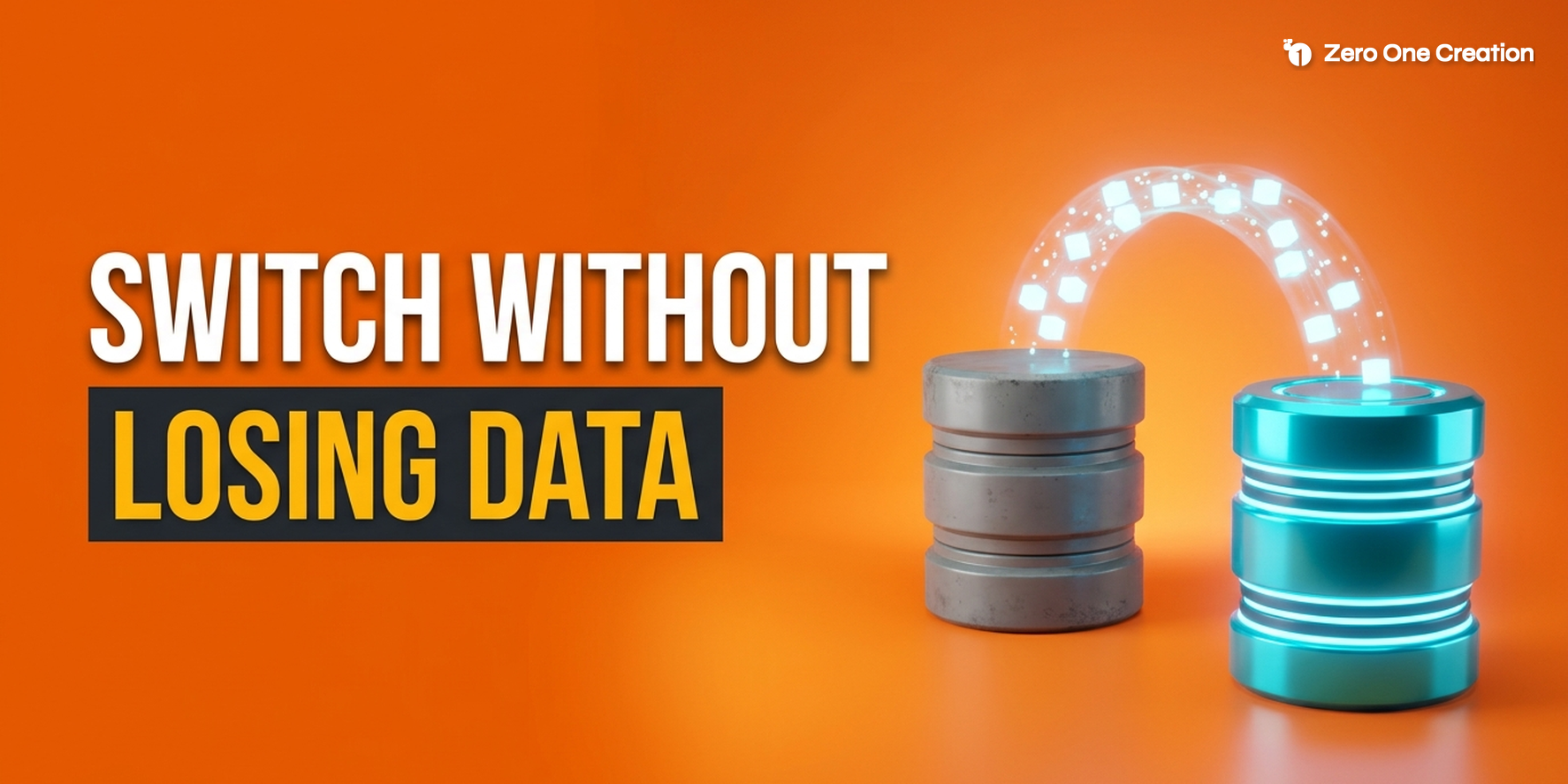
An ERP system is only as useful as the data inside it. Customer records, supplier details, item masters, bills of materials, price lists, open orders, stock balances and financial balances all have to be moved from old systems, cleaned and loaded correctly. Data migration is consistently one of the most underestimated parts of ERP projects.
Why it causes failure
Legacy data is almost always messier than expected. Duplicate customers and suppliers, inconsistent product codes, missing fields, outdated prices and unreconciled balances are common. New ERP systems often enforce stricter rules, so data that worked in the old system may fail to load. When migration is left until late in the project, these problems surface just before go-live, when there is little time to fix them. Staff who find wrong prices, missing stock or incorrect balances in the first days quickly lose trust in the new system.
How to avoid it
Start planning data migration early, alongside process design, and assign business owners for each type of data. Profile existing data to understand its real condition. Decide what to migrate, what to summarise and what to archive; migrating years of obsolete records adds cost without value. Clean data in the source systems where possible, and agree clear mapping rules for every field.
Run several full trial migrations before go-live, reconcile record counts and financial totals against the old system, and have finance and operations sign off the results. For ERP in particular, agree with finance how opening balances, open transactions and historical data will be handled, because these decisions affect reporting, audit and tax compliance.
Unrealistic budgets, timelines and scope creep
ERP projects are often approved with optimistic budgets and deadlines, sometimes because the true cost would make the project hard to justify, sometimes because the full scope is not yet understood. When reality catches up, teams face a choice between overspending, cutting corners or delaying go-live.
Why it causes failure
The visible cost of an ERP project, the software licences or subscriptions, is often a modest part of the total. Implementation services, integration with other systems, data migration, testing, training, internal staff time, temporary cover for people working on the project and support after go-live can add up to far more. When these are underestimated, budgets run out before the work is done.
Unrealistic deadlines lead to compressed testing and training, which are often the first activities to be cut and the most damaging to lose. Meanwhile, scope creep, the gradual addition of new requirements, extends the timeline further. Each request may seem small, but together they can overwhelm a project.
How to avoid it
Build the budget from the full cost of ownership, not just licences, and include a realistic contingency for the unexpected. Base timelines on the experience of your implementation partner and references from similar projects, and plan around the business calendar, avoiding peak trading periods and year-end.
Consider a phased approach, delivering core finance and operations first and adding further modules, sites or advanced features later. Phasing reduces risk, delivers benefits sooner and allows the team to learn from each stage. Put a formal change control process in place so that new requirements are assessed for value, cost and impact on timeline, and approved or deferred deliberately rather than slipping in informally.
Inadequate testing and a rushed go-live
Many of the most damaging ERP failures share a common pattern: problems that could have been found in testing are discovered only after go-live, when real customers, suppliers and staff are affected.
Why it causes failure
Testing is often squeezed when projects fall behind schedule, because the go-live date feels fixed and testing seems like a phase that can be shortened. But ERP systems connect many processes. A small configuration error in pricing, tax, units of measure or stock allocation can stop orders from shipping or invoices from being issued. Integrations with e-commerce platforms, warehouse systems, banks and payroll may work individually but fail together under real volumes.
Timing makes the risk worse. Going live just before a peak season, a financial year-end or a major product launch leaves no margin for problems. The Hershey case is often cited as a lesson in this respect, because its new systems went live shortly before its busiest selling period.
How to avoid it
Plan several layers of testing, including checks of individual configurations, integration testing across connected systems, testing with migrated data, user acceptance testing by the people who will use the system every day, performance testing at realistic volumes and end-to-end scenarios that follow real business processes from start to finish, such as order to cash, procure to pay and month-end close. Rehearse the cutover itself, including data loads and the switch from the old system.
Agree clear go or no-go criteria in advance, such as successful reconciliation of financial balances, no unresolved critical defects and sign-off from each business process owner, and be willing to delay if they are not met. A short delay is almost always cheaper than a failed go-live. Choose a go-live date in a quieter period, and plan for intensive support in the first weeks, often called hypercare, with experts on hand to fix issues quickly.
People, training and the period after go-live
Even a well-configured, well-tested system can fail if the people who use it are not ready, or if the project team disbands as soon as it goes live.
Why people issues cause failure
ERP changes daily routines for many staff at once. Screens, terminology, approval steps and responsibilities all change. If people do not understand why the change is happening, have not been trained properly or are worried about their jobs, they tend to resist, make mistakes or create workarounds such as unofficial spreadsheets. Those workarounds undermine data quality and the benefits the system was meant to deliver.
Training is often too generic, delivered too early or squeezed into a short session just before go-live. People forget what they learned weeks earlier, and general overviews do not prepare them for the specific tasks in their role.
How to avoid it
Treat change management as a core workstream from the start. Explain the reasons for the project and the benefits in terms that matter to each group of users. Involve key users in design and testing, and identify champions in each department who can support colleagues. Provide role-based training close to go-live, using realistic scenarios and the organisation's own data, with quick-reference guides and support available afterwards.
Planning for after go-live
Go-live is the start of a new phase, not the end of the project. The first weeks and months typically bring questions, minor defects, data corrections and process adjustments. Plan for a period of intensive support, keep key project team members available, monitor how the system is being used and track early indicators such as order processing times, invoice accuracy and month-end close duration. Schedule a review a few months after go-live to compare results with the business case and decide on improvements or further phases. Organisations that plan for continuous improvement get far more value from their ERP than those that treat go-live as the finish line.
Warning signs and how to recover a struggling project
ERP projects rarely fail suddenly. There are usually clear warning signs months before the problems become visible to customers or the board.
Warning signs to watch for
Common signs include milestones repeatedly slipping without a clear recovery plan, important design decisions left unresolved, a growing list of change requests and customisations, business users missing workshops or testing because of their day jobs, trial data migrations failing or reconciliations not balancing, testing being shortened to protect the go-live date, frequent changes in the implementation partner's team, budget being consumed faster than progress, and a steering group that meets rarely or only receives positive updates.
Any one of these may be manageable. Several together suggest the project needs attention.
How to recover
The first step is honesty. Pause and assess the true state of the project, ideally with an independent review by people who are not invested in the current plan. Look at scope, design decisions, data readiness, testing status, budget, resources and team morale.
Then reset. Re-confirm the business goals and prioritise the scope that matters most. Consider splitting the go-live into phases, deferring non-essential features or sites. Strengthen governance, with clear ownership, regular steering group meetings and faster decision-making. Bring business process owners back into the centre of the project, and if necessary release them from other duties. Address data quality directly rather than hoping it will be fixed later. Rebuild the plan with realistic timelines that protect testing and training, and agree new go or no-go criteria.
Sometimes the right decision is to change the implementation partner, or in rare cases to stop and rethink the choice of system altogether. These are difficult decisions, but continuing to invest in a project that is fundamentally off track usually costs more.
An ERP implementation is one of the biggest technology decisions a business makes, and most failures can be traced to choices made before and during the project rather than to the software itself. If you are planning an ERP project or concerned about one already under way, an experienced ERP and business systems partner can help with requirements, system and partner selection, process design, data migration and independent project reviews, so that problems are caught while they are still manageable.
Frequently Asked Questions
There is rarely a single cause, but recurring themes include unclear goals, weak executive ownership, over-customisation, poor data migration, unrealistic budgets and timelines, insufficient testing and inadequate change management. Most failures stem from how the project is planned and managed rather than from the software.
It varies widely with the size of the business, the number of sites and modules, the complexity of processes and the amount of data migration. A focused implementation for a smaller business may take a few months, while larger, multi-site projects commonly take a year or more, often delivered in phases.
Set clear, measurable goals, appoint a senior sponsor and business process owners, simplify processes and favour standard functionality, choose the system and partner based on your real scenarios, start data migration early, budget for the full cost, protect testing and training, and plan for support after go-live.
Only where there is a genuine business reason, such as a true competitive advantage or a legal requirement that the standard system cannot meet. Customisation increases cost, complexity and upgrade risk. Configuration, standard processes and separate extensions are usually better options.
It depends on the business. A big-bang go-live moves everything at once, which can be simpler but concentrates risk. A phased approach, by module, site or business unit, spreads risk and allows learning, but means running old and new systems together for longer. Many mid-sized businesses choose phasing for complex projects.
Pause and assess the true position, ideally with an independent review. Re-confirm priorities, reduce or phase the scope if necessary, strengthen governance and business involvement, fix data issues directly and rebuild a realistic plan that protects testing and training. In some cases, changing the partner or approach may be the right decision.