Aisha Sharma
A load balancer is a traffic director that sits in front of your servers.
When a customer opens your website or app, the request goes to the load balancer first, and it decides which server should handle it. If one server is overloaded or broken, it sends traffic to the others. That simple idea is the reason large websites stay up during traffic spikes, and the reason a single crashed server does not have to take your whole product offline.
You do not need to understand the networking details to make good decisions about it. You need to know what problem it solves, whether you have that problem yet, what it costs, what it cannot fix, and which questions to ask your engineers or your hosting partner. This guide covers all of that in plain language, with enough technical grounding that you can follow a conversation with your technical team without nodding along blindly.
The Simplest Way to Picture It
Imagine a busy restaurant with one waiter. When the dining room is quiet, he copes. When it fills up, orders pile up, customers wait, and some leave. If he gets sick, the restaurant closes.
Now imagine the same restaurant with four waiters and a host at the door. The host greets each party and sends them to a waiter who has capacity. If a waiter goes home sick, the host stops sending people to his section. If the dinner rush arrives, the owner can bring in more waiters, and the host starts using them immediately. Guests never know any of this is happening. They just see a restaurant that works.
The host is the load balancer. The waiters are your application servers. The guests are your users. The host does not cook the food or take the orders. Its entire job is to route people well and to notice when something is wrong. That is also why a load balancer will not fix a slow kitchen. If every dish takes too long because the kitchen is poorly organized, more waiters and a better host will not help. We will come back to that, because it is the most common misunderstanding.
The Problem It Solves
A single server can fail in two ways, and a load balancer addresses both.
The first is capacity. Every server can only handle so many requests at once. When traffic exceeds that limit, pages slow down, errors appear, and eventually the server stops responding. A product launch, a mention in the press, a seasonal sale, or a viral post can push you over the edge without warning.
The second is reliability. If your whole application runs on one server, that server is a single point of failure. Hardware faults, software bugs, a bad update, a full disk, or a cloud provider issue can bring it down, and your product goes with it.
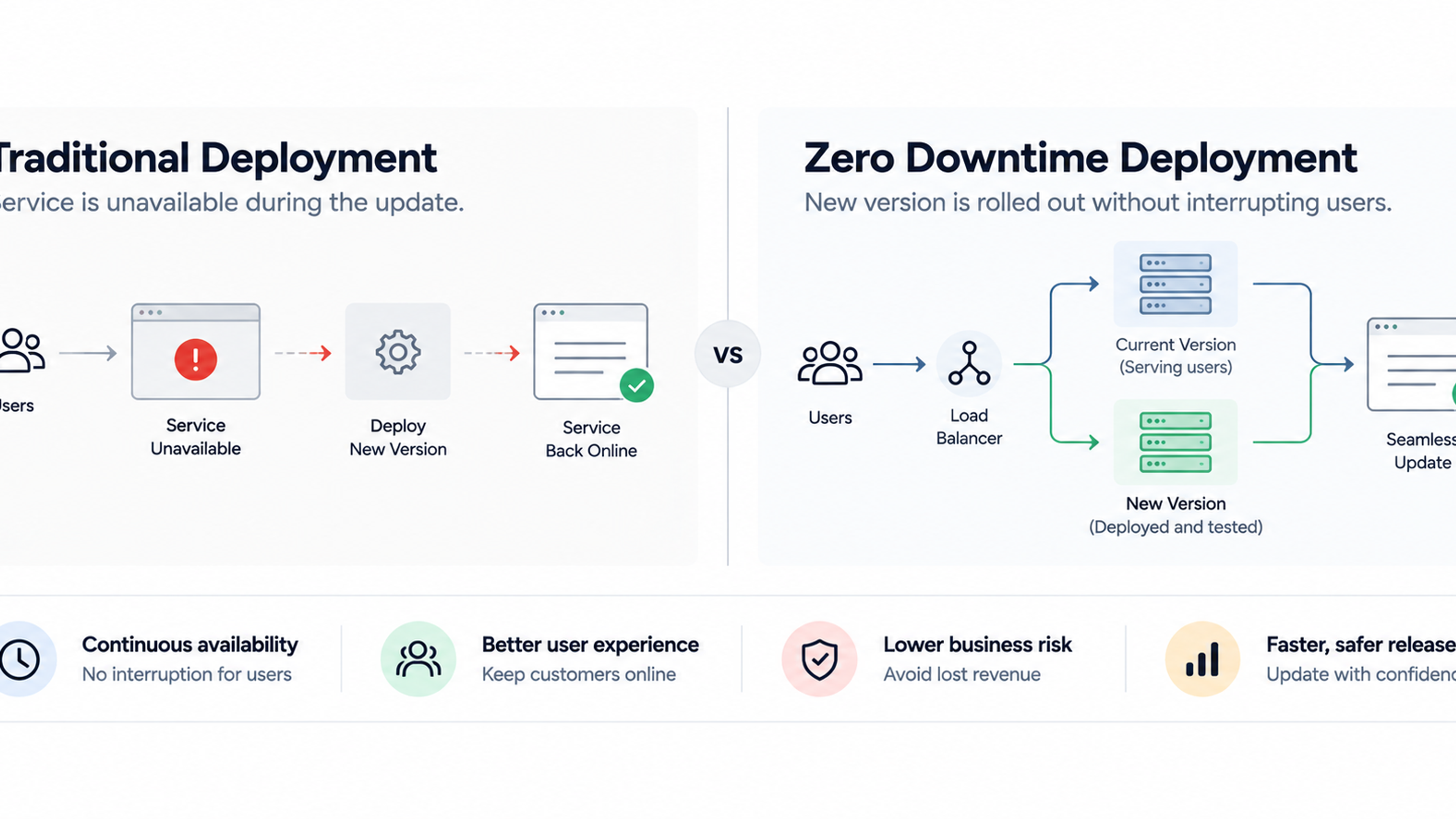
Running multiple servers behind a load balancer reduces both risks. Traffic is spread across machines, so no single one is overwhelmed, and if one fails, the others carry on. You can also add or remove servers as needed, and update them one at a time without taking the site offline.
Why downtime is worth thinking about
How much an outage costs depends heavily on your business, but the research on large companies shows that it is rarely trivial. The ITIC 2024 Hourly Cost of Downtime Survey, which polled more than 1,000 firms worldwide, found that a single hour of downtime now exceeds $300,000 for over 90% of mid-size and large enterprises. Uptime Institute's outage analysis found that 54% of respondents said their most recent significant outage cost more than $100,000, and roughly one in five reported costs above $1 million. Those numbers describe big organizations and self-reported estimates, so they will not map neatly onto an early-stage startup. Uptime's own analysis also warns that data about outage cost is uncertain, which is a good reason to work out your own figures.
A simple formula works for most founders. Take the revenue you earn per hour, add the cost of staff time wasted during an outage, multiply by the hours of downtime, and add recovery costs. Then consider the harder-to-measure costs: lost sign-ups, support tickets, refunds, and customers who do not return. If an hour offline would cost you a few thousand, then spending a little on redundancy is cheap insurance.
What a Load Balancer Actually Does
The headline job is spreading traffic, but in practice a load balancer does several things, and it helps to know them because they are often what your team is actually configuring.
It distributes requests across your servers using a rule, which we will cover shortly. It checks the health of those servers continuously and stops sending traffic to any that fail. It often handles the encrypted connection with your users, a task called TLS termination, which means it manages the HTTPS certificate so your servers do not each have to. It can route requests based on what they are asking for, for example sending requests for the checkout page to one group of servers and requests for the blog to another. It can manage user sessions so that people stay logged in as they move between servers. And because all traffic passes through it, it is a natural place to add protections, such as rate limiting, a web application firewall, and logging.
As one overview puts it, only the load balancer is exposed to the internet, while your servers sit behind it. That arrangement is useful for both reliability and security.
How It Decides Where to Send Traffic
The rule a load balancer uses to pick a server is called an algorithm. You will hear a handful of names, and the differences are simpler than they sound.
Round robin sends each new request to the next server in the list, then starts over. It works well when your servers are similar and requests take roughly the same time. It is the default in most systems.
Least connections sends each new request to whichever server is currently handling the fewest. It copes better when some requests are slow and some are fast, because it avoids piling more work onto a server that is already busy. One beginner's guide advises that round robin suits identical servers and identical requests, while least connections is the better default the moment request times vary.
Weighted versions of both give more traffic to more powerful servers, which is useful when your machines are not the same size.
Hash-based routing uses something about the user, such as their IP address, to send them to the same server each time. It is used when related requests need to land in the same place.
As a founder, the practical point is that the algorithm matters less than people assume. For most early products, the default works fine. The things that cause real trouble are usually elsewhere: health checks, session handling, and capacity.
Layer 4 and Layer 7, Without the Jargon
You will probably hear these terms from an engineer, usually when choosing between two types of cloud load balancer. They refer to how much the load balancer can see about each request.
A layer 4 load balancer works at the level of network connections. It sees where the traffic is coming from and going to, but not what is inside. It is very fast and simple, and suitable for any kind of traffic, not just websites. One technical writer notes that it balances connections, not requests.
A layer 7 load balancer understands web traffic. It can read the address being requested, the headers, and the cookies, which lets it make smarter decisions: send /api requests to one group of servers and /images to another, route different domains to different applications, redirect old URLs, or treat logged-in users differently. It is slightly more work for the load balancer, but for most web products, the extra intelligence is worth it.
In Amazon's cloud, for example, the Application Load Balancer is the layer 7 option and supports advanced routing such as path-based routing, host header routing, HTTP methods, source IP filtering, and query string rules. The Network Load Balancer is the layer 4 option and provides static IP addresses, which simplifies IP allow-listing and integration with legacy systems. Other cloud providers offer equivalents. If you run a typical web application or API, you will likely use the layer 7 kind. If you run something that is not standard web traffic, such as a game server, a database connection, or a messaging service, layer 4 may be the better fit.
Health Checks: The Part Founders Should Care About Most
If you remember one technical concept from this article, make it the health check. A health check is a small test the load balancer runs on every server, over and over, to decide whether it should receive traffic. A common form is asking the server for a particular page and expecting a quick "OK" reply. If the server stays silent or replies with an error, the load balancer removes it from rotation until it recovers. Without health checks, as one guide says, the load balancer sends requests to dead servers, resulting in errors for users.
The quality of the check decides how well your system handles failure. A check that only confirms that the server is switched on can miss a case where the application has crashed but the machine is running. A check that is too deep, for instance one that runs a heavy database query, can slow servers down or fail for reasons unrelated to the server itself. A check that is too sensitive can cause trouble of its own: one practitioner warns that aggressive health checks cause their own outages, because pulling backends during a blip piles load onto the rest. The remaining servers get overloaded, fail their own checks, and the problem cascades.
A good setup uses a light but meaningful test, sensible thresholds so a single failed check does not remove a server, and a combination of active checks, where the load balancer probes servers, and passive monitoring, where it watches real traffic for failures. Guidance on this topic recommends implementing both active health checks and passive monitoring. Ask your team how health checks are configured, and whether anyone has tested what happens when a server genuinely fails.
Sessions, Logins, and Sticky Sessions
A subtle problem appears when you have more than one server. Imagine a user logs in on server A. Their next click lands on server B, which does not know they are logged in, and the product asks them to sign in again. Users experience this as being randomly logged out, or as items vanishing from a shopping cart.
There are two ways to solve it. The clean solution is to store session information somewhere all servers can read, such as a shared database or a fast in-memory store, so any server can handle any request. This is often called designing the application to be stateless. The quick fix is sticky sessions, where the load balancer remembers which server a user was sent to and keeps sending them there.
Sticky sessions work, but they have costs. Traffic is spread less evenly, and if the user's server fails, they lose their session anyway. One engineer's view is that sticky sessions usually signal state in the wrong place. They are a reasonable short-term measure, especially for an existing application that was not built with multiple servers in mind, but the longer-term goal should be shared session storage.
The Types You Will Hear About
The term covers several different products, and knowing which one someone means avoids confusion.
Cloud-managed load balancers are services offered by your hosting provider, such as the Elastic Load Balancing family at Amazon, Application Gateway and Load Balancer at Microsoft Azure, and the load balancing products at Google Cloud. You configure them rather than run them, and the provider handles their reliability. A feature of the Amazon service is that although a load balancer appears as a single device, it is actually an aggregation of several virtual devices distributed across multiple availability zones, which means it is designed not to be a single point of failure itself. For most startups using a major cloud provider, this is the sensible starting point.
Software load balancers such as NGINX, HAProxy, and Envoy are programs you run on your own servers. They are flexible and widely used, but you are responsible for keeping them available, which usually means running at least two.
DNS and global load balancing directs users to different regions or data centers, based on location or health. It matters when you serve a global audience or need to survive the loss of an entire region.
Content delivery networks (CDNs) place copies of your content close to users and absorb a large share of traffic before it reaches your servers. They are not load balancers in the strict sense, but they reduce the load and often include load balancing features.
Kubernetes and platform services include built-in traffic distribution. If your team uses containers or a platform-as-a-service, the load balancing may already be handled for you, and part of the question becomes how it is configured.
Do You Actually Need One Yet?
Not every product does. One practitioner guide says plainly that not every website needs a load balancer. A brochure website, a small internal tool, or an early prototype with low traffic can run happily on a single server, or on a managed platform that handles scaling for you.
You probably need one when any of these are true. Your traffic is growing or unpredictable, and a single server is regularly near its limits. The cost of downtime has become meaningful, so a single point of failure is no longer acceptable. You want to deploy updates without taking the site offline. You are running several copies of your application for capacity or reliability. You need to route different kinds of traffic to different services. Or customers, partners, or compliance requirements expect high availability.
You may not need one yet if traffic is low and steady, if a short outage would be a minor inconvenience, or if you are using a hosting platform that already includes scaling and traffic management. Sometimes a larger single server, a CDN to cache content, or better application performance buys you more at lower cost and complexity. There is no prize for building infrastructure ahead of need, and extra complexity has its own failure modes.
What It Costs
The load balancer itself is often the cheapest part of the setup. Cloud providers typically charge an hourly fee for each load balancer plus a usage charge that rises with traffic. One pricing guide to Amazon's service notes that an Application Load Balancer in us-east-1 costs about $16.43 a month before it serves a single request, with additional charges based on capacity units. Prices vary by provider and region and change over time, so check the current pricing before budgeting.
The larger costs are the ones around it. Running multiple servers instead of one multiplies your compute bill. Spreading servers across several availability zones, which are separate data center locations within a region, improves resilience but can add data transfer charges. Extras such as a web application firewall, certificate management, logging, and monitoring add to the total. And there is engineering time: designing the application so it works across several servers, setting up health checks and deployments, and testing failure scenarios.
Watch for waste, too. Teams often leave test or abandoned load balancers running, each accruing a monthly fee. A quarterly review of what is deployed and what it costs is a habit worth building.
Security and Load Balancing
Because every request passes through it, the load balancer is a natural security checkpoint. Used well, it strengthens your position. Used carelessly, it creates new gaps.
It can handle encryption centrally. By terminating TLS at the load balancer, you manage certificates in one place. Be aware that traffic between the load balancer and your servers may then travel unencrypted on your private network unless you configure re-encryption. As one guide observes, on the internal network between the load balancer and the application servers, traffic is then unencrypted in the default pattern, so ask whether your compliance obligations require encryption all the way through.
It can host protections. A web application firewall, rate limiting, and bot filtering are often applied at this layer. The Application Load Balancer from Amazon, for instance, lists AWS WAF integration among its features. Rate limiting and DDoS protection help absorb abusive traffic before it reaches your servers.
It hides your servers. With the load balancer as the only public entry point, your application servers can sit on a private network, unreachable from the internet. A common mistake is to leave servers directly accessible as well, which lets attackers bypass the load balancer's protections. Ask your team to confirm that servers accept traffic only from the load balancer.
It affects what your application sees. Behind a load balancer, your servers see the load balancer's address as the source of requests, not the user's. Applications need to read the original address from a forwarded header, and to trust that header only when it comes from the load balancer. Getting this wrong breaks logging, rate limiting, and geolocation, and can create security holes.
Keep certificates renewed, since an expired certificate on the load balancer takes the whole site down for every visitor. Enable access logs, because they are invaluable for investigating incidents. And be careful about who can change load balancer settings, since a wrong rule can send traffic to the wrong place or expose something it should not.
What a Load Balancer Cannot Fix
This is the section that saves founders the most money. A load balancer spreads load. It does not make your application faster, and it does not remove bottlenecks that sit elsewhere.
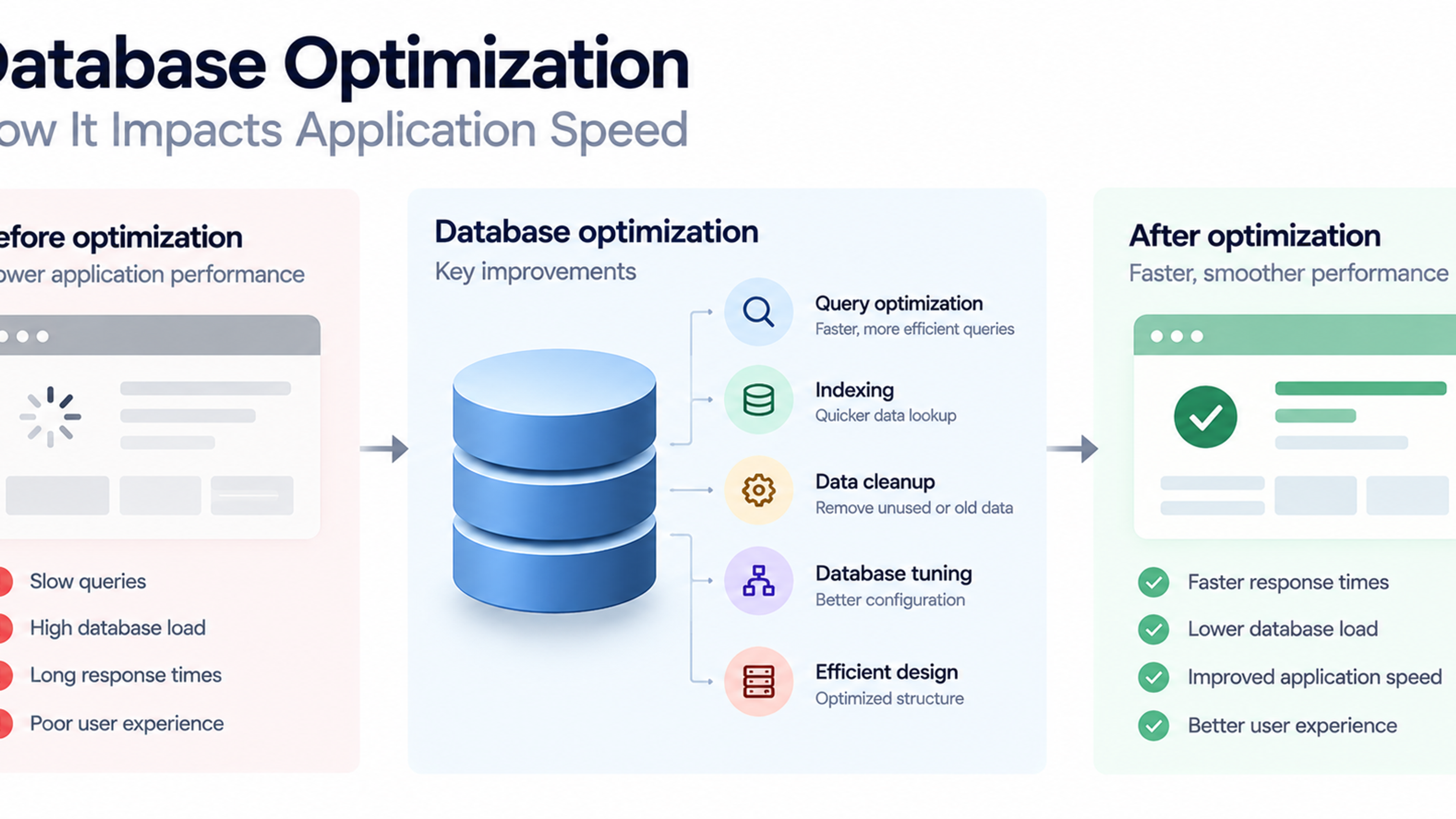
The most common bottleneck is the database. If every server in your fleet queries the same database, adding more servers behind a load balancer can make the database's life harder, not easier. If pages are slow because of inefficient queries, missing indexes, or heavy processing, no number of servers will fix it. Fix the slow part first, then scale.
Slow code, large unoptimized images, third-party scripts, and long-running tasks are other typical culprits. Caching, a CDN, and background processing often deliver bigger gains than extra servers.
A load balancer is also not a substitute for monitoring. Without visibility into response times, error rates, and server health, you will not know whether the system is coping until customers tell you.
Finally, a load balancer does not protect you from bad releases, data corruption, or a failure of the shared parts of your system, such as the database or a payment provider. Redundancy at one layer does not guarantee reliability at the others.
A Short Illustrative Scenario
Here is a made-up example to show the idea in practice. The details are invented for illustration.
Imagine a small startup that sells bookings for local fitness classes. Its app runs on one server and handles everyday traffic comfortably. The company runs a promotion with a popular local influencer, and for two hours, traffic is far above normal. The single server runs out of memory and crashes. Bookings fail, the support inbox fills, and the team spends the evening restarting things.
After the incident, the team sets up a managed load balancer with three application servers across two availability zones, moves session data to a shared store, adds health checks, and tunes a few slow database queries. The next promotion arrives. One server has a problem partway through the campaign, the health check detects it within seconds, and traffic flows to the other two. The team gets an alert, replaces the faulty server, and nobody outside the company notices. The cost is a modest rise in monthly hosting spend, and the benefit is a launch that works.
Notice what made the difference: the load balancer, yes, but also shared sessions, health checks, and the database fix. The tool is one piece of a design.
Growing Up: Autoscaling, Testing, and Targets
Once the basics are in place, several practices help the setup keep pace with the business.
Autoscaling lets the system add or remove servers automatically in response to load, with the load balancer registering new servers as they appear. It reduces the need to guess capacity and can lower costs during quiet periods, though it needs careful configuration so that new servers are ready before receiving traffic.
Load testing sends simulated traffic to your system to find limits before your customers do. Test before major launches, and test failure too: switch off a server on purpose and confirm that traffic continues. Many teams discover during a real incident that failover does not work as designed.
Set availability targets that match your business. As rough arithmetic, 99.9% availability allows about 8.8 hours of downtime a year, and 99.99% allows about 53 minutes. Each extra nine costs substantially more in design and operations, so choose a target based on what an outage actually costs you. The Uptime Institute's analysis notes that a large share of outages are tied to misconfiguration and change-management failures, and the majority of severe outages were rated as preventable with better processes. In other words, disciplined deployment and testing often matter as much as the hardware.
Eventually, you may need to look beyond a single region. Multi-region and global load balancing protect against regional failures and bring content closer to users, at a significant increase in complexity. Most products should reach for it only when the business case is clear.
Common Mistakes and Misconceptions
A few errors show up repeatedly.
Assuming a load balancer makes the app faster. It improves capacity and availability, but slow code and slow databases remain slow.
Running a single load balancer you manage yourself. If you run your own, it needs redundancy as well, or you have simply moved the single point of failure.
Skipping health checks or setting them poorly, so failures are missed or healthy servers are pulled by mistake.
Relying on sticky sessions as a permanent fix instead of storing session data centrally.
Leaving servers directly exposed to the internet, which bypasses security and routing.
Never testing failover, so the first real test is a real outage.
Forgetting that deployments need care. Updating all servers at once defeats the purpose. Roll out changes gradually and drain connections from a server before shutting it down.
Ignoring costs from idle or oversized setups, or from cross-zone data transfer.
Building for scale you do not have, adding complexity before it is warranted.
Questions to Ask Your Engineers or Hosting Partner
You do not need to configure any of this yourself, but a handful of questions will tell you whether your setup is sound. What happens if one server fails right now, and have we tested it? Do we have more than one server in more than one zone? How are health checks configured, and how quickly do we notice a failure? Where do user sessions live? Can we deploy an update without downtime? Is the load balancer itself redundant? Are our servers reachable only through the load balancer? What is our current traffic capacity, and when did we last load test? How are we alerted when something goes wrong? And what does this setup cost each month, including the parts around the load balancer?
Good answers are specific and mention testing. Vague answers or "it should be fine" deserve follow-up. (Natural internal link opportunities here include your content on cloud infrastructure design, DevOps and monitoring, cloud security, performance optimization, and managed hosting.)
Frequently Asked Questions
It is a system that sits in front of your servers and directs each incoming request to a server that can handle it. It spreads work across servers and avoids sending traffic to any that have failed.
Not necessarily. Low-traffic products and early prototypes often run well on a single server or a managed platform. You likely need one when traffic is growing, downtime would be costly, or you need to update the application without interruption.
Layer 4 balancers route based on network connection details and are fast and simple. Layer 7 balancers understand web requests and can route by URL, domain, and other details. Most web applications use Layer 7.
A regular test the load balancer performs on each server to decide whether it should receive traffic. Servers that fail are removed from rotation until they recover.
A setting that keeps a user on the same server across requests. It helps applications that store login data on individual servers, but it spreads traffic less evenly and is best viewed as a short-term measure.
In the cloud, you typically pay an hourly fee plus usage charges, which for a basic setup may be modest compared with the cost of the servers behind it. Prices vary by provider and region, so check current rates, and include the additional servers and engineering time in your estimate.
It can be if you run your own without redundancy. Managed cloud load balancers are designed to spread across multiple zones, and self-managed ones should be deployed in pairs or clusters.
Monitor server health, error rates, response times, and traffic per server, and test failure by switching off a server on purpose. Review access logs and alerts regularly.
A CDN stores copies of your content close to users and serves much of it directly. A load balancer distributes requests among your own servers. Many products use both: the CDN absorbs a lot of traffic, and the load balancer spreads the rest.
Not by itself. It prevents servers from becoming overloaded and so helps avoid slowdowns at peak times, but slow code, databases, and large files must be fixed separately. Caching and a CDN usually make pages faster.