Gourav Dhiman
If you run a business and want to know how to protect it from ransomware, the honest answer is that no single product does it. What works is a short list of unglamorous controls, done consistently: strong sign-in protection, fast patching, backups that an attacker cannot reach, limits on what any one account can touch, and a plan for the day something goes wrong anyway.
This checklist is written for owners and managers who are not security specialists. It explains why each control matters, what "done properly" looks like, and where businesses commonly get it wrong. It also covers what to do in the first hours of an attack and how to think about the ransom question, because those decisions are much easier to make before you are in the middle of one.
How Ransomware Actually Gets Into a Business
Ransomware is malicious software that blocks access to your data or systems, usually by encrypting files, and then demands payment. Increasingly, attackers also steal a copy of your data first and threaten to publish it, so even a perfect restore from backup does not end the problem.
The popular picture is of a hacker defeating a firewall. The reality is usually duller and more preventable. Attackers log in, or trick someone into letting them in.
Sophos's 2026 State of Ransomware report, a survey of 2,158 IT and security leaders at organizations with 100 to 5,000 employees across 17 countries, found that malicious email (26%) and phishing (24%) had become the top technical root causes of attacks. Compromised credentials came third at 23%, and exploited vulnerabilities, the leading cause for the previous three years, dropped to 18%. Keep in mind that Sophos commissions the survey and sells security products, and that the sample skews toward mid-sized organizations, but the pattern matches what other sources show.
Verizon's 2026 Data Breach Investigations Report points the same way. Among ransomware victims where an infostealer or credential compromise was involved, which was 73% of cases, half had credentials stolen within the 95 days before the ransomware incident, according to a summary from the Cyber Readiness Institute. In plain terms, someone's password or session was often stolen weeks or months before the encryption began.
The practical lesson is that ransomware is usually the final step of an intrusion that started earlier and went unnoticed. Most of the checklist below is about making that earlier stage harder and more visible.
Why Small and Mid-Sized Businesses Are Hit So Often
A common belief among owners is that attackers go after big names and ignore everyone else. The data suggests the opposite. The Cyber Readiness Institute's summary of the 2026 DBIR reports that small organizations account for 96% of ransomware victims in the dataset. Verizon's own materials say ransomware now features in 48% of breaches. Caveats apply, since the DBIR's sample includes more small-business data than it once did, which can lift the headline figures, but the direction is not in doubt.
The reasons are practical. Smaller firms tend to have thinner security staffing, older systems, shared passwords and less monitoring. Attackers also run high-volume campaigns that cost them little per target, so a modest ransom from a smaller company is still worth their time.
Payments are shifting too. Coveware, an incident response firm, reported that in the second quarter of 2026 the median ransom payment was $150,000 while the average was about $1.88 million, a gap caused by a handful of very large data-theft cases. It also reported that the share of victims choosing to pay hit a record low. The ransom itself, though, is rarely the biggest cost. The Sophos report puts the average recovery cost at roughly $1.7 million per incident, an 11% increase on the previous year, covering downtime, staff time, replacement equipment and lost business. Treat that figure as an average pulled up by larger respondents, but the relationship is the point: recovering is usually far more expensive than the ransom.
The Checklist
The controls below are ordered roughly by how much risk they remove for the effort involved. You do not need to do everything at once, and the section after the checklist suggests how to sequence it.
1.Protect sign-ins first
Since stolen credentials and phishing sit at the top of the root-cause lists, identity is the best place to start.
Turn on multi-factor authentication (MFA) for everything that matters, beginning with email, remote access, VPNs, cloud admin consoles, and accounting and banking tools. The US cyber agency CISA, in its #StopRansomware Guide, recommends phishing-resistant MFA, meaning methods like hardware security keys or passkeys, for email, VPNs and accounts with access to critical systems.
That "phishing-resistant" wording matters. The Sophos report notes that MFA was deployed in some form in 97% of incidents where compromised credentials were the root cause. MFA is clearly not useless, since we do not know how many attacks it stopped, but those figures are a reminder that weaker forms, such as text-message codes or one-tap approval prompts, can be bypassed by attackers who trick users into approving a login or who steal an already authenticated session. Where you can, prefer authenticator apps with number matching at a minimum, and security keys or passkeys for administrators and finance staff.
Beyond MFA, a few habits pay off:
- Give every person their own account. Shared logins make it impossible to tell who did what.
- Use a password manager so staff stop reusing passwords across work and personal services.
- Remove accounts promptly when people leave, and review contractor and vendor accounts every quarter.
- Keep administrator accounts separate from daily-use accounts. Nobody should read email or browse the web while logged in as an administrator.
2.Make email harder to abuse
Email remains the most common delivery route. Filtering that blocks malicious attachments and links, plus basic authentication records for your own domain (SPF, DKIM and DMARC), reduces both the junk reaching your staff and the chance of attackers impersonating you.
Technology will not catch everything, so give staff an easy way to report suspicious messages, and make sure reporting is rewarded rather than embarrassing. A person who clicked a bad link and tells you in five minutes is far more valuable than one who stays silent for a day.
3.Patch what faces the internet, quickly
Any system reachable from outside is a door. That includes VPN appliances, firewalls, remote desktop gateways, mail servers, web servers and file-sharing tools. Attackers scan the internet for known flaws in these systems and use them within days of public disclosure. Coveware's first-quarter 2026 report warned that AI-assisted vulnerability discovery is shrinking the time defenders have to patch, which makes slow patching riskier than it used to be.
Start by listing everything your business exposes. Many owners are surprised by the result, such as an old remote access tool, a forgotten test server or a printer with a public address. Remove what you do not need. For what remains, apply security updates on a defined schedule, with critical internet-facing fixes done in days, not months. Replace any equipment that no longer receives vendor updates.
Remote Desktop Protocol deserves a specific mention. CISA's guidance is to avoid exposing it directly to the internet, and where it is necessary, to protect it with MFA, restrict who can use it, and log login attempts.
4.Build backups that an attacker cannot reach
Backups are the control that turns a catastrophe into an inconvenience, and they are also where good intentions most often fail. Modern ransomware operators know you will try to restore, so they look for your backups first and delete or encrypt them before triggering the attack.
CISA's guide stresses maintaining offline, encrypted backups and testing them regularly, and notes that backups synced continuously to the cloud can be encrypted along with everything else. The newer version of the guide adds that cloud backups should be protected from the same account compromise that hit your main systems, and suggests considering a second provider so that one compromised vendor account cannot take out everything.
A useful rule of thumb is 3-2-1-1-0: three copies of your data, on two different types of storage, with one copy offsite, one copy offline or immutable (meaning it cannot be changed or deleted for a set period, even by an administrator), and zero errors when you test restoring it.
Several details separate working backups from decorative ones:
- Separate credentials. The account that manages backups should not be a normal domain administrator, and its login should use MFA. If an attacker who takes over your main admin account can also delete your backups, you do not have a backup strategy.
- Immutability. Many cloud storage and backup products offer object-lock or immutable retention. Turn it on and set the retention long enough to outlast a slow, undetected intrusion.
- Restore tests. A backup you have never restored is a hope. Once or twice a year, restore a real system into a clean environment and time it. Write down how long it took, because that number is your actual recovery time, whatever your plan claims.
- SaaS data. Cloud services such as Microsoft 365, Google Workspace and your CRM generally protect the platform, not necessarily your ability to recover from deleted or encrypted data. Check what retention and recovery your plan provides, and consider an independent backup of business-critical SaaS data.
- Recovery, not just storage. Know where the encryption keys, licenses and installation media are kept, and keep that information somewhere that is not on the network you are trying to rebuild.
The Sophos report found that 66% of organizations whose data was encrypted recovered using backups, up from 54% the year before, which is encouraging. But the same report shows recovery costs rising, a reminder that restoring files is only part of the job.
5. Limit how far an attacker can go
Assume at some point one account or one laptop will be compromised. The question then becomes how much damage that single foothold can cause.
Give each person the minimum access their role needs. If the sales team does not need to open the finance share, they should not be able to. This is called least privilege, and it is the difference between losing one department's files and losing everything.
Where practical, separate your network into zones, so that a compromised office laptop cannot talk directly to servers, backup systems or production equipment. For businesses with factory or warehouse equipment, point-of-sale systems or other specialized devices, keeping those on their own network segment is especially valuable, because they are often difficult to patch.
Watch for what security people call standing privilege: administrators who have permanent, always-on access. Where your tools allow it, grant elevated rights only when needed and for a limited time.
6.Add detection that can see an intruder, not just a virus
Traditional antivirus looks for known malicious files. Ransomware operators increasingly use legitimate administration tools, stolen logins and built-in system features, which can look like normal activity. That is why endpoint detection and response (EDR) software, which watches behavior rather than just signatures, has become the sensible baseline for most businesses.
The harder question is who watches the alerts at 2 a.m. Many attacks launch on weekends and holidays, when staff are away. If you have no in-house security team, a managed detection and response (MDR) service, where an outside team monitors and acts on alerts, is often more cost-effective than hiring. When comparing providers, ask what they will do automatically, such as isolating a machine, and what requires your approval, how fast they respond, and what you will have to do yourself.
Whatever you use, make sure logs from email, identity systems, firewalls and cloud services are kept for long enough to investigate. If an investigator needs to look back three months and you only retain two weeks, you may never learn how the attacker got in, and that makes a repeat attack more likely.
7.Secure your cloud environment
For many businesses, critical data now lives in cloud services, and attackers have adjusted. Because they often arrive with a valid login rather than malware, cloud accounts need the same attention as the office network.
The essentials are: MFA on every administrator and every user; a small number of tightly controlled global administrator accounts; alerts for unusual sign-ins, new mailbox forwarding rules and large downloads; and a regular review of which third-party apps have been granted access to your data. Storage buckets, file shares and shared links should be private by default, with any public exposure being a deliberate, reviewed choice.
Remember the shared responsibility model: your cloud provider secures the underlying infrastructure, but how you configure accounts, permissions and sharing is your job. Misconfiguration, rather than a provider failure, is behind most cloud exposures.
8.Manage your vendors and tools
Verizon's recent reports highlight third-party involvement as a growing factor in breaches. The Cyber Readiness Institute's summary of the 2026 findings notes that weak access controls or missing MFA in third-party applications can hand attackers direct access to a small business environment. If your IT provider, accountant, software vendor or payroll service can reach your systems, then their security is part of yours.
Keep a list of who has access to what, and ask vendors the basic questions: do they enforce MFA, how do they protect their own remote access to your network, and how quickly will they tell you if they have an incident? Remove access that is no longer used. For your managed IT provider in particular, make sure their administrative access to your systems is protected by MFA and is logged, since attackers have used compromised IT providers as a route into many clients at once.
9.Train people, realistically
Awareness training works best when it is short, frequent and specific. A once-a-year hour-long video is largely forgotten. A few minutes every month on a real example, such as a fake invoice, a fake file-sharing notice or a request to approve a login prompt you did not initiate, is more effective.
Focus on the behaviors that matter: never approve a sign-in prompt you did not trigger, verify payment-detail changes by calling a known number, and report anything odd without fear of blame. Pay special attention to finance staff, executives and IT administrators, since their accounts are the most valuable to attackers.
Also set a rule about AI tools and company data. The 2026 DBIR coverage notes that employee use of AI tools has tripled to 45%, which means more company information flowing into services you may not have vetted. A short policy on what can and cannot be pasted into them is a sensible precaution.
Prioritizing When Time and Budget Are Limited
If a full checklist feels overwhelming, sequence it. A sensible first month looks like this.
In the first week, turn on MFA for email, remote access and administrator accounts, and check that no one is using a shared admin login. Also identify what is exposed to the internet, and close anything you do not need.
In the second week, review your backups. Confirm that at least one copy is offline or immutable, that the backup system uses separate credentials, and that you can name the last time anyone restored from it. If you cannot, schedule a test restore now.
In the third week, work through patching. Update internet-facing systems, set a recurring schedule, and replace anything unsupported. Review who has administrator rights and remove those who do not need them.
In the fourth week, write a one-page incident plan (described below), arrange endpoint detection with someone watching it, and check your cyber insurance requirements.
After that, move to the longer-term work: network segmentation, vendor reviews, log retention and regular training.
Write the Incident Plan Before You Need It
When ransomware hits, people panic, and panicking people make costly decisions. A short plan written in calm conditions is the cheapest insurance you can buy.
CISA recommends keeping a hard copy of your incident response plan, for the obvious reason that if your systems are encrypted, a plan stored on those systems is useless. Print it, and keep copies with key people.
Your plan should answer a handful of questions:
- Who is in charge of decisions, and who is their backup?
- Who do you call first? Keep phone numbers for your IT provider or security firm, your cyber insurer's claims line, your lawyer and your bank on paper.
- Who has authority to shut down systems, and under what circumstances?
- How will you communicate if email and chat are down? Agree on an alternative, such as a personal phone group.
- Where are your backups, and who can restore from them?
- What are your legal obligations to report an incident to regulators, customers or law enforcement? These vary by country and industry, and some set tight deadlines. India's CERT-In directions, for example, require certain incidents to be reported within six hours, so check what applies to you in advance.
Run a short tabletop exercise once a year. Gather the key people for an hour, describe a scenario, and talk through what each person would do. It will expose gaps, such as an expired insurance contact or a backup nobody knows how to restore, at a time when fixing them costs nothing.
If You Are Hit: The First Hours
The details depend on your situation and your advisers, but a few principles hold in almost every case.
Isolate affected systems quickly. Disconnect infected computers from the network, either by unplugging the network cable or disabling Wi-Fi. CISA's guidance generally advises against powering machines off immediately where you can avoid it, since memory can hold evidence, though your incident responder may advise differently, so follow their guidance if you have one on the line.
Call your incident response contacts early. If you have cyber insurance, notify the insurer promptly, since many policies require this and often include access to a response team. Do not wipe or rebuild systems before forensic evidence is captured, or you may destroy the information needed to find out how the attacker got in.
Assume your credentials are compromised. Plan for resetting passwords and revoking active sessions, but do so in coordination with your responders. Changing everything too early, before you know whether attackers are still watching, can tip them off.
Protect your backups. Check immediately whether they are intact, and disconnect them from the network if they are not already isolated. Restoring into an environment that is still compromised simply hands the attacker a second chance.
Report the incident. In the US, that means contacting the FBI or CISA, and other countries have equivalent national cyber agencies. Reporting helps you access resources and helps others by feeding intelligence about the groups involved.
Should You Pay the Ransom?
Nobody can answer this for you in advance, but you can understand the considerations.
Paying does not guarantee your data back. Coveware has documented cases where a malware bug corrupted files so thoroughly that even the attackers could not decrypt them, which made payment useless. Even when decryption works, it can be slow and incomplete, and recovery still requires cleaning the environment.
Paying to stop data from being published is even less reliable. Coveware has noted that for large organizations, paying to suppress stolen data has little to no usefulness, since there is no way to verify deletion and stolen data can resurface. Their data shows payment rates for data-theft-only cases have fallen to historic lows, 15% in the second quarter of 2026.
There are also legal dimensions. Payments to sanctioned groups or individuals can create liability in some jurisdictions, and insurance coverage may depend on how and whether you involve the insurer first. Always involve legal counsel and your insurer before any payment discussion.
The most reliable way to avoid facing the decision is to be able to restore without paying. This is why the backup work above matters more than any other single item. Businesses with tested, protected backups negotiate from strength, or do not need to negotiate at all.
Common Mistakes That Undo Good Intentions
A few patterns appear repeatedly when businesses recover from attacks and look back.
Backups on the same network, with the same credentials. A backup server joined to the main domain and reachable by the same administrator account is exposed to the same attacker. Separate it.
MFA with exceptions. A policy that exempts executives, service accounts or a legacy system creates exactly the gap an attacker will find. Document every exception and close them one by one.
Treating antivirus as the whole answer. Antivirus helps, but it is one layer, and it does little against an intruder using valid credentials.
Never testing. Untested backups, untested plans and untested contacts all fail at the worst moment. Schedule tests the way you schedule tax deadlines.
Forgetting forgotten systems. Old servers, test environments and abandoned cloud subscriptions often run unpatched with weak access controls. If nobody owns a system, assign an owner or switch it off.
Declaring victory after the restore. If you do not find and close the original entry point, the same attacker can return. The Sophos report's finding that most victims still recover at significant cost is partly a reminder that incident clean-up, not just file restoration, is where the money goes.
Recovery Is More Than Restoring Files
Once systems are back, the work is not finished. Review how the attacker got in and fix that specifically. Reset credentials comprehensively, including service accounts and API keys. Rebuild affected systems from known clean sources rather than trusting them. Monitor closely for several weeks for signs of re-entry. Communicate honestly with customers and partners if their data was involved, and keep records for regulators and insurers.
Then write down what you learned and fold it into the plan. Businesses that treat an attack as a lesson and invest in the specific weaknesses it revealed tend to come out safer than before.
How This Fits Into Your Wider Infrastructure Strategy
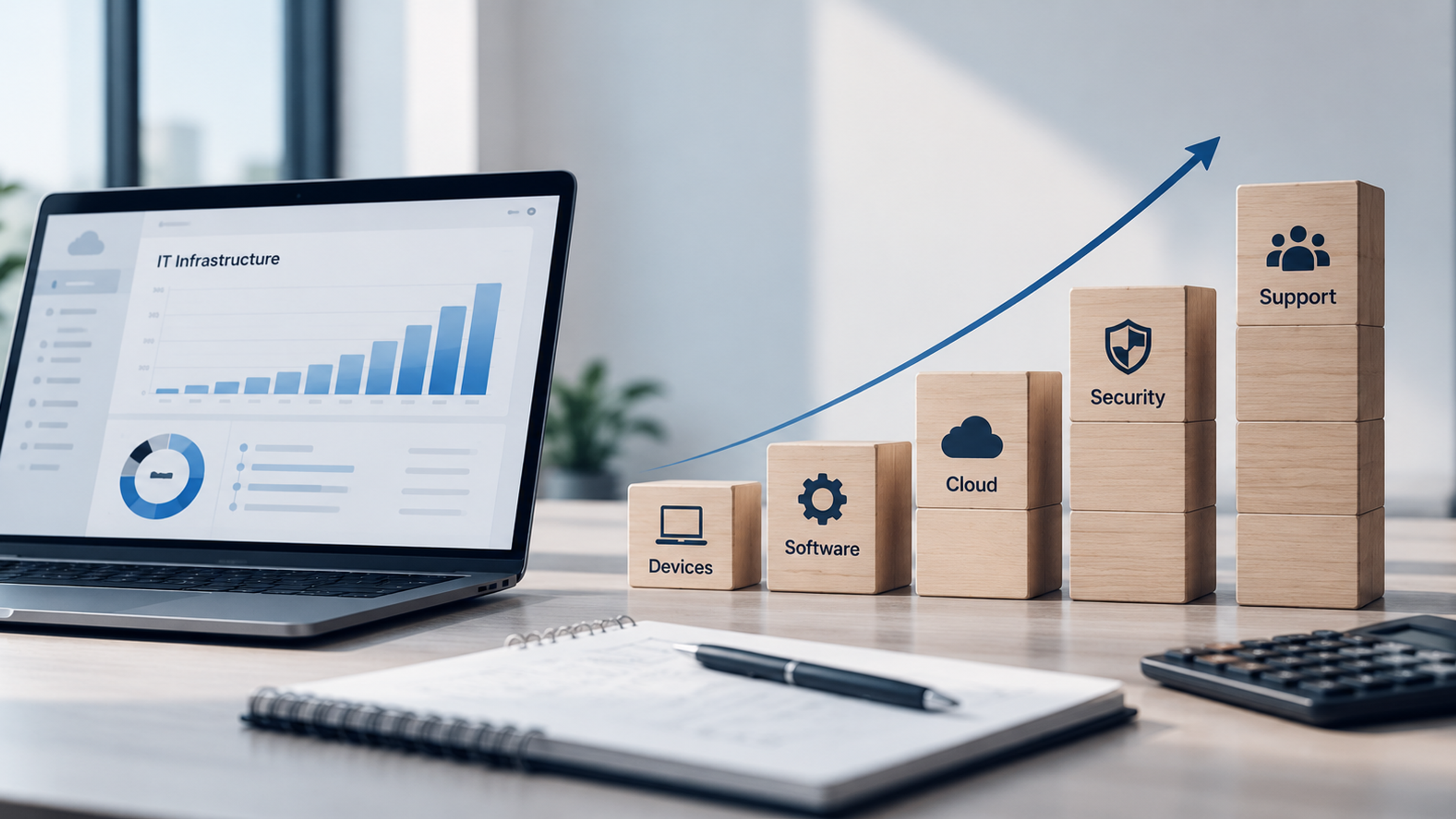
Ransomware protection is not a standalone project. It overlaps with decisions about how you host systems, how you manage identity, how you design networks and how you monitor performance. A business moving workloads to the cloud, consolidating tools or modernizing old servers has a natural opportunity to build these protections in, rather than adding them afterward. Reliable backup architecture, well-managed cloud accounts and clear monitoring also improve uptime and performance, so the same investments serve both security and day-to-day operations.
Where internal expertise is thin, bringing in an external partner for a security assessment, backup design or managed monitoring can be a sensible way to close gaps quickly. Choose one who explains trade-offs clearly, shows you evidence rather than slogans, and is willing to put response times in writing.
Frequently Asked Questions
There is no single fix, but the combination with the biggest impact is strong sign-in protection (MFA, ideally phishing-resistant for key accounts), fast patching of internet-facing systems, and protected, tested backups. Together they address how attackers most often get in and how you recover if they do.
It can stop known threats, but modern attacks often use legitimate tools and stolen credentials that antivirus does not flag. Behavior-based detection (EDR) and someone monitoring the alerts add much stronger coverage.
According to Sophos's 2026 survey, malicious email and phishing were the most common technical root causes, followed by compromised credentials and exploited vulnerabilities. Verizon's data also shows that stolen credentials often precede the attack by weeks or months.
Only if they are configured that way. Backups that sync automatically with your main systems can be encrypted or deleted along with them. Use separate credentials, MFA and immutable or offline copies so that a compromised account cannot erase them.
The providers protect their platforms, but their built-in retention may not cover every recovery scenario, such as mass deletion or encryption through a compromised account. Check what your plan offers and consider an independent backup for critical data.
It is a legal, financial and operational decision that should involve your incident response team, your lawyer and your insurer. Payment does not guarantee working decryption or deletion of stolen data, and payment rates have been falling, according to Coveware. Having tested backups reduces your dependence on the answer.
It varies enormously. Sophos reports an average recovery cost of about $1.7 million among mid-sized organizations in its 2026 sample, though costs for smaller businesses can be lower. Downtime, lost business, response fees and legal costs usually exceed the ransom itself.
At least once or twice a year for a full restore of a critical system, plus regular automated checks. Also test after any significant change to your systems, such as a migration or new backup tool.
It can help cover response costs, and many policies provide access to specialist responders. Insurers increasingly require controls such as MFA and tested backups, so read the requirements carefully, and keep in mind that insurance supplements prevention rather than replacing it.