Gourav Dhiman
A practical roadmap for business owners ready to move records, approvals, and workflows off paper without disrupting daily operations.
Somewhere in your business right now, a decision is waiting on a physical signature. An invoice is sitting in a folder instead of a system. A new employee is filling out the same information on three different paper forms. None of this feels urgent on any single day. Over a year, it quietly costs businesses far more than the price of a digital tool would.
Paper-based processes do not fail all at once. They fail slowly, through lost documents, delayed approvals, duplicate data entry, and decisions made on outdated information because nobody could find the current version fast enough. Digital transformation spending is projected to approach four trillion dollars globally by 2027, and most of that spending is going toward closing exactly this gap between how businesses actually operate and how fast their customers and employees expect them to move.
Migrating away from paper is not simply about buying software. It is about redesigning how information moves through your business, then choosing tools that support that new flow. This guide walks through a realistic, phased approach to that migration, the mistakes that derail most attempts, and how to choose the right systems for the way your business actually works.
Why Paper Still Persists, and Why It Costs More Than It Looks
Many businesses that still rely on paper are not doing so out of preference. They are running on routines built years ago that have never fully broken, so there has never been an obvious moment to change them. A paper-based system that has not failed completely does not feel broken. It just quietly works less well every year, as the business grows and the volume of paperwork grows with it.
The other common assumption is cost. Business owners often picture digital transformation as a large IT project requiring specialist teams and months of disruption. That picture fits a large enterprise rebuilding its core systems. It does not fit most SMEs, where the highest-impact digitization often starts with a handful of manual, paper-heavy workflows such as onboarding, invoicing, or approvals, not a full rebuild of every system at once.
The businesses already using digital-first workflows report measurable gains. Organizations that automate document-heavy processes typically see large reductions in document idle time, the time a document spends waiting for someone to find it, read it, or act on it. That idle time, multiplied across every invoice, contract, and approval in a business, is where paper quietly drains hours every week.
The Hidden Costs of Paper-Based Processes
- Search and retrieval time. Staff spend hours locating physical documents that a digital search would surface in seconds.
- Duplicate data entry. The same information gets typed into multiple systems because paper forms do not talk to software.
- Approval delays. A signature or sign-off waits on someone being physically present, not on the work being ready.
- Error and loss risk. A single misplaced folder, a coffee spill, or a fire can destroy records that a cloud backup would never lose.
- Compliance exposure. Paper records are harder to audit, secure, and produce quickly when a regulator or client asks for them.
The Business Case for Moving to Digital Systems
The case for digitization is rarely about one dramatic benefit. It is about compounding improvements across time, accuracy, and visibility that paper cannot match at any scale beyond a handful of transactions a week.
A digital system gives you something paper structurally cannot: a live, searchable, shareable record of what happened, when, and who was responsible. That single shift changes how fast a business can onboard a client, respond to a dispute, close a financial period, or pass an audit. It also changes what your team can be trusted to do, because approvals and handoffs happen through a system with a record, not through someone remembering to walk a folder to the next desk.
A Step-by-Step Framework to Migrate From Paper to Digital
Successful migrations move in phases, not in a single cutover weekend. Each phase reduces risk and gives your team time to adjust before the next change lands.
- Audit every paper-based process you currently run. List every workflow that still depends on physical paper, from client intake forms to expense approvals to inventory logs. You cannot digitize what you have not mapped.
- Score each process by impact and complexity. Rank processes by how much time and risk they currently cost against how difficult they would be to digitize. Start with high-impact, lower-complexity processes to build early momentum.
- Redesign the workflow, do not just copy the paper form. A digital version of a bad paper process is still a bad process. Use the migration as a chance to remove unnecessary approval steps and redundant fields, not just move the same form onto a screen.
- Choose tools that fit your actual workflow, not the most popular option. A document management system, a CRM, and a workflow automation tool solve different problems. Choose based on where your paper bottleneck actually is.
- Digitize existing records in priority order. Scan and index active, frequently referenced records first. Older archival records can move to digital storage on a slower timeline without disrupting daily work.
- Run the digital and paper systems in parallel for a defined period. A short parallel run lets your team catch errors and build confidence before paper is retired completely, without leaving you dependent on it indefinitely.
- Train your team on the workflow, not just the software. Staff need to understand why a step changed, not only which button to click. Migrations fail more often from resistance to a new workflow than from technical problems.
- Set a firm cutover date and retire the paper process. An indefinite parallel run becomes a permanent parallel run. Once the team is confident, commit to a date and stop maintaining the paper version.
- Review and refine after thirty, sixty, and ninety days. The first version of a digitized workflow is rarely the final version. Early review cycles catch friction points before they become permanent habits.
Paper-Based Processes vs Digital Systems
The difference between paper and digital shows up most clearly when you compare them across the dimensions that actually affect daily operations.
Choosing the Right Digital Tools for Your Migration
Most businesses do not need one giant platform that replaces everything at once. They need a small set of connected tools that match where the paper actually lives in their workflow.
Document Management and Cloud Storage
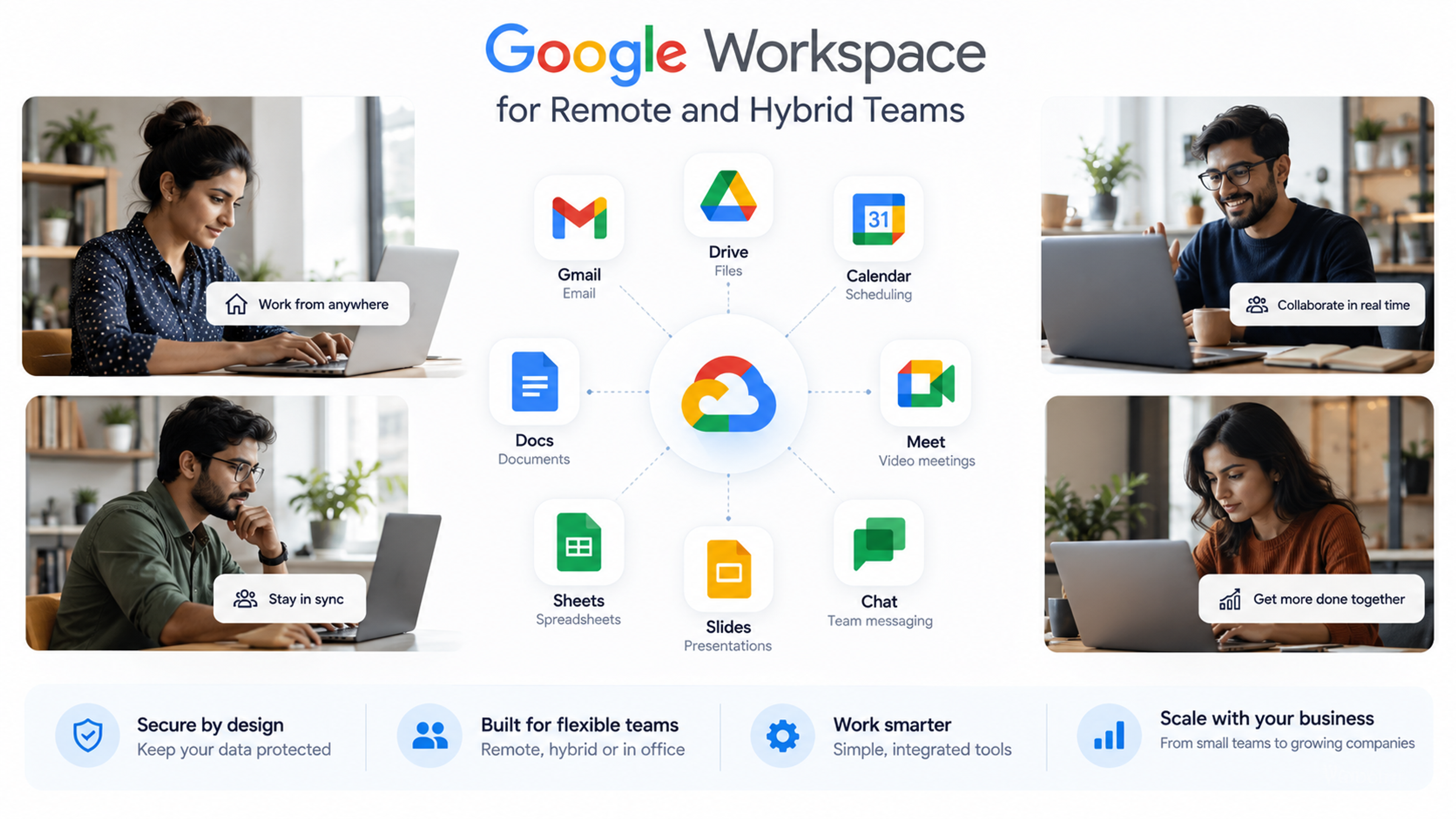
For businesses buried in contracts, invoices, and forms, a document management system with strong search and version control is usually the highest-impact first step. Google Workspace and similar cloud platforms give small teams shared, searchable storage without the cost of a custom-built system.
Workflow Automation and Approvals
Once documents are digital, the next bottleneck is usually approvals and handoffs. Workflow automation tools route a document or request to the right person automatically, log every approval, and remove the need for anyone to physically carry paperwork between desks.
CRM and ERP Systems
Businesses managing customer records, sales pipelines, or inventory on paper or in scattered spreadsheets benefit from a CRM or ERP system, such as Zoho, that centralizes records that used to live in separate paper files or personal notebooks.
Digital Signatures and Forms
Client intake, contracts, and internal approvals are often the fastest processes to digitize, since e-signature and digital form tools can replace a physical signature step in days, not months.
Common Mistakes During Paper-to-Digital Migration
- Digitizing a broken process instead of fixing it first. Moving a slow, over-complicated paper process onto a screen just makes it a slow, over-complicated digital process.
- Trying to digitize everything at once. A full-business cutover in one phase overwhelms staff and multiplies the risk of costly errors.
- Choosing tools before mapping the workflow. Software purchased before the process is understood often gets underused or abandoned within months.
- Skipping team training on the reasoning behind the change. Staff who do not understand why a step changed tend to quietly revert to the old paper habit.
- Leaving the parallel run open-ended. Without a firm cutover date, teams keep maintaining paper indefinitely, and the business pays for two systems instead of one.
- Ignoring data security during the transition. Digitized records need the same, or stronger, access controls than the locked drawer they replaced.
How This Plays Out Across Different Industries
- Healthcare practices. Patient intake forms, consent documents, and billing records are usually the highest-impact starting point, with data security and compliance treated as non-negotiable from day one.
- Real estate businesses. Property documentation, tenant agreements, and inspection reports benefit heavily from centralized digital storage and e-signatures, since these documents move between many parties.
- Educational institutions. Admissions forms, fee records, and attendance logs are common early targets, since they involve high volume and repetitive manual entry.
- Manufacturing and service businesses. Inventory logs, quality checks, and vendor invoices often move from paper clipboards to shared digital systems first, since these records need to be accessed by multiple people in different locations.
Best Practices for a Smooth Migration
- Start with one department or process, prove the value, then expand.
- Assign a single internal owner for the migration, not a committee, to keep decisions moving.
- Keep the new digital workflow simpler than the paper version it replaces, not more complex.
- Back up digitized records in more than one location before retiring the paper originals.
- Measure time saved and errors reduced, so the business case stays visible to leadership.
Expert Tips From a Technology Partner's Perspective
The businesses that migrate successfully treat this as a change management project first and a technology project second. The software is rarely the hardest part. Getting a team that has done things the same way for years to trust a new system with something as basic as an invoice or a client signature takes deliberate communication, not just a training session.
It also helps to resist the temptation to buy the most feature-rich platform available. A tool with fifty features your team never uses is harder to adopt than a simpler tool that solves the three problems you actually have. Start narrow, prove the workflow works, then expand into adjacent processes once the team trusts the system.
Finally, budget for integration, not just software licenses. The real value of digital transformation comes from systems that talk to each other, such as a CRM that feeds directly into invoicing, or a digital form that automatically updates a client record. A collection of disconnected digital tools is only a marginal improvement over paper.
Frequently Asked Questions
It depends on scope, but most SMEs see a well-run first phase, covering one or two high-impact processes, completed within four to eight weeks. A full business-wide migration across every department typically unfolds over several months in planned phases.
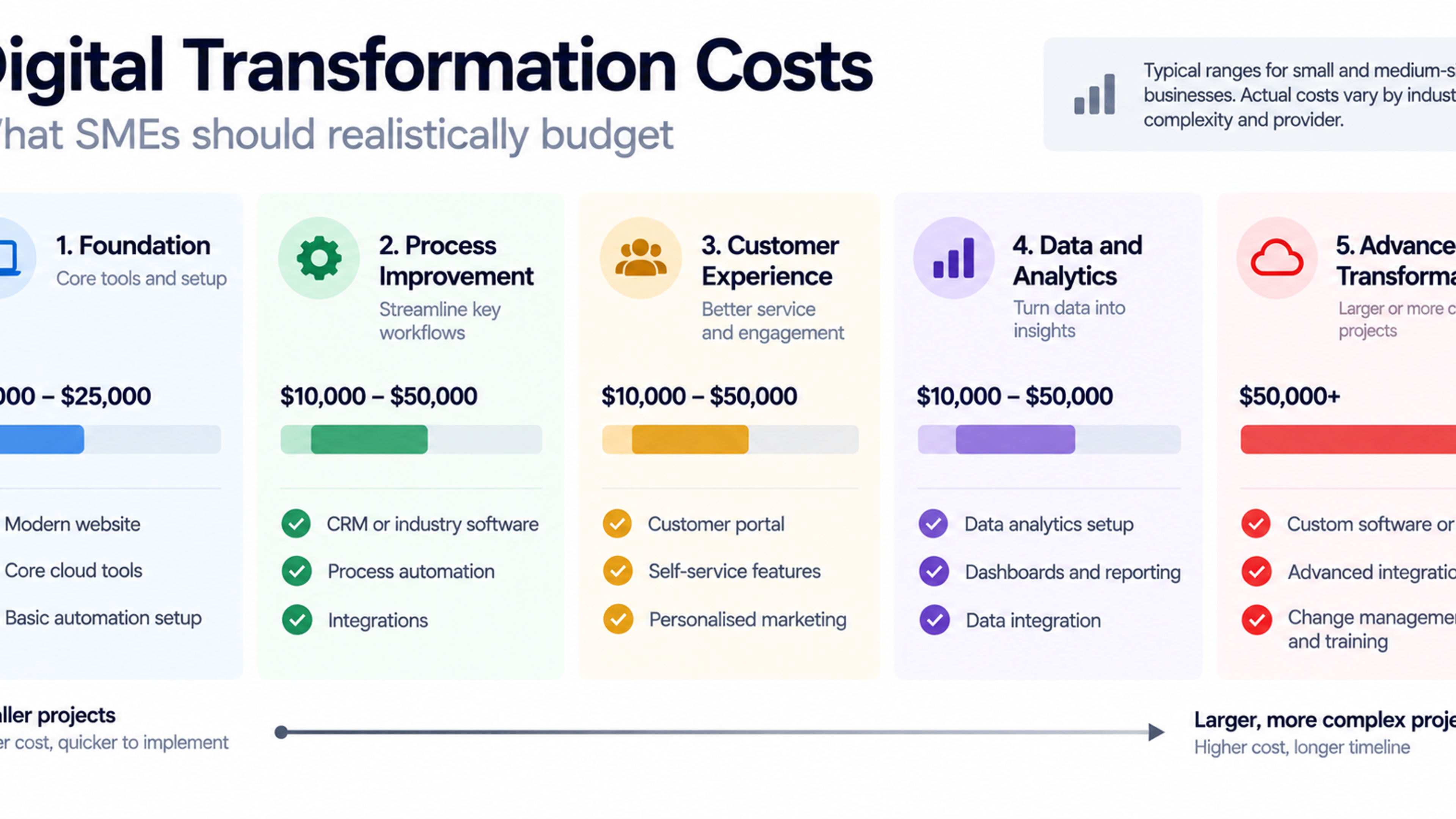
Not necessarily. High-impact digitization can often start with a single workflow, such as invoicing or client intake, using existing cloud tools like Google Workspace or Zoho, rather than a large custom-built system. Cost scales with scope, so a phased approach keeps the investment manageable.
Start with the paper process that costs the most time or creates the most risk, such as approvals that delay revenue, or records that are difficult to retrieve during an audit. High-impact, lower-complexity processes are the best starting point.
No. Prioritize active, frequently referenced records first. Older archival documents can be digitized on a slower timeline, or in some cases retained in physical storage if they are rarely accessed and not required for active compliance.
Involve the team that will use the workflow daily in choosing and testing the tool before rollout, explain why the process is changing, and set a firm cutover date so the old paper habit does not quietly persist alongside the new system.
A properly configured digital system, with access controls, encryption, and regular backups, is typically more secure than a locked filing cabinet, since paper records have no audit trail and cannot be recovered after fire, flood, or loss.
Summary
Migrating from paper to digital systems is not a single project with a finish line. It is a phased redesign of how information moves through your business, starting with the processes that cost the most time and risk today. Businesses that succeed treat the migration as a change in how people work, not just a change in what software they use, and they choose tools that fit their actual workflow rather than the most popular platform on the market.
The businesses that wait for a paper-based process to fail completely before changing it usually pay a higher price than the businesses that migrate on their own timeline, with a clear plan and the right support.
Ready to Move Your Business Off Paper?
- Zero One Creation helps businesses map their paper-heavy workflows and implement the right digital systems, from document management to CRM and workflow automation.
- Book a strategy session to identify your highest-impact starting point, at zeroonecreation.com.