Gourav Dhiman
If you run a small or mid-sized business and want a number, here is the honest version: there is no standard price for digital transformation, but there is a reliable way to build your own.
Take the annual cost of the software you plan to buy, add one to three times that amount for setup, set aside roughly a tenth or more of the project for data cleanup and a similar share for training, plan for ongoing support at around 15 to 20 percent a year, and keep a contingency of 15 to 25 percent. Those ratios come from published implementation guides and practitioner estimates rather than a single authoritative study, so treat them as starting points to test against real quotes.
The rest of this article explains where those proportions come from, what each cost category covers, which costs SMEs tend to miss, and how to stage spending so a mistake in month three does not become a crisis in month twelve. The goal is not a single magic budget figure. It is a budget that survives contact with reality.
Why Published Benchmarks Disagree
Search for "how much should a small business spend on IT" and you will find answers that contradict each other. One compiled set of figures puts average small and mid-sized business IT spending at 3.4% of annual revenue for fiscal year 2024. Another, citing a Gartner composite, reports a median of 6.9% of revenue. A third IT services guide gives a wider band, between 3% and 7% of total revenue, depending heavily on the industry.
None of those figures is wrong, exactly. They measure different things: some include hardware and telecoms, some only software, some include staff salaries, and the samples skew toward different company sizes. The more important point is that a percentage of revenue is a poor planning tool for a specific project. A professional services firm with 12 staff and a logistics business with 12 staff and a warehouse management system do not have the same needs, even if their revenue matches.
Use revenue-based benchmarks only as a sanity check on your overall technology spending. For an actual transformation project, build the budget from the bottom up, by component, and then compare the total with what the business can afford and what the project is expected to return.
Decide What You Are Actually Transforming
"Digital transformation" is a broad phrase, and the cost depends almost entirely on which of three things you mean.
The first is tidying and upgrading your everyday tools: moving email and files to a cloud suite, adopting a shared project tracker, replacing paper forms with digital ones, setting up proper password management and backups. This is the cheapest tier and often the most overdue. Costs here are mostly subscriptions and a modest amount of setup and training.
The second is replacing or introducing a core system: a CRM, an ERP or accounting platform, an inventory or booking system. This is where budgets grow, because the system touches data, processes, and people across the company, and mistakes are expensive to reverse.
The third is connecting and automating: integrating systems so data flows between them, automating repetitive workflows, building dashboards, and adding AI features to existing processes. This tier often rides on top of the second and is where custom development, middleware, and ongoing tuning enter the picture.
Most SMEs should not attempt all three at once. A sensible order is to fix the basics, replace the one system that causes the most pain, and only then automate around it. Naming the specific business problem first, such as slow quoting, double data entry, or missed follow-ups, also gives you a way to judge whether the spending was worthwhile.
The Cost Categories That Make Up a Real Budget
Software price is the part everyone sees. The rest is where budgets go wrong. Walking through each category is the surest way to avoid surprises.
Software and licensing
This is the recurring subscription, typically priced per user per month, sometimes with tiers that unlock features you will need later. Check what the entry price actually includes. Some vendors quote a low base fee and charge extra for the features, integrations, storage, or support levels that most businesses end up needing. Ask what happens to your price at double your current user count, and whether prices are fixed for the contract term.
A newer wrinkle is usage-based pricing, especially for AI features. Zylo's 2026 SaaS Management Index reports that 78% of IT leaders faced unexpected AI or consumption charges. That survey skews toward larger organizations, but the lesson applies to smaller firms too: when a price depends on usage, build a ceiling into your budget and set alerts.
Implementation and configuration
This is the work of making the software fit your business: mapping processes, configuring fields and workflows, setting permissions, building reports, and testing. It is frequently larger than the software cost itself. One guide estimates that implementation typically runs from one to three times the first-year license cost. Another puts simpler platforms at the lower end, noting that HubSpot implementation typically costs 1.5 to 2 times the license fee, while Salesforce implementations often cost three to five times as much because of their complexity and need for specialist consultants.
Those figures come from consultancies and vendors who benefit from the work, so view them as indicative, not definitive. But the direction is consistent across sources: the license is the smaller part of the first-year bill. Complexity drives cost. The more customization you ask for, the more you pay, now and at every upgrade.
Data cleanup and migration
Moving data from spreadsheets, an old system, or several scattered tools into a new platform is routinely underestimated. One source calls migration the silent budget killer. Another notes that migration is consistently underestimated and includes extraction, cleansing, transformation, validation, and loading. Estimates of its share of total project cost vary, with guides suggesting roughly 10 to 15 percent in one case and 15 to 20 percent, with a recommendation to start data cleansing three to six months before migration.
The practical meaning is simple. If your customer list has duplicates, misspellings, and four different formats for phone numbers, you will pay to fix that, either in staff time before migration or in consultant time during it. And poor data quality does more than add cost. One implementation guide observes that many CRM failures trace back to data quality issues, not platform limitations.
Integration
New systems have to talk to the old ones: your accounting package, your website, your payment provider, your email platform. Native connectors are the cheapest route when they exist and fit your process. When they do not, you pay for middleware or custom development. One ERP guide suggests budgeting between $5,000 and $30,000 per integration, which is a wide range, and a reminder to get itemized quotes for every connection you need.
Training and change management
The most common reason new tools disappoint is that people keep working the old way. Training is the cost that prevents it, and it is the one most often trimmed first. One guide suggests allocating 10 to 15% of the total budget to training and change management. Another claims most companies underestimate training costs by 40 to 50 percent and recommends planning for several training cycles per user group: initial training, refreshers, and advanced sessions. Treat that last number as one vendor's estimate, but the principle of repeated, role-specific training is sound.
Do not forget the cost you will not see on an invoice: staff time. Every hour a salesperson spends learning a new CRM is an hour not selling, and productivity usually dips before it improves. Budget for that dip, ideally by timing the rollout away from your busiest season.
Security and compliance
Every new system adds accounts, data, and risk. Budget for multi-factor authentication, access controls, backups, endpoint protection, and, where relevant, compliance work such as data protection assessments. If you handle customer payment or health data, specialist advice is worth the fee. Security spending is easier to justify before an incident than after one.
Ongoing support, upgrades, and improvement
The project does not end at launch. Guides commonly estimate annual maintenance and support at around 15 to 20% of licensing fees, and recommend a separate allowance for improvements after go-live, with one suggesting an additional 15 to 25% of implementation cost for post-launch refinements. Real use always reveals things nobody anticipated, such as a report that is missing, a workflow that needs another step, or a field people need. Budget for that learning, or it will arrive as unplanned spending.
A Worked Example (Illustrative Numbers)
To make the ratios concrete, here is a simplified, hypothetical example. The figures are invented for illustration, they are not drawn from any real company or study, and they are currency-neutral. Substitute your own quotes.
Imagine a 20-person business replacing a patchwork of spreadsheets with a cloud CRM that has an annual license of 12,000. Implementation and configuration by a partner is quoted at 1.5 times the license, or 18,000. Cleaning and migrating data from three spreadsheets and an old email list is estimated at 3,000. Connecting the CRM to the accounting package and the website form costs 4,000. Training for the sales and admin teams, including two refresher sessions, comes to 2,500.
One-time costs, excluding the license, add up to 27,500. A contingency of about 20 percent on those one-time costs adds 5,500. The first-year total is then 12,000 for the license plus 27,500 for one-time work plus 5,500 for contingency, which is 45,000, or about 3.75 times the license price.
From the second year, the one-time costs fall away, but the recurring picture is the license of 12,000 plus support and improvements. Allowing roughly 15 percent of the one-time implementation cost for ongoing support and tweaks adds a few thousand, bringing the annual run cost to somewhere around 16,000 to 18,000.
The exact numbers matter less than the pattern: the first-year bill is several times the headline license price, and the long-run cost depends on how much you customize and how well you adopt the tool.
Why the Risk Belongs in the Budget
It is tempting to treat contingency as padding. It is closer to insurance against a well-documented pattern.
Boston Consulting Group's research on digital transformations, based on work with 70 large companies and a survey of 825 senior executives, found that only 30% of transformations succeed in achieving their objectives. That study focused on large organizations and dates from 2020, so it does not describe SMEs precisely, and it covers broad transformation programs rather than a single software rollout. Still, the broader message holds: ambitious change efforts often fall short of target.
On the narrower topic of budgets, one widely cited secondary figure, attributed to Panorama Consulting's 2025 ERP report, says that 74% of ERP implementations exceed their original budget. The figure comes from a vendor-neutral consultancy but is repeated mostly through guides that sell implementation services, so it is worth treating as a prompt for caution rather than a precise statistic.
The cause of overruns is rarely the software. It is usually scope that grows, data that is messier than expected, and users who need more support than planned. A realistic contingency of 15 to 25 percent on one-time costs, plus a clear process for approving changes, protects the business from each of those.
Stage the Spending Instead of Committing All at Once
One of the most effective ways to control cost and risk is to break the project into stages, with a decision point between each.
Start with a short discovery phase, usually a few weeks, where you document the current process, name the problem you are solving, and define what success looks like in measurable terms. This is cheap and prevents the expensive mistake of buying a tool before you know what you need.
Follow it with a pilot. Roll the new system out to one team or one process, with real data and real users. Pilots reveal integration problems, training gaps, and misjudged requirements while the cost of fixing them is still small. Only when the pilot meets your success measures do you release the funds for the wider rollout.
Then scale in waves, department by department, with a short review after each. Finally, plan for a stabilization period after full launch, with extra support and a budget for refinements.
This approach does not eliminate risk, but it shifts the largest spending decisions to the points where you know the most.
Measuring Whether the Spend Is Worth It
A budget without an expected return is just a list of costs. Before approving a project, write down what it should change in numbers a manager can check.
Start with time. If staff spend a combined 30 hours a week on manual data entry that the new system will remove, estimate the annual value of those hours at their fully loaded cost. Then consider revenue effects: faster quotes, fewer missed follow-ups, higher repeat purchase rates. Include cost reductions such as fewer errors, less rework, and retired subscriptions. Compare the total annual benefit with the annual running cost and the one-time investment, and ask how many months it takes to pay back.
A common rule of thumb among advisers is to look for payback within roughly one to two years for operational software, but the right threshold depends on your cash position and the strategic value of the change. Be conservative with benefits. Count only what you can attribute with reasonable confidence, and apply a haircut to estimates that rely on people changing their habits.
Some published surveys paint an optimistic picture of returns. One compilation attributes to a Deloitte SMB survey the finding that 67% of SMBs report a positive return on technology spending within 18 months. The figure is repeated by a secondary source and I could not trace it to the original survey, so do not rely on it for planning. Your own pilot data will be far more useful than any industry average.
Keep Software Sprawl From Eating the Budget
Transformation spending does not stop at launch, because subscriptions accumulate. Different teams buy their own tools, trial plans quietly convert to paid ones, and former employees keep licenses nobody reclaims.
Zylo's 2025 index found that smaller companies, defined as those with 1 to 500 employees, use an average of 152 SaaS applications. That sample comes from a vendor serving mostly larger organizations, so your number is likely lower, but the pattern of tool creep is real. The 2026 edition reports that business units control 81% of SaaS spend, which means finance and IT often have limited visibility. Another compilation notes that 44% of apps are not IT-sanctioned, according to BetterCloud's 2026 data, and that 36% of licenses sit unused against recommended utilization levels.
For an SME, the fix does not need special software. Keep a single list of every paid tool, who owns it, what it costs, when it renews, and how many seats are actually used. Review it every quarter. Cancel what nobody uses, downgrade where seats are idle, and consolidate overlapping tools. Put a named owner on each subscription and require approval for new ones above a modest threshold. Renewal dates are the best moment to negotiate, so calendar them well in advance.
Buy, Build, or Combine?
A budget depends heavily on whether you buy off-the-shelf software, commission custom development, or combine the two.
Off-the-shelf SaaS is usually the right default for common needs such as accounting, CRM, project management, and email marketing. It has a lower upfront cost, faster deployment, and a vendor that maintains the product. The trade-offs are less flexibility, recurring fees that grow with headcount, and the need to adapt your process to the tool.
Custom development makes sense when your process is genuinely distinctive and gives you an advantage, when no existing product fits without heavy modification, or when per-seat pricing at your scale becomes more expensive than owning the solution. It costs more upfront and carries long-term maintenance obligations, so the case needs to be clear.
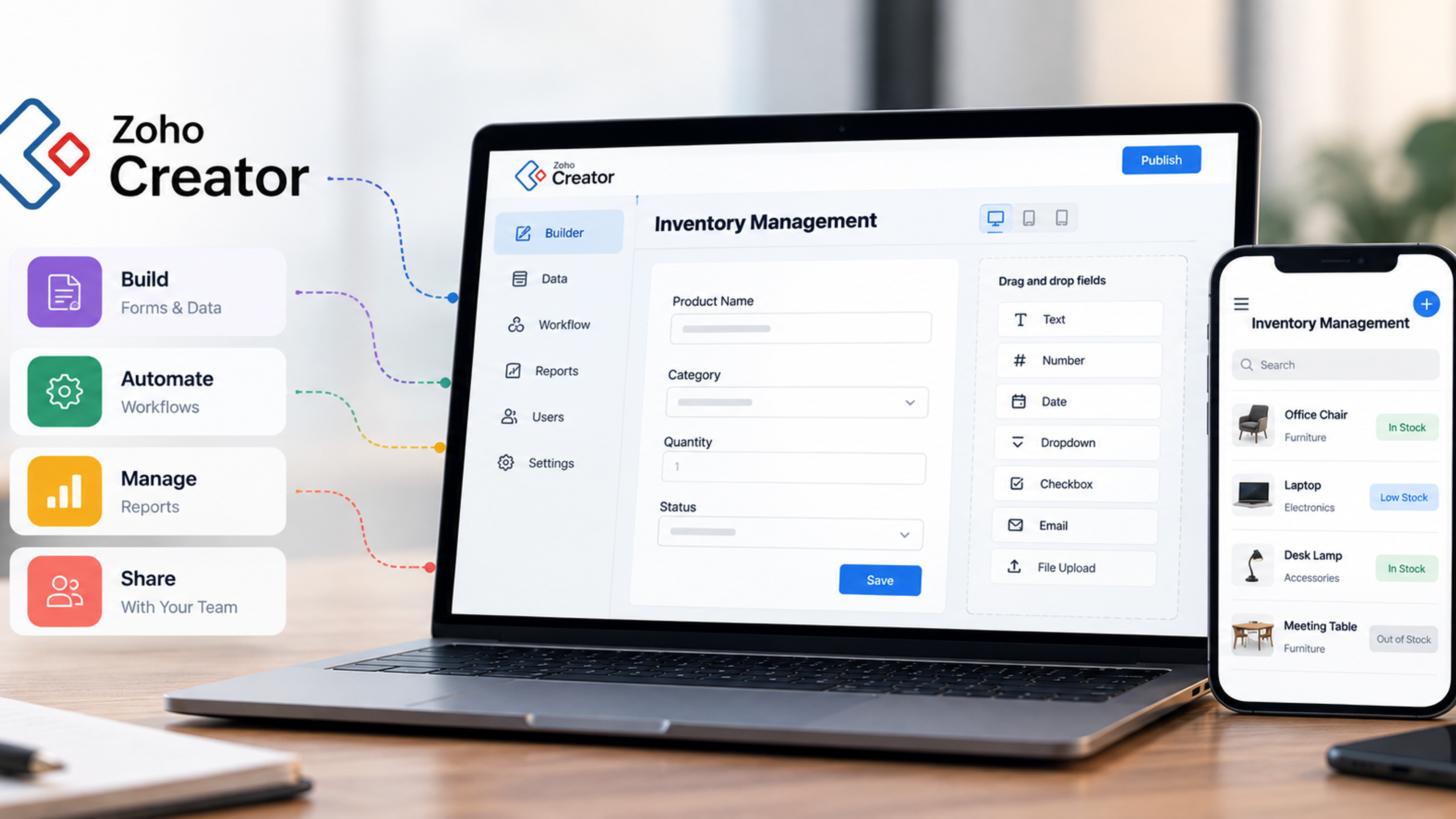
The most common practical answer for SMEs is a combination: standard tools for standard functions, plus targeted custom work for the integrations, workflows, or internal tools that connect them. A lightweight custom dashboard that pulls data from three systems, for example, can deliver more value than replacing any one of them. (This is a natural place to link to your content on custom software and business productivity tool development, system integration, and workflow automation.)
Whichever route you take, ask for a total cost of ownership view over three to five years rather than a first-year quote. A cheaper license with expensive customization often loses to a pricier but better-fitting product.
Ways to Lower the Bill Without Cutting the Wrong Things
Savings are available, but not everywhere. Cutting training, data cleanup, or testing usually costs more in the end. These are the places where careful trimming works.
Audit before you buy. Many businesses already pay for features they do not use. Check whether your current tools can do the job before adding another.
Narrow the first release. A tightly scoped first version with fewer custom fields, fewer reports, and fewer integrations is cheaper and easier to adopt. Add what real users ask for, not what a workshop imagined.
Prefer native integrations and standard configurations. Each customization adds cost now and complicates upgrades later.
Clean your data yourself where you can. Staff who know your customers can often remove duplicates and fix obvious errors far more cheaply than consultants.
Negotiate. Multi-year commitments, annual billing, and bundles can reduce per-user prices. Ask for implementation support or training to be included. Be careful that discounts do not lock you into tools you may outgrow.
Train internal champions. A couple of confident power users in each team reduce the need for repeated outside training and give colleagues someone to ask.
Check for local support. Governments, regional development agencies, and industry bodies in many countries offer grants, subsidies, or advisory programs for small business digitization. Availability and eligibility vary widely, so search for programs in your region and confirm the terms before you plan around them.
Questions to Ask Vendors and Partners Before You Sign
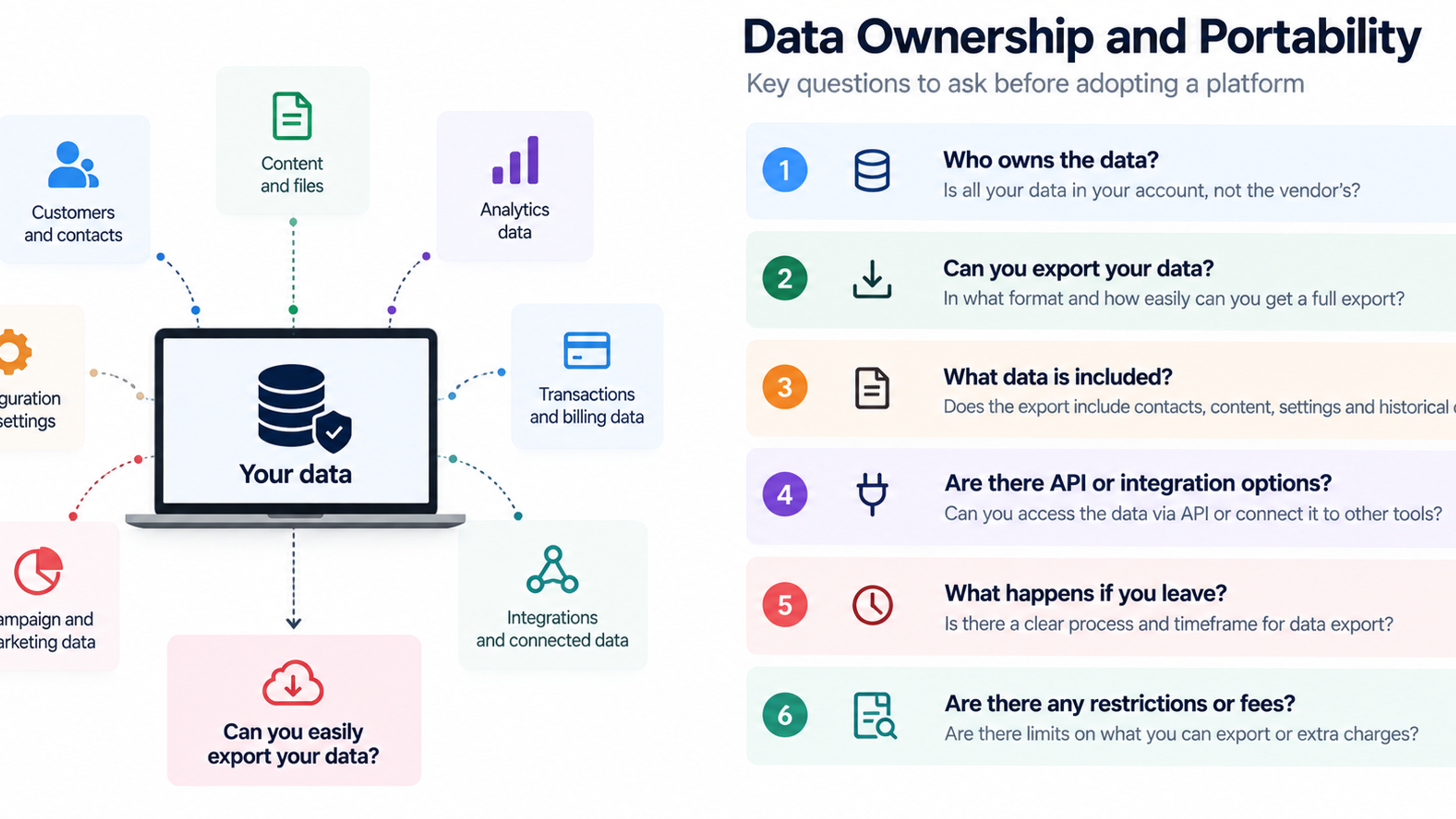
Quotes are easier to compare when you ask the same questions of everyone. Ask what exactly is included in the implementation price and what is billed separately. Ask how data migration is scoped and who is responsible for cleaning the source data. Ask for a list of integrations with their costs, and whether they are native or custom. Ask what training is included, in what format, and for how many people. Ask how upgrades are handled and whether customizations survive them. Ask what support costs, what the response times are, and what happens if you want to leave, including how you can export your data. Ask for references from businesses of a similar size, and call them.
Vague answers to these questions are a warning sign in themselves. A good partner will usually welcome detailed scoping, because it protects both sides from disputes later.
Common Budgeting Mistakes
A few errors appear again and again in SME projects.
Budgeting only for the license and treating everything else as an afterthought is the most common. The first-year cost is a multiple of the license price, not a rounding error on top of it.
Skipping the discovery phase leads to buying tools that solve a problem you do not have, or solve it in the wrong way.
Underfunding training and change management produces shelfware, which is software that is paid for and ignored.
Ignoring the cost of your own team's time understates the real investment and leaves key people overloaded. Decide who will own the project, and free up their time.
Allowing scope to grow unchecked turns a simple rollout into an open-ended customization. Set a change approval process and a firm definition of the first release.
Forgetting about exit costs and lock-in can leave you stuck with a tool that no longer fits. Understand data export options and contract terms upfront.
Failing to review after launch means waste accumulates. Schedule a formal review at three and twelve months to compare results with the original business case.
A Simple Process for Building Your Own Budget
If you want a practical way to start, follow this sequence.
First, write down the business problem and the measurable outcome you want, such as hours saved, errors reduced, or revenue gained. Second, list the systems and processes affected, and the people who use them. Third, request itemized quotes covering licenses, implementation, data migration, integrations, training, and support, and ask each vendor to state assumptions. Fourth, add your internal costs, including staff time and any new security measures. Fifth, apply a contingency of 15 to 25 percent to the one-time costs. Sixth, calculate the annual run cost from year two onward. Seventh, estimate the annual benefit conservatively and work out the payback period. Finally, divide the project into stages with decision gates, and release funds only as each gate is passed.
Write the result on one page. If the total makes the business uncomfortable, reduce scope before reducing quality: fewer features in the first release, a smaller pilot, or a slower rollout, not weaker training or skipped testing.
Frequently Asked Questions
It depends on scope. Tidying everyday tools may cost little beyond subscriptions and some training, while replacing a core system such as a CRM or ERP can cost several times the annual license price in the first year. Published guides commonly estimate implementation at one to three times the first-year license, with additional allowances for data migration, training, and ongoing support. Always get itemized quotes for your own situation.
Data cleanup and migration, integrations with existing systems, training and change management, staff time during rollout, security and compliance work, and ongoing support and improvements. Usage-based pricing for AI and other features can also produce unexpected charges.
Many practitioners suggest 15 to 25 percent on one-time costs, and the right figure depends on project complexity and data quality. Higher-risk projects, with messy data or many integrations, need more.
It varies by project and by how well the tool is adopted. Some operational improvements show up within months, while larger system changes take longer. Instead of relying on industry averages, define measurable goals and track them from the pilot onward.
For common functions, ready-made SaaS is usually faster and cheaper. Custom development fits when your process is distinctive, existing tools cannot be adapted reasonably, or long-term per-user costs outweigh building. Many SMEs use ready-made tools for core functions and custom work for integrations and internal tools.
Keep a central list of subscriptions with owners, costs, renewal dates, and active users. Review it quarterly, cancel or downgrade unused licenses, and require approval for new purchases.
In many countries, yes, through government agencies, regional programs, or industry bodies. Availability, eligibility, and terms differ widely, so check programs in your region and confirm requirements before building them into your plan.
Published figures range widely, from roughly 3% to 7% of revenue in several sources, and they vary by industry and by what is counted. Use them as a rough check on overall technology spending, not as a budget for a specific project.