Gourav Dhiman
A patient who books an appointment from their phone, gets a reminder the day before, completes forms from the couch, and later messages the care team with a question is a patient who stays involved in their care.
That is what healthcare apps are meant to do. They give patients simple ways to interact with a clinic, hospital, pharmacy, or practice between visits, not only during them, and they give the business a direct line to people who would otherwise be reached by phone calls and mailed letters.
This article explains how healthcare organizations actually use apps for patient engagement, which features earn their place, what the evidence says about results, and where the real difficulties sit: privacy rules, integration with clinical systems, and getting patients to keep using the app after the first week. It is written for clinic owners, practice managers, healthcare executives, and product teams who are deciding what to build or buy, not for patients looking for a health app to download.
What Patient Engagement Means in Practice
Patient engagement is a broad phrase, so it helps to pin it down. In a business context, it covers the ways patients take an active part in their care and in their relationship with a provider: scheduling and attending appointments, completing paperwork, reading results, asking questions, following treatment plans, paying bills, and giving feedback. An engaged patient is one who does these things readily, without chasing from the front desk.
The business reasons for caring are practical. Missed appointments waste clinical time. Patients who cannot reach anyone with a simple question may call repeatedly or go elsewhere. Patients who do not understand their care plan are less likely to follow it. And administrative work, such as phone tag, manual reminders, and paper intake, eats staff hours that could go to patient care.
Apps are one channel among several. Patient portals on the web, text messages, email, and phone calls all play a role. The app's advantage is that it lives on the device patients already carry, can send notifications, and can combine many functions in one place. Its disadvantage is that it asks patients to download something, create an account, and prove their identity, which is a real barrier. Much of good app strategy comes down to deciding what justifies that effort.
The Current Picture: What the Data Shows
Digital access to health information is now widespread in the United States, although far from universal. According to the federal Office of the National Coordinator (ASTP/ONC), analyzing the 2024 Health Information National Trends Survey, 77% of individuals were offered online access to their health information in 2024, up from 73% in 2022, and 65% accessed it at least once in the past year, up from 57% in 2022. The same analysis found that more than three-quarters of users used their portal to message their providers (79%) or schedule appointments (77%).
Phones are now a major route in. One summary of the ASTP/ONC brief reports that 57% of patients accessed their online records through a smartphone app in 2024, compared with 42% who used a web browser. For a healthcare business deciding whether to prioritize mobile, that is a strong signal.
There is also a clear lesson about who uses these tools. The same ONC brief found that people encouraged by their health care provider to use the portal accessed and used it at higher rates than those who were not encouraged. This matters because many organizations treat an app launch as a technology project. The data suggests it is as much a behavior project: when clinicians and staff recommend the tool, patients use it.
What the evidence says about results
The research on outcomes is encouraging but needs to be read carefully. One Canadian study of an electronic medical record portal linked to mobile apps compared missed appointments across more than 19,000 visits. It found that missed appointments occurred in 9.5% of visits by non-portal users, compared with 4.5% for portal users, a 53% relative reduction. That sounds dramatic, but the design was observational. Patients who sign up for a portal may already be more organized or motivated, so the study cannot prove the portal itself caused the difference. A study of a Duke portal reported a smaller effect: patients who registered and received email reminders on top of phone and mail reminders had a statistically significant 2.0% reduction in no-show rates, while non-enrolled patients saw no such reduction. Taken together, the evidence suggests digital reminders and self-service help, but the size of the effect varies, and you should measure your own.
For medication adherence, a 2025 systematic review and meta-analysis of randomized trials, a stronger type of evidence, looked at app-based interventions for chronic conditions. It included 14 trials and found that all 14 reported improved adherence, with 10 showing statistically significant improvement. The trials were small, with sample sizes between 57 and 412 participants, and ran from 30 days to 12 months, so the results are promising rather than definitive, and say little about long-term use. An earlier review in BMJ Open, pooling nine trials, concluded that app-based medication adherence interventions may have a positive effect, and that larger studies are needed to evaluate long-term sustainability.
The takeaway for decision-makers: apps can help, particularly for reminders and adherence, but results depend on design, patient mix, and follow-through, not simply on having an app.
What Healthcare Businesses Actually Build
Most patient engagement apps combine a small set of core functions. The mix depends on the type of organization, but the building blocks are similar.
Scheduling, reminders, and check-in
This is where most organizations start, because the benefit is clear and measurable. Patients book, reschedule, or cancel from their phone, often outside office hours. The app sends reminders by push notification or text, sometimes with options to confirm or cancel. Pre-visit check-in lets patients update insurance details, complete forms, and sign consents before arriving, which shortens waiting room time and reduces front desk workload.
The detail that matters is the cancellation path. A reminder that makes it easy to cancel or reschedule gives the practice a chance to refill the slot. A reminder with no easy option just adds a nudge that some patients ignore.
Secure messaging
Patients value being able to ask a nonurgent question without phoning. Secure messaging in the app keeps those conversations inside a protected channel, unlike regular text or email. The operational challenge is response time and workload. If patients message and wait days for a reply, trust erodes quickly. Successful organizations decide in advance who monitors messages, what response time they promise, how urgent issues are redirected, and whether some questions can be routed to nurses or administrative staff instead of physicians. Setting clear expectations in the app, such as stating typical response times and what to do in an emergency, prevents misuse.
Records, results, and billing
Giving patients access to visit summaries, lab results, medication lists, and immunization records is the traditional portal function and remains central. In the United States, rules under the 21st Century Cures Act have pushed developers of certified health IT to support standards-based APIs that let patients use apps of their choice to access their data. For a healthcare business, this has two effects: patients increasingly expect easy access, and your technical systems need to expose data in standard ways. Bill payment and estimates are also popular, since confusing bills are a common frustration and a source of delayed payment.
Telehealth and virtual follow-up
Video visits became routine for many practices, and apps are a natural home for them. A good implementation lets a patient join with one tap from a reminder, tests their camera and connection, and handles payment and documentation without extra steps. Virtual follow-up is especially useful for post-operative checks, medication reviews, and chronic disease management, where an in-person trip adds cost without much clinical benefit.
Medication and care plan support
For patients with chronic conditions or complex regimens, apps can provide medication reminders, simple task lists, symptom tracking, and educational material tied to the specific care plan. The aim is to make the plan easy to follow day by day. Background research suggests the problem is substantial: a preprint version of the meta-analysis cited above notes that only about 50% of chronically ill patients take their medications as prescribed. Features that look modest, such as a daily checklist or a refill reminder, can address a significant gap.
Remote monitoring and connected devices
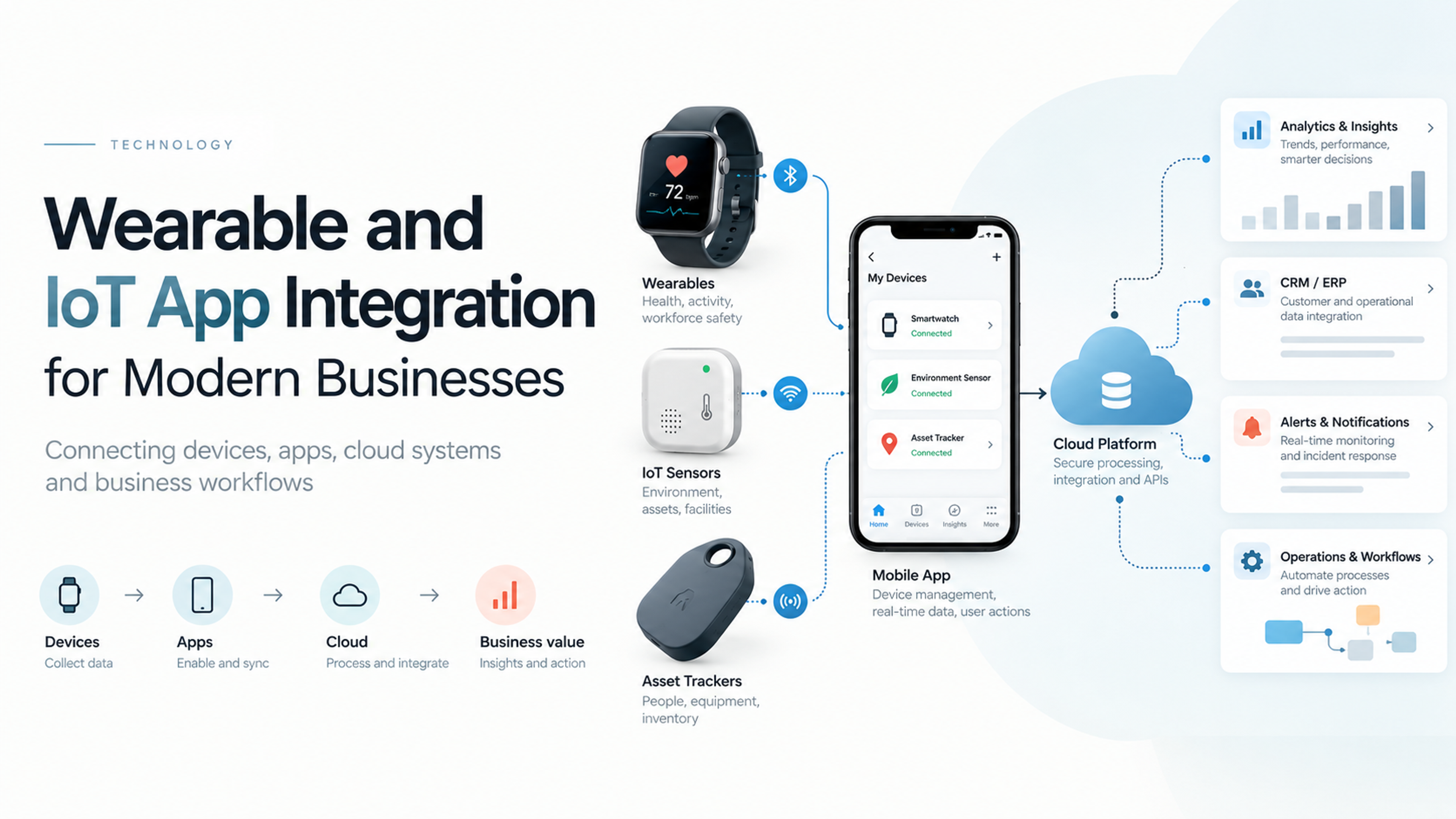
Some organizations pair apps with home devices, such as blood pressure cuffs, glucose meters, or wearables, so that readings flow into the record automatically. The care team reviews trends and intervenes when something looks off. This requires more infrastructure: device integration, clinical protocols for who reviews data and when, alert thresholds that do not overwhelm staff, and clear patient instructions. It also requires careful thinking about reimbursement and regulatory status, which vary by jurisdiction.
Education, follow-up, and feedback
After a visit or procedure, apps can deliver instructions, recovery checklists, and short surveys. Feedback gathered while the experience is fresh is more useful than a survey emailed weeks later, and it gives the organization a chance to resolve problems quickly.
Different Healthcare Businesses, Different Apps
The right design depends heavily on who is building it.
A small independent clinic usually cares about scheduling, reminders, forms, messaging, and payments. It often has limited technical staff and limited budget, and typically benefits from a configurable platform or the portal offered by its practice management or EHR system, perhaps with a branded layer on top.
A hospital or health system faces a larger scope: multiple facilities, many specialties, complex scheduling rules, integration with a major EHR, and a diverse patient population. The app often becomes a front door to numerous services, which makes navigation and prioritization the central design problem.
Specialty practices, such as dental, dermatology, physiotherapy, or fertility, often add features tailored to the care journey: treatment tracking, photo uploads, exercise programs, or milestone reminders.
Pharmacies use apps for refill requests, delivery tracking, medication reminders, and vaccination scheduling. Their strength is frequent, repeated interaction.
Wellness and private health businesses, including some that fall outside traditional HIPAA coverage, focus more on membership, programs, and coaching. Their regulatory position can differ, which matters, as discussed below.
Digital health startups build apps as the product itself, which brings different concerns around clinical evidence, regulation, and business model.
Build, Buy, or Combine
A recurring decision is whether to use an existing platform, build a custom app, or do both.
Using the portal or app from your EHR or practice management vendor is usually fastest and cheapest, and it is naturally integrated with clinical data. The trade-offs are limited design flexibility, a generic experience, and dependence on the vendor's roadmap.
White-label or configurable patient engagement platforms sit in the middle. They offer ready-made features such as scheduling, messaging, and forms that can be branded and adjusted, and they often come with compliance documentation. They suit organizations that want something distinctive without starting from scratch.
Custom development makes sense when the organization has a differentiated care model, specific workflows no vendor supports, or a need to combine data from several systems into a unified experience. It is the most expensive route and carries ongoing maintenance, security, and compliance responsibility.
A frequent and sensible hybrid is to keep core clinical functions in the existing system and build a custom layer, or a focused app, for the parts that distinguish your service. (This is a natural place to link to your content on custom healthcare app development, mobile app development costs, and choosing between native and cross-platform approaches.)
Features That Matter and Features That Do Not
Feature lists tend to grow without limit. A better guide is to ask what patients do most often and what causes the most friction. The ONC data points to messaging and scheduling as leading portal uses, which suggests where to put effort first. Reminders, simple booking, and clear communication outperform elaborate dashboards that few patients open.
Be cautious about features added because competitors have them. Symptom checkers, gamification, social feeds, and wellness challenges can sound appealing but demand clinical oversight, content maintenance, and sustained design effort. If they do not connect to your care model, they become clutter.
Focus on removing effort. Fewer taps to book. Login that uses biometrics rather than a long password. Forms that remember information. Notifications that carry useful information without exposing private details. Each reduction in friction improves the chance patients return.
Designing for Real Patients
A healthcare app serves a wider range of people than most consumer apps, and design should reflect that.
Age and digital confidence. Many patients are older, and many have limited experience with apps. Use large, legible type, clear labels, and simple navigation. Offer phone and in-person alternatives, and train staff to help patients get started. Do not assume smartphone ownership or data plans.
Accessibility. Patients with vision, hearing, motor, or cognitive impairments must be able to use the app. Support screen readers, adjustable text, strong color contrast, captions for video, and touch targets large enough to use easily. Accessibility is both a usability and a legal consideration.
Health literacy and language. Write in plain language. Avoid medical jargon in instructions and results explanations, or explain it. Offer translations for the main languages your community speaks, with professional review for clinical content.
Caregivers and proxy access. Parents, adult children, and other caregivers often manage appointments and information for someone else. Proxy access, with proper consent and verification, is a common need and an easy one to overlook.
Identity verification. Protecting records requires verifying identity, but cumbersome verification can block legitimate patients. Balance security with usability, for example by using in-clinic activation codes handed out at visits, which also provides a moment for staff to encourage use.
Onboarding. The first few minutes decide whether a patient keeps the app. Give patients a clear reason to install it, such as a specific upcoming appointment, and walk them through a single useful action. Provider encouragement matters: ONC's finding that encouragement increases portal use suggests that staff scripts, signage, and recommendations at check-out are part of the product.
Notifications. Use them to help, not to nag. Too many alerts lead patients to switch them off, which removes your best channel. Let patients choose what they receive and when.
Privacy, Security, and Compliance
Healthcare apps handle some of the most sensitive data there is, so compliance is a design input, not a final check. The rules depend on who you are and where you operate, and this overview is not legal advice, so involve counsel and a security specialist early.
In the United States, whether HIPAA applies depends on the relationship between the app and a covered entity. HHS guidance explains that this depends on the relationship between the covered entity and the app. If an app is developed for, or provided by or on behalf of a covered entity, and handles electronic protected health information for it, the app developer is likely a business associate, and the covered entity can be liable for subsequent impermissible disclosures. By contrast, once information is transmitted to an app of the patient's own choosing that is neither a covered entity nor a business associate, it is no longer subject to HIPAA. That distinction determines whether you need business associate agreements and which safeguards are mandatory.
Apps outside HIPAA are not unregulated. The FTC's Health Breach Notification Rule, amended with changes effective July 29, 2024, underscores the rule's application to most health apps and similar technologies, and requires notification of affected consumers, the FTC, and in some cases the media after a breach of identifying health information. That rule does not apply to HIPAA-covered entities, which follow the HHS Breach Notification Rule instead. Many states have their own health and consumer privacy laws, and organizations serving patients in Europe face GDPR. HHS and the FTC, together with ONC and the FDA, also maintain an interactive tool to help developers of health-related mobile apps, including HIPAA-regulated entities, understand which federal laws and regulations might apply. If your app performs functions that could qualify as medical device software, such as diagnosing or recommending treatment, FDA rules may also come into play, so get regulatory advice before launch.
On the technical side, the basics are well established. Encrypt data in transit and at rest. Use strong authentication, including multi-factor or biometric options. Apply role-based access and log access to records. Collect only the data you need. Avoid putting identifiable health details in push notifications, which can appear on locked screens. Review every third-party component, including analytics and advertising software development kits, because sending health-related data to such services can create privacy violations even when nobody intended it. Plan how you will respond to a breach, test your backups, and carry out regular security testing, including penetration tests before launch and after major changes.
Integration: The Hard Part Nobody Sees
A patient engagement app is only as useful as the data and workflows behind it. Booking an appointment that does not appear in the scheduling system, or showing results that are days out of date, damages trust faster than having no app at all.
Integration with the EHR, practice management system, billing platform, and communication tools is usually the largest source of cost and timeline risk. Standards help: in the US, regulatory pressure has led many certified systems to offer standards-based APIs, and ONC reports that approximately nine in ten hospitals enabled patient electronic access through an API in 2024, with seven in ten using standards-based APIs such as HL7 FHIR. That makes integration more feasible than it used to be, but real-world implementations still vary, and each vendor has quirks, fees, and approval processes.
Plan integration early. Identify which systems hold the data you need, what APIs they provide, who must approve access, and how errors will be handled. Decide what happens when a system is down. Test with realistic data, including edge cases such as patients with multiple providers or records. And define ownership: when a scheduling conflict or data mismatch appears, someone must be responsible for resolving it.
Measuring Whether the App Works
Downloads are a vanity metric. What matters is whether patients complete useful actions and whether the organization benefits.
Track activation, meaning the share of patients who download the app and complete a first meaningful task. Track repeat use over time, such as the share active at 30 and 90 days. Look at task completion: how many bookings, check-ins, payments, and message threads start and finish in the app compared with phone and desk channels. Monitor operational outcomes, such as no-show and late-cancellation rates, call volume, front desk time, time to collect payment, and messaging response times. Collect patient feedback on ease of use, and for clinical programs, track measures such as adherence or follow-up completion where appropriate.
Interpret results carefully. As the portal studies show, app users may differ from non-users in ways that flatter the app. Compare like with like, use before-and-after measures, and where possible, pilot with a defined group.
Common Mistakes to Avoid
Launching a tool without a plan for adoption is the most common failure. An app that staff do not mention at the desk will not reach patients.
Trying to include everything in version one slows delivery and produces a cluttered experience. Start with a few high-value functions and expand based on usage.
Underestimating integration leads to delays and budget overruns, and to a product that cannot perform its basic promises.
Treating compliance as a final step forces expensive rework. Involve security and legal advisers from the start.
Ignoring staff workflows creates a gap between promise and delivery. If messages pile up or online bookings need manual correction, patients and staff both lose confidence.
Designing only for tech-savvy patients excludes the people who often need the most support. Test with older adults, people with disabilities, and those with limited English proficiency.
Overlooking alternatives forces everyone into the app. Keep phone and in-person options, and design the app as an additional path.
Skipping measurement leaves you unable to prove value or decide what to improve.
A Practical Roadmap
A sensible project usually follows a staged path.
Begin with discovery. Interview patients and staff, map the current journey, quantify problems such as no-show rates and call volumes, and agree on the two or three outcomes the app should improve. This step often reveals that some problems need process changes more than software.
Define a minimum viable product around those outcomes, for example booking, reminders, secure messaging, and forms. Settle integration scope, security requirements, and compliance obligations before design begins.
Design and prototype with real users, including people who are older or less comfortable with technology, and test the prototypes before development starts. Accessibility testing belongs here, not at the end.
Build in iterations, with security reviews throughout, then pilot with a limited group, such as one clinic or one patient segment. Use the pilot to test onboarding, staff workflows, and support processes, and measure against your baseline.
Roll out gradually, with staff training, patient-facing materials, and consistent encouragement from clinicians and reception teams. Then keep improving: review data monthly, fix friction points, update for operating system changes, and add features only when evidence supports them. Ongoing maintenance, security updates, and compliance reviews are not optional, so budget for them from the start.
Working With a Development Partner
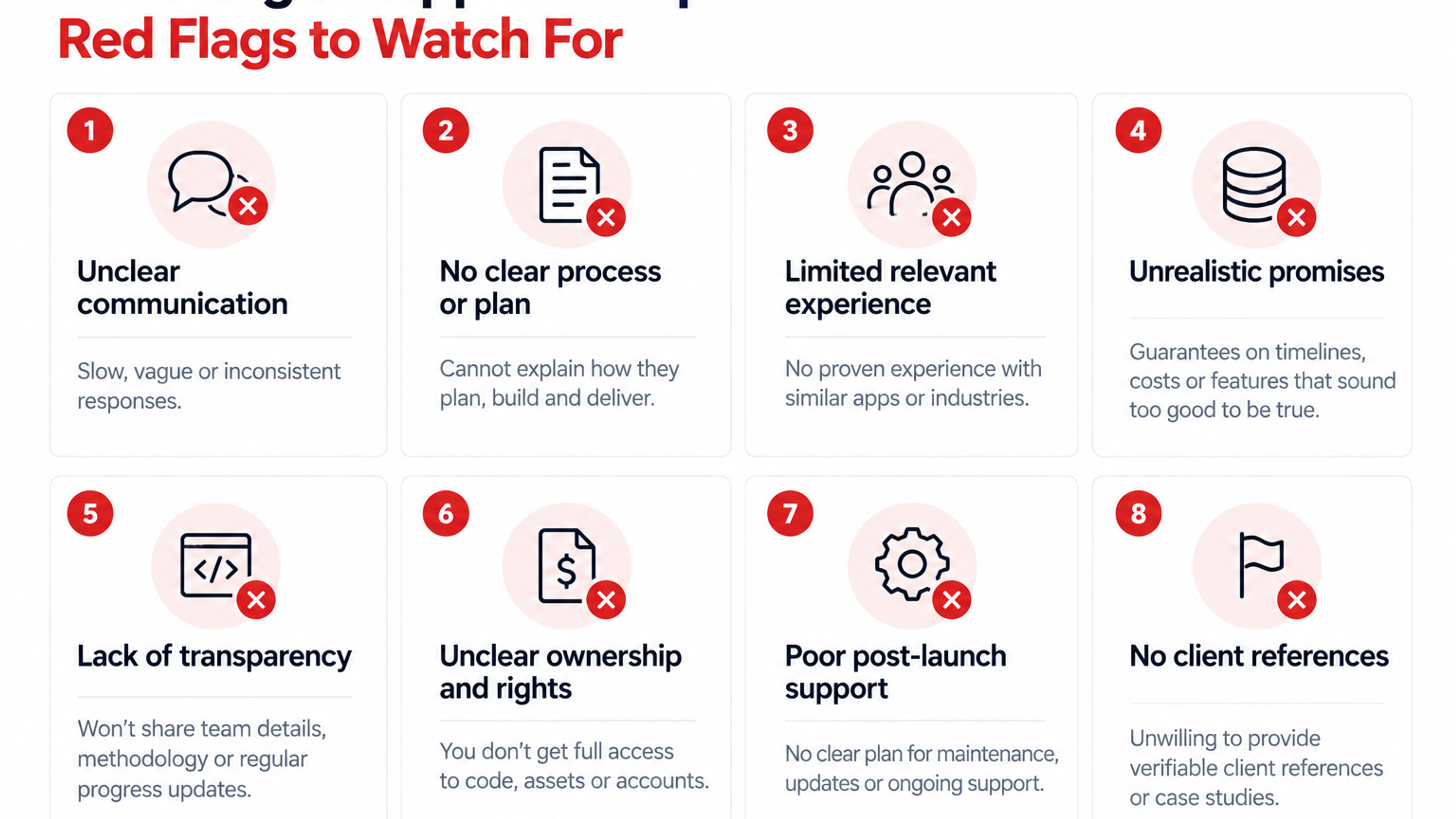
Healthcare is not an ordinary app category, so partner selection deserves care. Ask whether the team has built applications that handle protected health information and can explain how they handled HIPAA or equivalent requirements. Ask how they approach integration with systems like yours, and request references from healthcare clients. Understand who owns the code, who hosts the data, and who is responsible for security monitoring and incident response. Ask about accessibility testing, pen-testing, and how they handle updates when iOS and Android change. And discuss what happens after launch, since maintenance and support often cost more over time than the initial build. (Natural internal link opportunities here include your content on healthcare app development services, secure mobile app architecture, app maintenance and support, and accessibility in mobile apps.)
A good partner will also challenge your scope. If they never suggest cutting a feature or questioning an assumption, they are probably not thinking about your patients or your budget.
Frequently Asked Questions
They make common tasks easier and more convenient: booking and changing appointments, receiving reminders, completing forms, messaging the care team, viewing results, paying bills, and following care plans. When these tasks are simple, patients are more likely to complete them and stay connected with the provider.
Evidence suggests they can help, mainly through reminders and easy rescheduling, though the size of the effect varies. Studies of portals and reminders have reported lower missed appointment rates among users, but many are observational, so measure the effect in your own organization with a baseline and a pilot.
Most organizations start with appointment booking and reminders, secure messaging, digital forms and check-in, access to key records and results, and payments. Add telehealth, medication support, or monitoring once the basics work and you have a clear clinical use case.
They overlap. A portal is typically the web or mobile interface to the provider's records and services, often tied to the EHR. An app may be the mobile version of a portal or a separate, branded product that adds features. ONC data shows that more patients now reach their records through smartphone apps than through browsers.
It depends on whether you are a covered entity or business associate, or build the app on behalf of one. If the app handles protected health information for a covered entity, HIPAA requirements generally apply. Apps outside HIPAA may still fall under the FTC's Health Breach Notification Rule and state or international privacy laws. Get legal advice for your specific case.
Have staff recommend it at specific moments, such as booking and check-out, tie the first use to something patients already need, such as an upcoming appointment, and make the first task simple. ONC data shows patients encouraged by their providers use portals more.
It depends on scope, integrations, and compliance needs. Using an existing vendor portal costs less than a configurable platform, which costs less than a custom build. Integration with clinical systems, security testing, and ongoing maintenance are major cost drivers, so request itemized estimates rather than a single figure.
Privacy and security failures, poor integration that produces wrong or outdated information, low adoption, staff overload from unmanaged messaging, and excluding patients who cannot use the app. Planning for each from the start reduces them.