Aisha Sharma
A manufacturing company running a solid, well-implemented ERP system still finds itself building a separate shop-floor tracking tool, because the ERP's production module handles standard manufacturing accounting fine but has no reasonable way to capture the specific, unusual quality-check sequence this particular factory floor actually uses. Nobody wants to replace the ERP.
Nobody wants to hack it open and rewrite its core either. What they actually need is something that sits next to it, pulling and pushing data through a clean connection, handling the one specific thing the ERP wasn't built to do.
That category of software, built to work alongside an ERP system rather than inside it or instead of it, doesn't have a single universally agreed name. It gets called a satellite system, a surround application, an extension, or simply custom ERP-adjacent software. Whatever the label, it's become one of the more practical and increasingly common answers to a problem that's as old as enterprise software itself: a core ERP system is excellent at the broad, standardized processes most businesses share, and genuinely bad at the specific, unusual ones that make your business different from the next one using the same software.
What ERP-adjacent software actually is
ERP-adjacent software is custom-built functionality that connects to an ERP system's data and processes without living inside the ERP's own codebase. It's a distinct category from the three more familiar ways businesses typically adapt an ERP to their needs, and understanding the difference between all four matters because each carries a very different risk and maintenance profile.
Configuration uses the ERP vendor's own built-in tools, settings, workflow builders, field customization screens, to adjust how the system behaves without touching any underlying code. This is the safest, most sustainable option for most organizations precisely because it stays entirely within what the vendor built and supports, and it's the first thing worth exhausting before considering anything heavier.
Customization goes further, modifying the ERP's actual source code, database schema, or using the vendor's proprietary scripting environment, NetSuite's SuiteScript, Dynamics 365 Business Central's AL language, SAP's Business Technology Platform, Acumatica's C# customization projects, or Sage Intacct's Platform Services, to build functionality that runs inside the ERP itself. This is more powerful than configuration but carries real, well-documented risk: code running inside the ERP core couples tightly to that vendor's release cycle, and a heavy customization can break the next time the vendor ships a platform update.
Full custom ERP development means building an entirely new system from scratch, designed around a business's specific workflows from the ground up rather than adapting an existing platform at all. This is a dramatically larger undertaking, usually reserved for businesses whose processes are so fundamentally different from standard ERP assumptions that no amount of configuration or customization would close the gap.
ERP-adjacent software, the subject of this article, sits in a specific, useful middle position: it's custom-built, often just as powerful as an in-core customization, but it runs entirely outside the ERP's own codebase, connecting through APIs or direct database access rather than modifying anything the vendor shipped. This is sometimes called the "extend and surround" approach, and its core appeal is straightforward: your ERP's code stays untouched and your upgrades stay safe, while you still get exactly the specific functionality your business needs built around it.
Why this specific approach exists: the real trade-off it solves
Every major ERP platform ships with its own extension mechanism built specifically for running custom code inside the platform, and these tools are genuinely capable. The problem isn't that they don't work; it's the specific cost they impose in exchange for that power. Code running inside NetSuite through SuiteScript operates under strict resource limits, capped script execution time and memory ceilings that affect batch processing, constraints baked into the platform's own infrastructure. More broadly, across every major platform, heavy in-core customization creates a documented pattern of risk: reduced upgradeability as vendor updates conflict with custom code, growing vendor and specialist-skill dependency, and a system that becomes harder to hand off as the specific engineers who understood the customization move on to other roles.
ERP-adjacent software sidesteps this specific trade-off by keeping the custom logic entirely outside the ERP's own execution environment. The ERP continues receiving its vendor's updates on schedule, unaffected by whatever custom functionality has been built around it, because that functionality isn't running inside the ERP at all, it's running as its own independent application that happens to read from and write to the ERP's data through a defined interface. This doesn't eliminate maintenance work entirely, the adjacent application still needs its own upkeep, but it decouples that maintenance from the ERP vendor's release cycle, which is specifically the coupling that causes the most pain in heavily in-core-customized systems over several years.
When you actually need it: the specific signals worth watching for
A specific workflow is genuinely unusual, not just inconvenient
The starting test for any ERP gap is whether configuration can solve it. A huge share of what feels like a missing feature is actually a configuration problem, a workflow builder not yet set up correctly, a field or approval chain that exists but hasn't been turned on. ERP-adjacent software becomes the right answer specifically once you've confirmed configuration genuinely can't close the gap, and the workflow in question reflects something real and specific about how your business operates, a quality-check sequence unique to your production line, a quoting logic tied to how your specific industry prices complex, configurable products, rather than a standard process you simply haven't configured correctly yet.
The gap touches regulatory or compliance reporting your ERP wasn't built for
Industry- or jurisdiction-specific compliance reporting is one of the clearest, most consistently cited reasons custom extension work delivers real value rather than just convenience. A standard ERP's reporting module is built to satisfy general accounting and operational needs across many industries at once, and a business operating under a specific regulatory reporting requirement, a particular audit trail format, a traceability requirement specific to food, pharmaceutical or defense manufacturing, often finds that no amount of configuration produces the exact report a regulator or auditor requires. Building that specific reporting capability as adjacent software, pulling the underlying data from the ERP without needing the ERP itself to natively support the exact output format, is a well-established, lower-risk way to close this kind of gap.
You need to give a limited group of people narrow access without buying full ERP licenses for them
This is a more purely financial version of the need, but it's a real and common one. Full ERP user licenses are often priced for people who need broad access to the system, and a warehouse team, a field sales group, or external partners who only need to interact with one narrow slice of ERP data, checking inventory status, submitting a specific form, viewing a single report, don't need, and shouldn't have to pay for, a full license. Building a purpose-built application that reads and writes only the specific ERP data those users actually need, accessed through its own lightweight interface, gets them what they need without the cost of licensing them into the full system.
Your business genuinely differentiates through a process your ERP treats as generic
Companies that compete on how they deliver service, rather than purely on price or product, often find their actual competitive differentiation lives in a specific workflow, a customer onboarding sequence, a service delivery tracking process, that a standard ERP module treats as a generic, one-size-fits-all process. Where that specific process is genuinely part of what makes the business better than its competitors, building it as custom adjacent software, connected to the ERP's core data, protects that differentiation rather than forcing it into a generic workflow that makes your business operate the same way as everyone else using the same ERP module.
What this looks like in practice, by industry
Manufacturing businesses commonly build adjacent shop-floor tracking and production monitoring applications that capture detailed, real-time data from the factory floor in a format and sequence specific to their process, then sync summarized results back into the ERP's standard production and inventory modules, rather than trying to force the ERP's generic production module to capture that same level of operational detail natively. Logistics and distribution businesses frequently need shipment management and routing logic considerably more specific than what a general ERP's logistics module provides, built as a connected application that reads order and inventory data from the ERP while handling the carrier-specific, route-specific complexity separately. SaaS and subscription businesses often need billing and customer lifecycle management logic, proration rules, usage-based billing tiers, renewal and churn workflows, that's specific enough to their exact pricing model that a standard ERP billing module can't represent it accurately, making a connected, purpose-built billing application a common and sensible adjacent build. Professional services firms sometimes build a project milestone tracker or client-specific reporting tool as a lightweight extension precisely because their actual client engagement model doesn't map cleanly onto the generic project modules most ERPs ship with.
How ERP-adjacent software actually connects to the core system
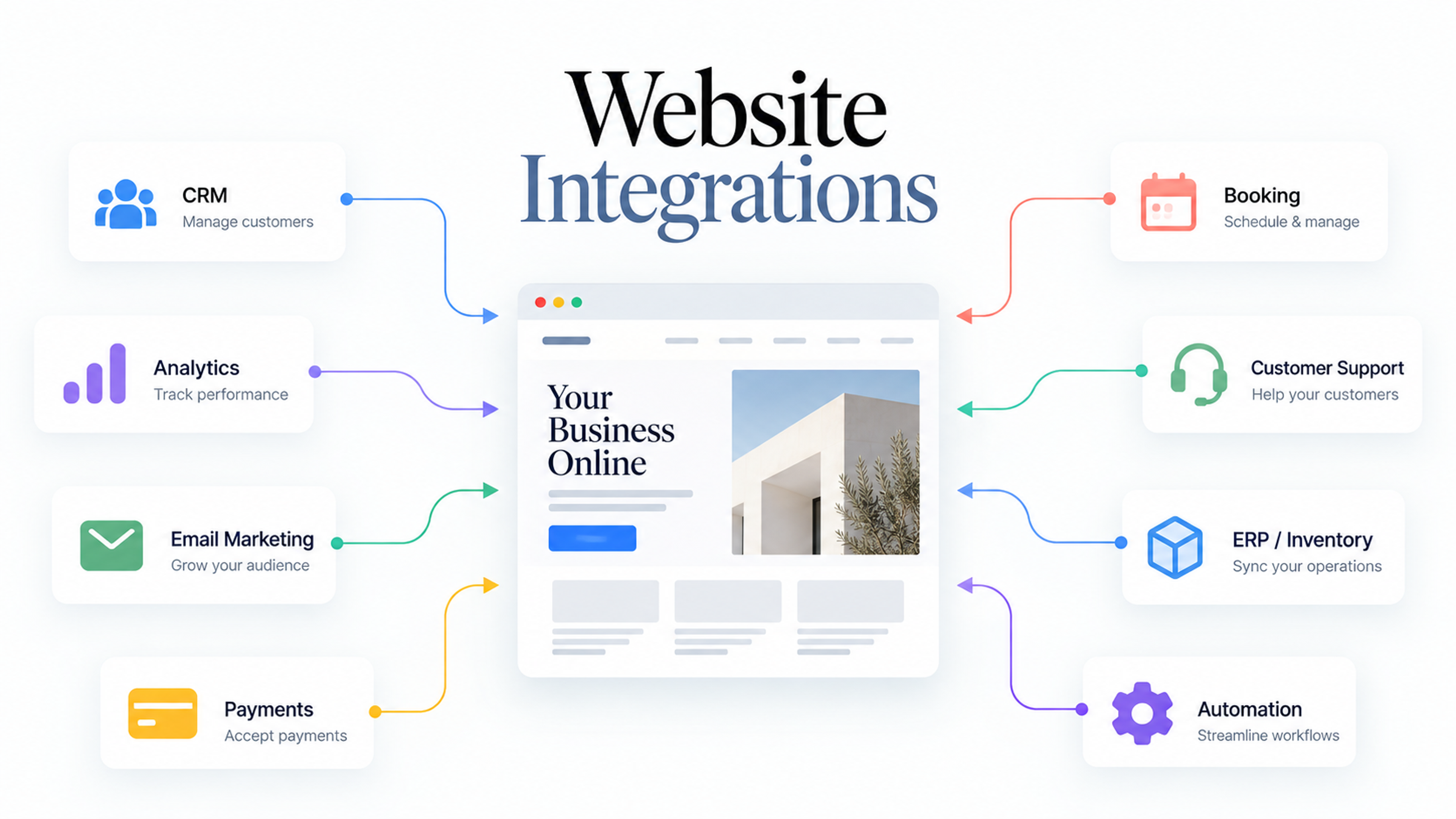
The technical connection almost always happens one of two ways, and understanding the difference matters for assessing both cost and risk. API-based integration connects the adjacent application to the ERP through whatever interface the ERP vendor exposes, REST APIs on modern platforms, SOAP-based interfaces on some older systems, though most major platforms now offer a REST-first option. This is generally the more future-proof approach, since it depends on a documented, vendor-maintained interface rather than reaching directly into the ERP's internal data structures, and it tends to survive vendor upgrades more gracefully because the vendor has an interest in keeping its own published API stable for exactly this kind of external integration.
Direct database connection has the adjacent application read and write directly against the ERP's underlying database rather than going through an API layer at all. This can be faster to build initially and avoids any API rate limits or coverage gaps, but it creates a tighter, more fragile dependency on the ERP's specific database schema, which can change in ways an API is specifically designed to abstract away from external consumers. This approach tends to work best for simpler, narrower use cases, read-heavy reporting tools in particular, rather than for adjacent applications that need to write complex, validated data back into the ERP reliably over the long term.
The choice between the two isn't purely technical; it also depends heavily on what the specific ERP platform actually offers. A platform with a genuinely complete, well-documented, actively maintained API makes the API-based approach straightforward and clearly preferable. A platform with a thin, partial or poorly maintained API sometimes forces a direct database connection as the only practical option, which is worth knowing as a real limitation before committing to build anything substantial around that specific ERP.
The risks worth taking seriously before building
Integration issues between the adjacent system and ERP modules. Even when built cleanly through an API, an adjacent application that doesn't account for how the ERP's own business rules and validation logic work can create data inconsistencies, information that looks correct in the adjacent tool but doesn't actually reconcile properly once it reaches the ERP's own reporting. Thorough testing and validation specifically focused on this boundary, not just testing the adjacent application in isolation, is necessary to catch this before it reaches production data.
Underestimating the complexity of the integration itself. Teams commonly underestimate both the time and the specialized skill required to properly scope, build and test the connection between a new adjacent application and an existing ERP, particularly when the ERP's data model is more intricate than it initially appears from the outside. This is a documented, recurring failure pattern across custom ERP extension projects generally, not a risk unique to any specific platform or vendor.
Vendor and platform dependency even when the code lives outside the ERP. Building adjacent software still means depending on the ERP vendor's API remaining stable, documented and reasonably complete, and a vendor that changes its API significantly, deprecates certain endpoints, or has historically provided only thin, partial API coverage creates risk for the adjacent application even though that application's own code never touches the ERP's core. This is a real, if generally smaller, version of the same vendor dependency risk that heavier in-core customization carries.
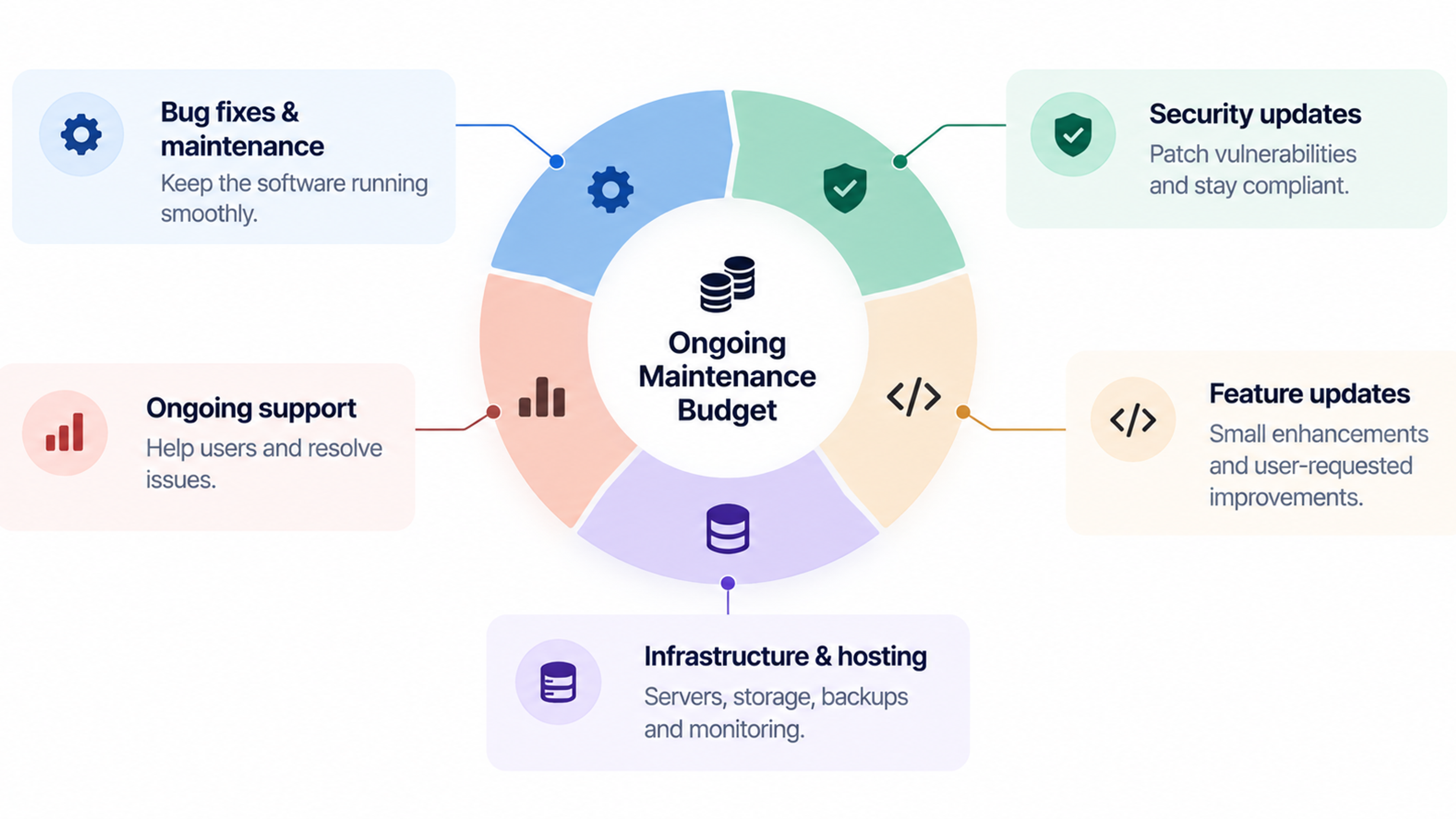
Treating "outside the ERP" as equivalent to "no ongoing maintenance." An adjacent application is still custom software with its own ongoing maintenance needs, bug fixes, security patching, adaptation as business requirements evolve, and skipping budget for that ongoing cost because the build happened "outside" the ERP is a version of the same maintenance-budgeting mistake that applies to any custom software project.
Doing this well: a practical approach
Start with a genuine fit-gap analysis, not an assumption. Before committing to any adjacent build, map specifically which parts of your actual workflow the ERP's standard configuration already covers, which parts a deeper but still vendor-supported configuration could cover with more setup effort, and which parts genuinely require something built outside the system entirely. Skipping this step and assuming a gap requires custom development, when a configuration change would have closed it, is one of the most avoidable sources of wasted build cost in this entire category.
Prefer API-based connections wherever the ERP's API genuinely supports what you need. The relative stability this provides through future vendor upgrades is usually worth more than whatever speed advantage a direct database connection might offer during initial development, except in narrower, read-only use cases where that trade-off genuinely favors the simpler direct connection.
Scope the adjacent application narrowly around the specific gap, not broadly around everything the ERP could theoretically do better. The businesses that get the most value from this approach tend to build a focused, well-defined tool solving one clear problem, the shop-floor tracker, the specific compliance report, the narrow-access portal for non-licensed users, rather than an ambitious, broad system that starts duplicating large portions of the ERP's own functionality, which reintroduces much of the complexity and risk this approach was meant to avoid in the first place.
Budget for the integration boundary specifically, not just the adjacent application's own features. The testing and validation work at the connection point between the new application and the existing ERP deserves its own dedicated attention and time in any project plan, since this is consistently where integration problems surface, not primarily within either system considered on its own.
Common mistakes worth avoiding
Reaching for custom development before exhausting configuration. A meaningful share of perceived ERP gaps are solvable through the vendor's own built-in tools, and jumping straight to a custom adjacent build without first confirming configuration genuinely can't close the gap wastes money solving a problem that a settings change would have fixed.
Building adjacent software broad enough that it starts duplicating core ERP functionality. Once an adjacent application grows to replicate large portions of what the ERP itself already does, rather than staying narrowly focused on the specific gap that justified its existence, you've recreated much of the complexity, maintenance burden and data-consistency risk of a full custom system while still paying for the ERP license underneath it.
Choosing a direct database connection for convenience without weighing the long-term fragility it introduces. This shortcut often feels faster during initial development and becomes a genuine liability the first time the ERP vendor changes an underlying schema in a routine platform update, breaking the adjacent application in a way a proper API connection would likely have avoided.
Skipping integration-specific testing in favor of testing each system independently. An adjacent application that passes its own tests and an ERP that functions normally on its own can still produce real data inconsistencies once connected, specifically because the testing never covered the boundary between the two systems where the actual integration risk concentrates.
Assuming the ERP vendor's API will remain stable indefinitely without monitoring for changes. Vendor platforms evolve, and an adjacent application built against a specific version of an ERP's API needs periodic review to confirm it's still working correctly against the vendor's current interface, rather than being built once and assumed to keep functioning indefinitely with no further attention.
A sensible way to approach this decision
If a specific workflow gap is real and recurring, start by confirming configuration genuinely can't solve it before considering anything custom. Where a custom solution is warranted, weigh building inside the ERP's own customization environment against building adjacent software outside it, favoring the adjacent approach specifically when the ERP's API is complete enough to support it and when keeping the ERP's core untouched through future vendor upgrades matters more to your organization than the slightly faster initial build an in-core customization might offer. Scope whatever you build narrowly around the specific gap that justified the project, test deliberately at the boundary between the new application and the existing ERP, and budget honestly for the ongoing maintenance the adjacent application will need for as long as it stays in use. Done this way, ERP-adjacent software delivers exactly what it promises: the specific functionality your business genuinely needs, without putting your core system's stability or upgrade path at risk to get it.
Frequently Asked Questions
No, and the distinction matters for risk. ERP customization modifies code or configuration running inside the ERP's own platform, directly coupling that custom work to the vendor's release cycle. ERP-adjacent software is a separate application connecting to the ERP from outside, through an API or database connection, which keeps the ERP's own code untouched and generally makes it more resilient to vendor upgrades.
Only in cases where the gap between your actual business processes and what any ERP platform assumes is broad and fundamental, rather than confined to one or two specific workflows. Most businesses that feel they've outgrown configuration and adjacent extensions still fall well short of needing a complete, ground-up custom ERP replacement.
It varies considerably by scope and the specific ERP platform's API quality, but adjacent software often avoids some of the specialized, platform-specific development skill that in-core customization on proprietary scripting environments requires, which can make it more accessible for teams without deep expertise in a particular vendor's customization framework, though the connection and integration testing work still needs appropriate budget and attention.
Generally more reliably than in-core customization, provided the connection is built against the vendor's documented, stable API rather than a direct database connection to internal structures that can change without notice. It's still worth periodically confirming the adjacent application continues to function correctly as the ERP vendor ships updates, rather than assuming permanent compatibility.
Yes, this is one of its more directly financial use cases. Building a narrow, purpose-built application that gives a specific group of users exactly the ERP data and functionality they need, without granting them a full ERP license, can meaningfully reduce licensing costs for users who only ever needed a small slice of what the full system offers.